Backup
ClareVision Plus Network Video Recorder User Manual 93
Back up device management
To manage USB flash drives, USB HDDs, and eSATA HDDs.
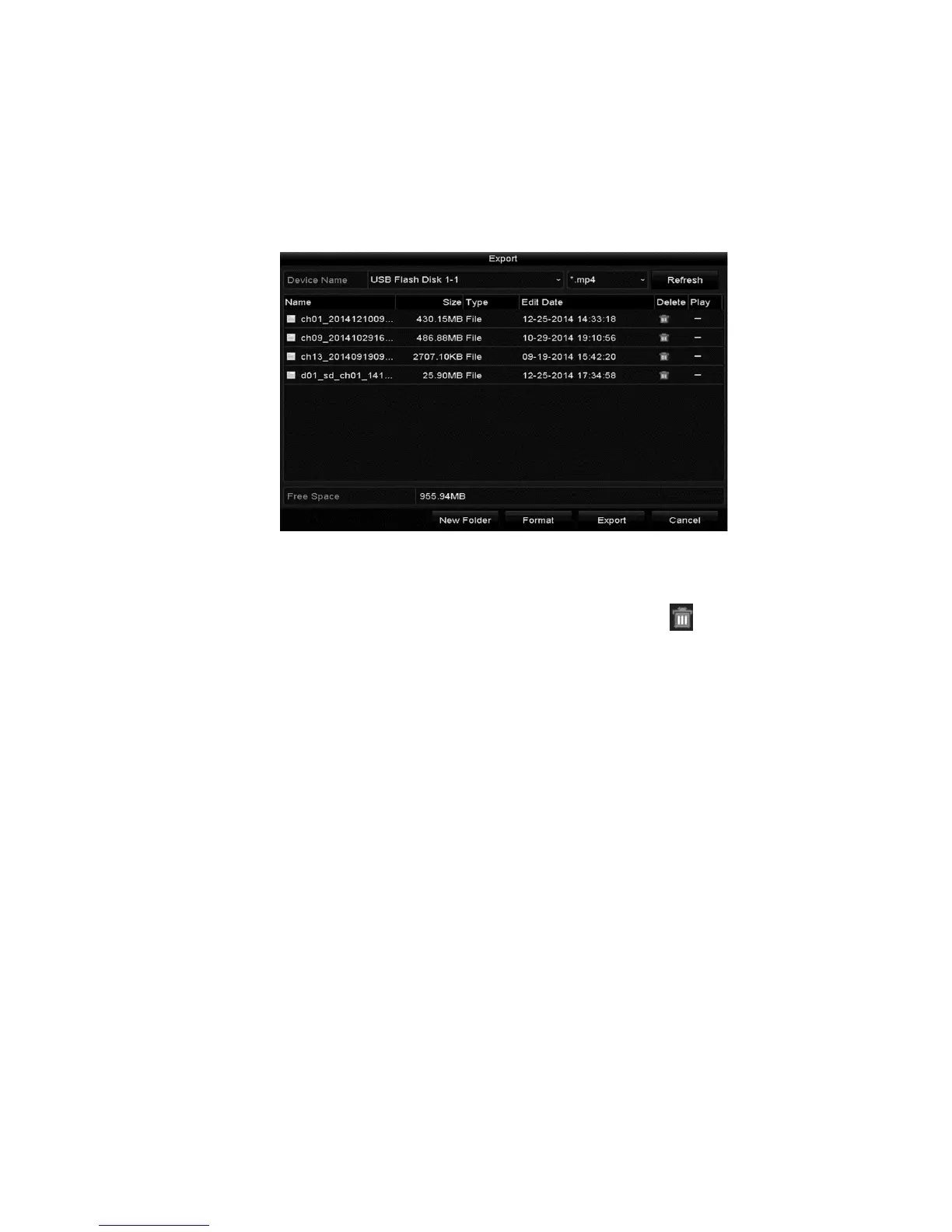
1. Browse to the Export interface.
Menu > Export
2. Manage the device.
• Click New Folder, to create a new folder in the backup device.
• Select a record file/folder in the device, and then click to delete the
file/folder.
• Click Erase to remove the files from a re-writable CD/DVD.
• Click Format to format the backup device.
Note: If the inserted device is not recognized, do the following.
• Click the Refresh button.
• Reconnect device.
• Check the vendor’s compatibility.
Hot Spare device back up
The device can form an N Plus1 hot spare system. The system consists of
several working devices and a hot spare device. When the hot spare device
switches into operation, it increases the reliability of the system.
Note: Please contact your dealer for details on models supporting the hot spare
function.
Before starting, make sure that at least 2 devices are online. A bi-directional
connection is required between the hot spare device and each working device.



 To Next Page