Network Video Recorder User Manual 1
Introduction
Front panel
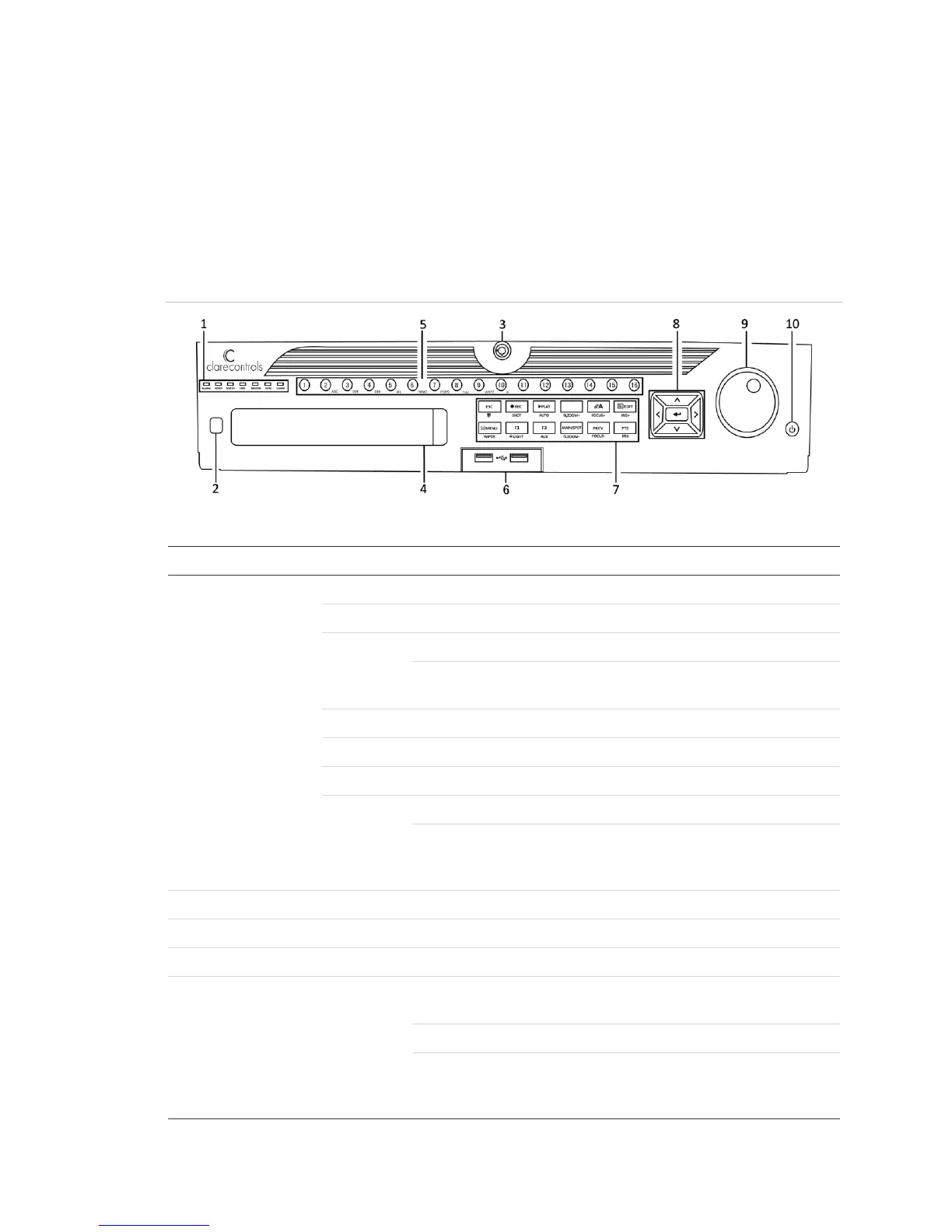
Figure 1: 64-Channel NVR front panel
(Model CVP-64050-10)
Table 1: 64-Channel NVR control panel buttons
Turns red when a sensor alarm is detected
Blue when the device functions properly
Turns blue when an IR remote controls the device
Turns red when controlled by a keyboard and purple when the IR
remote and keyboard are used at the same time
Blinks red when data is being read from or written to HDD
Blinks blue when the network connection is functioning properly
Guard indicator turns blue when the device is in armed status
The indicator turns off when the device is unarmed. Pressing and
holding the ESC button for more than three seconds in Live View
mode can change the arm/disarm status.
Receiver for the IR remote
Lock or unlock the panel with the key
Switch to the corresponding channel in Live view or PTZ Control
mode
Switch between different channels in Playback mode
The button is blue when the corresponding channel is recording;
red when the channel is in network transmission status; and pink
when the channel is recording and transmitting



 To Next Page