Network Settings
ClareVision Plus Network Video Recorder User Manual 129
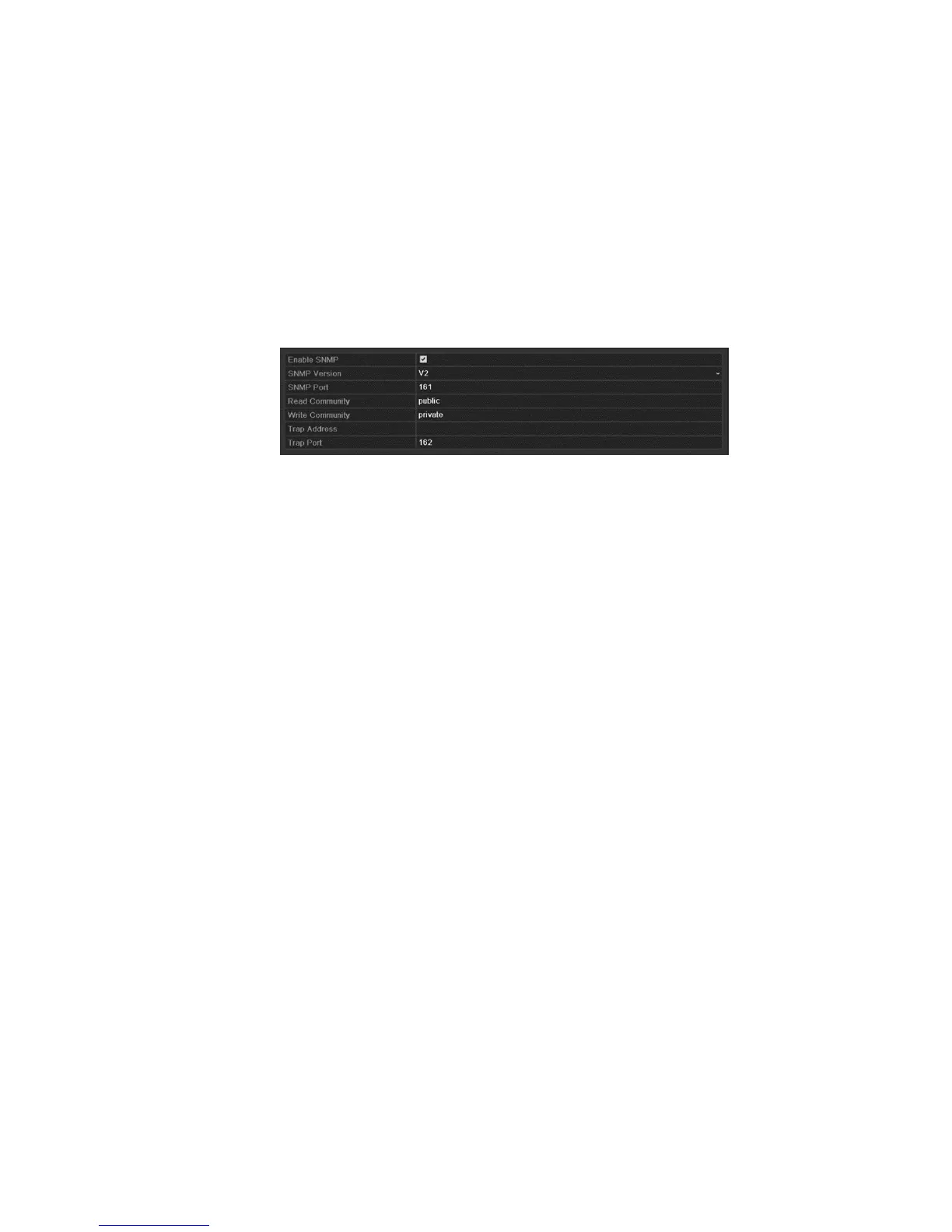
Configuring SNMP
You can use SNMP protocol to get device status and parameters-related
information.
To configure SNMP:
1. Browse to the Network Settings interface.
Menu > Configuration > Network
2. Click the SNMP tab.
3. Select the SNMP checkbox.
4. Configure the following SNMP settings.
Trap Address: IP Address of SNMP host.
Trap Port: Port of SNMP host.
5. Click Apply to save and exit the interface.
Note: Before setting the SNMP, download the SNMP software and configure it to
receive the device information via SNMP port. By setting the trap address, the
NVR can send the alarm event and exception message to the surveillance
center.
Configuring the More Settings tab
The More Settings tab contains configuration options for the Alarm Host IP/Port,
Multicast IP, RTSP Port, and Server and HTTP ports.
Configuring a remote alarm host
With a remote alarm host configured, the NVR will send the alarm event or
exception message to the host when an alarm is triggered. The remote alarm
host must have the Network Video Surveillance software installed.
To configure the remote alarm host:
1. Browse to the Network Settings interface.
Menu > Configuration > Network
2. Click the More Settings tab.



 To Next Page