Alarm Settings
106 ClareVision Plus Network Video Recorder User Manual
Notify surveillance center
This sends an exception or alarm signal to the remote alarm host when an event
occurs. The alarm host refers to the PC installed with Remote Client.
Note: When the remote alarm host is configured, the alarm signal transmits
automatically.
Email linkage
Send an email with alarm information to a user or users when an alarm is
detected.
Trigger alarm output
Trigger an alarm output when an alarm is tripped.
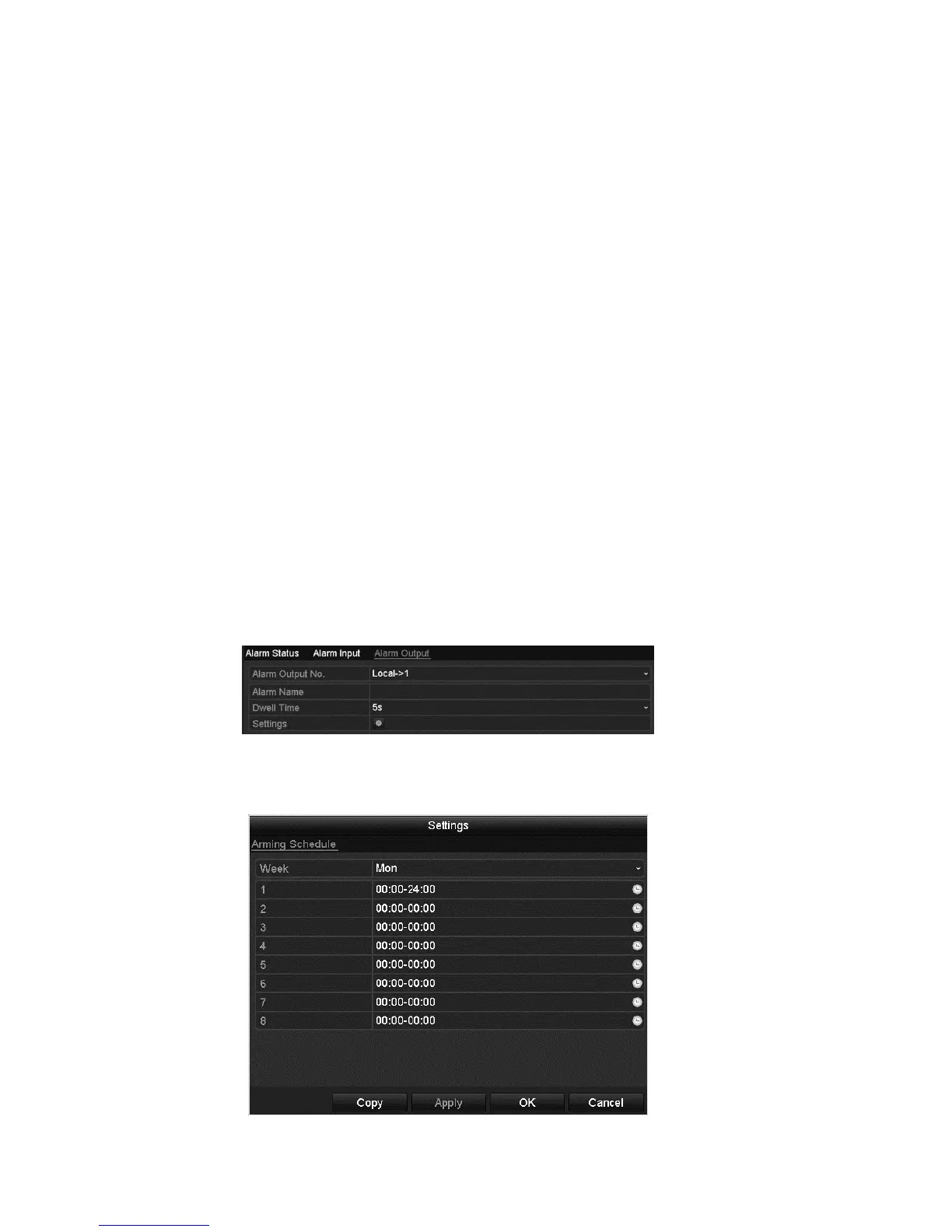
To configure a trigger alarm:
1. Browse to the Alarm Output interface.
Menu > Configuration > Alarm > Alarm Output
2. Select an alarm output and set alarm name and dwell time.
3. Click Schedule to set the arming schedule of alarm output.
Note: When you select Manually Clear on the Dwell Time list, you can only
clear it on the Manual Alarm interface.
Menu > Manual > Alarm.
4. Select a day of a week and up to eight time periods for each day.
Note: Do not repeat or overlap times.



 To Next Page