HDD Management
162 ClareVision Plus Network Video Recorder User Manual
HDD detection
The device provides the HDD detection function such as adopting S.M.A.R.T.
and the Bad Sector Detection technique. The S.M.A.R.T. (Self-Monitoring,
Analysis and Reporting Technology) is an HDD monitoring system. It detects and
reports on various indicators of reliability in the hopes of anticipating failures.
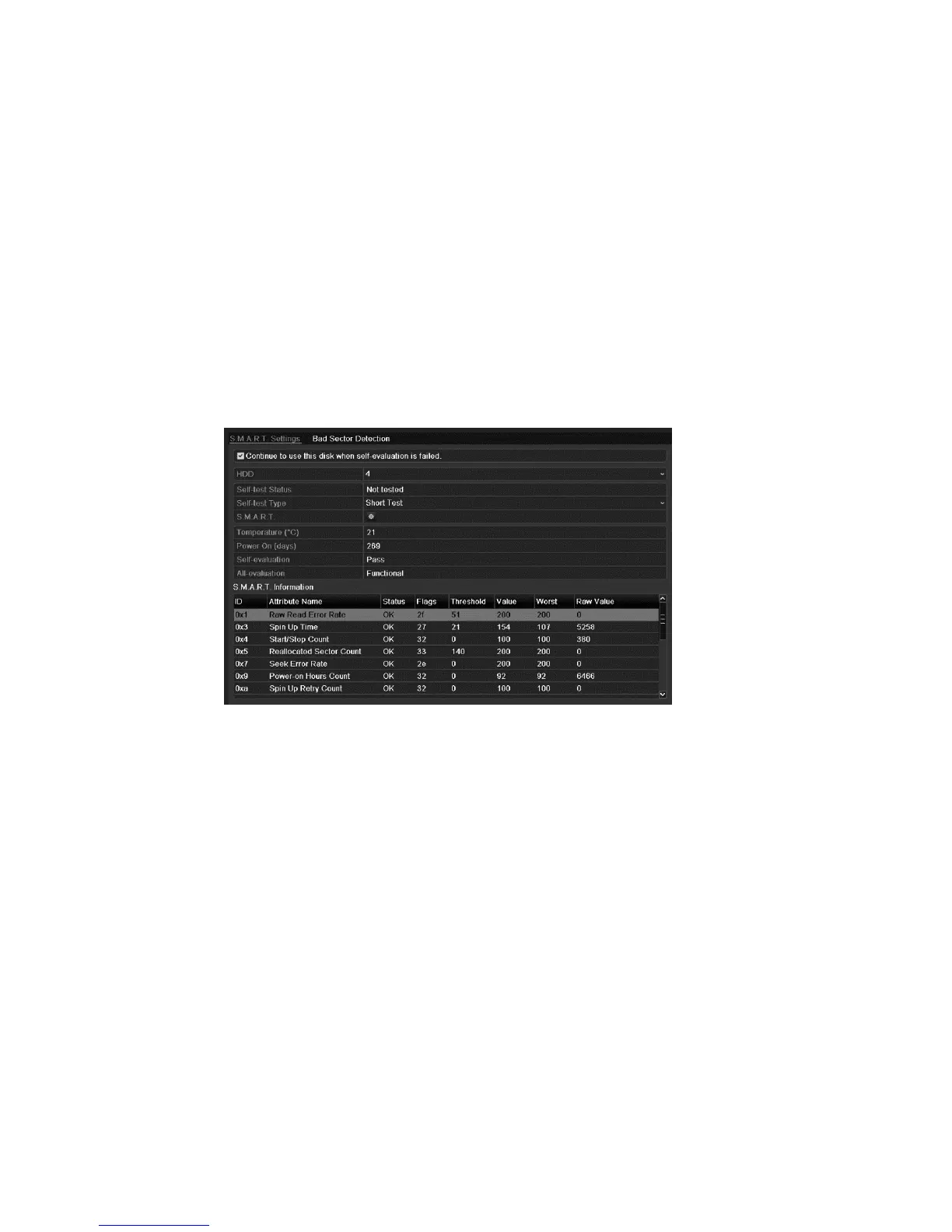
S.M.A.R.T. settings
To set S.M.A.R.T.:
1. Browse to the S.M.A.R.T. Settings interface.
Menu > Maintenance > HDD Detect
2. Select the HDD to view its S.M.A.R.T information list.
S.M.A.R.T. related information is shown on the interface. You can choose the
self-test types as Short Test, Expanded Test or the Conveyance Test.
3. Click Start to start the S.M.A.R.T. HDD self-evaluation.
Note: If you want to use the HDD even when S.M.A.R.T. checking failed, you
can select the Continue to use the disk when self-evaluation is failed
checkbox.
Bad sector detection
To detect a bad sector:
1. Click the Bad Sector Detection tab.
2. Select the HDD number in the drop-down list you want to configure, and then
choose All Detection or Key Area Detection as the detection type.



 To Next Page