PTZ Settings
ClareVision Plus Network Video Recorder User Manual 47
4. Repeat the steps 2 and 3 for each preset.
Note: Click Clear to reset the location information for the current preset.
– or –
Click Clear All to reset all locations information from all presets.
Calling presets
This feature allows the camera to point to a specified position, such as a window,
when an event takes place.
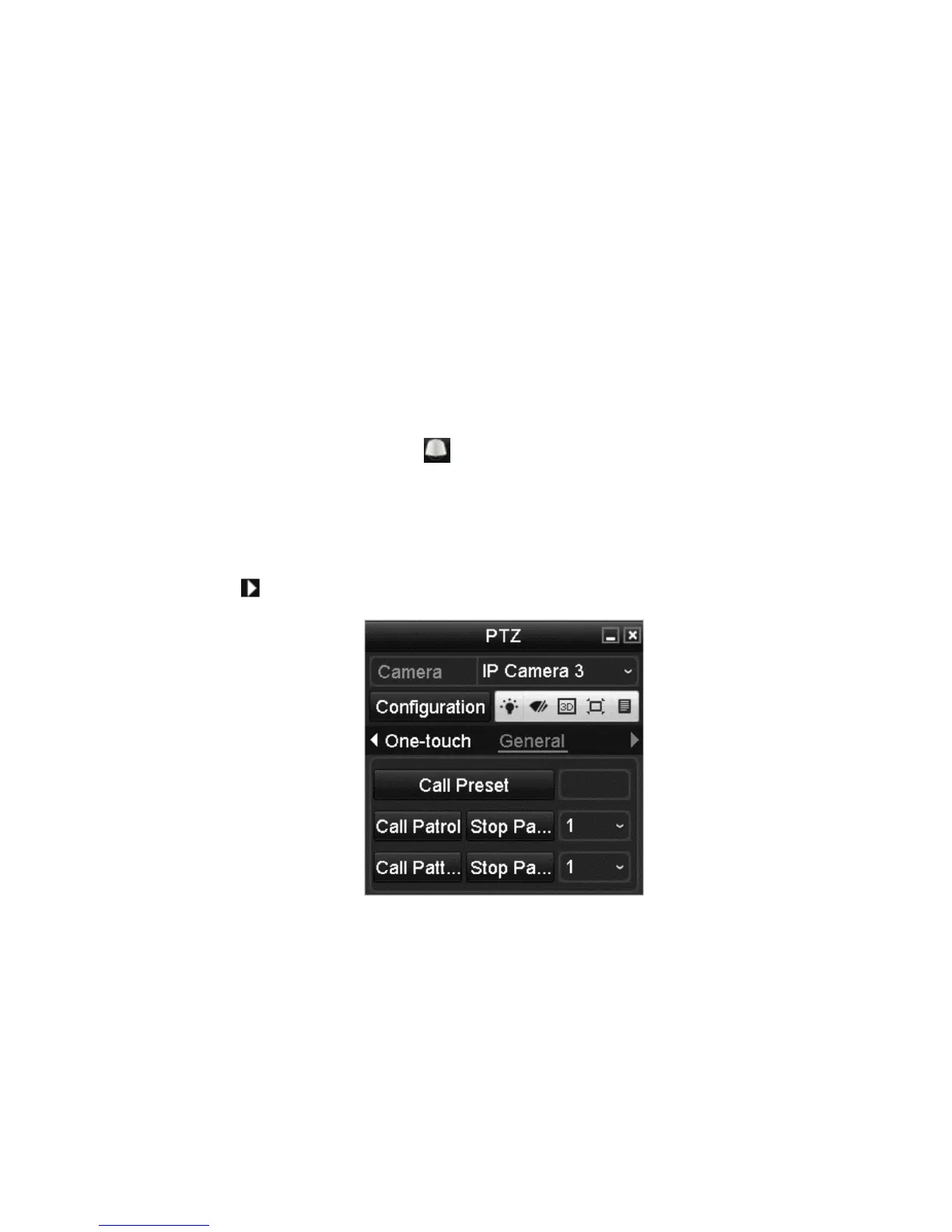
To call preset in the PTZ setting interface:
1. Browse to the PTZ Control interface.
Menu > Camera > PTZ
2. Click the PTZ Control icon in the quick setting bar.
– or –
Select the PTZ option in the right-click menu.
3. Select the desired camera from the Camera drop-down list.
4. Click to view the general PTZ control settings.
5. Enter the preset number in the Call Preset field.
6. Click Call Preset.



 To Next Page