Network Settings
ClareVision Plus Network Video Recorder User Manual 127
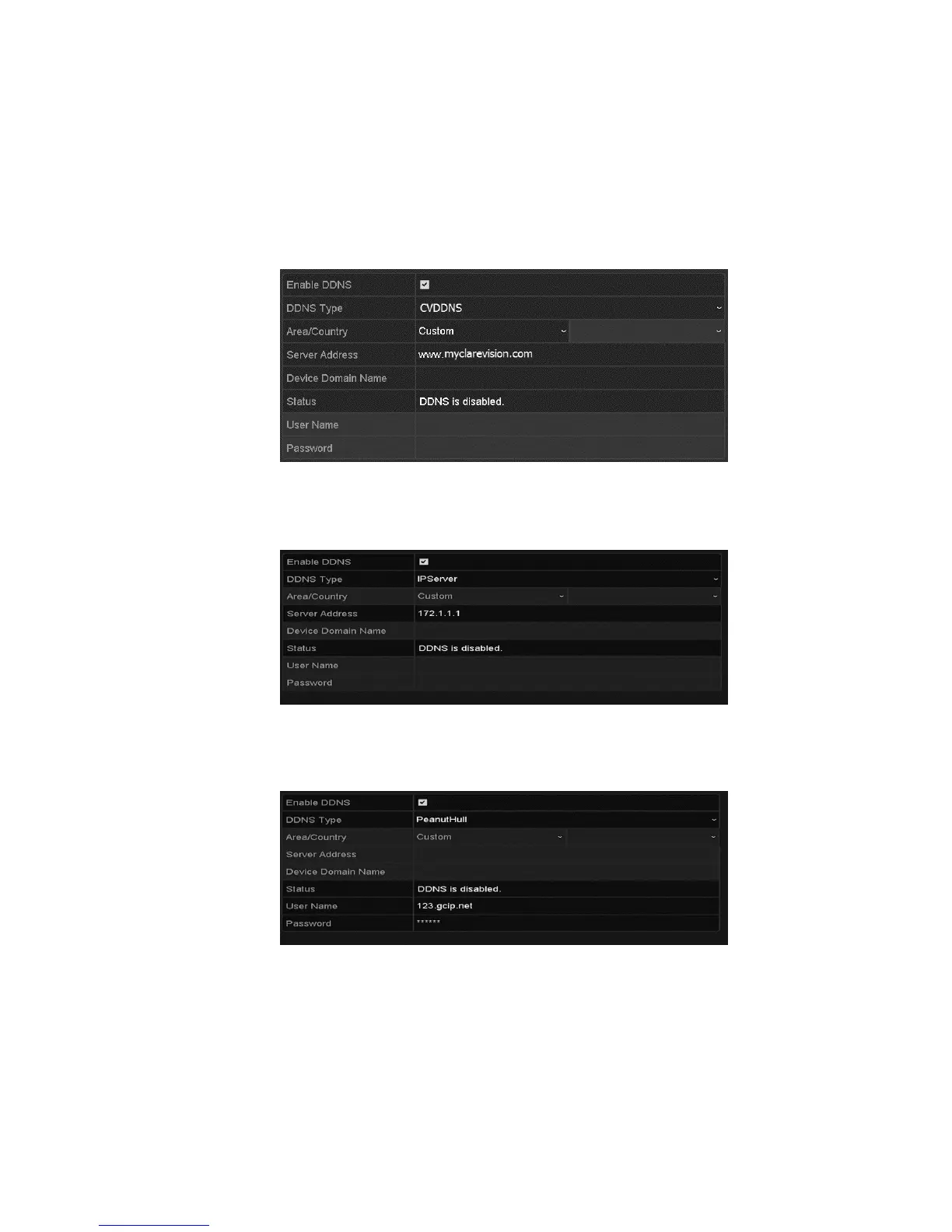
ClareVision DDNS:
1. Enter the server address for the ClareVision DDNS (myclarevision.com).
2. In the NVR Domain Name field, enter the domain obtained from the
ClareVision DDNS website.
3. Enter the User Name and Password registered in the ClareVision website.
IPServer:
• Enter the server address for IPServer.
PeanutHull:
• Enter the User Name and Password obtained from the PeanutHull website.
NO-IP:
1. Enter the account information in the corresponding fields.
2. Enter the NO-IP’s server address.
3. In the NVR Domain Name field, enter the domain obtained from the NO-IP
website (www.no-ip.com).



 To Next Page