VCA Alarm
116 ClareVision Plus Network Video Recorder User Manual
• The Rule Settings sensitivity defines the similarity degree of the background
image. When the sensitivity is high, a small object removed from the region
triggers the alarm.
• Up to 4 rules can be configured.
Audio exception detection
The audio exception detection function detects abnormal sounds in a
surveillance scene. For example, the sudden increase/decrease of a sounds
intensity trigger the alarm.
To configure the audio exception detection:
1. Enter the VCA settings interface.
Menu > Camera > VCA
2. Select the desired camera.
3. Set the VCA detection to Audio Exception Detection, and then select the
Enable checkbox.
4. Click to configure the trigger channel, arming schedule, and linkage
actions.
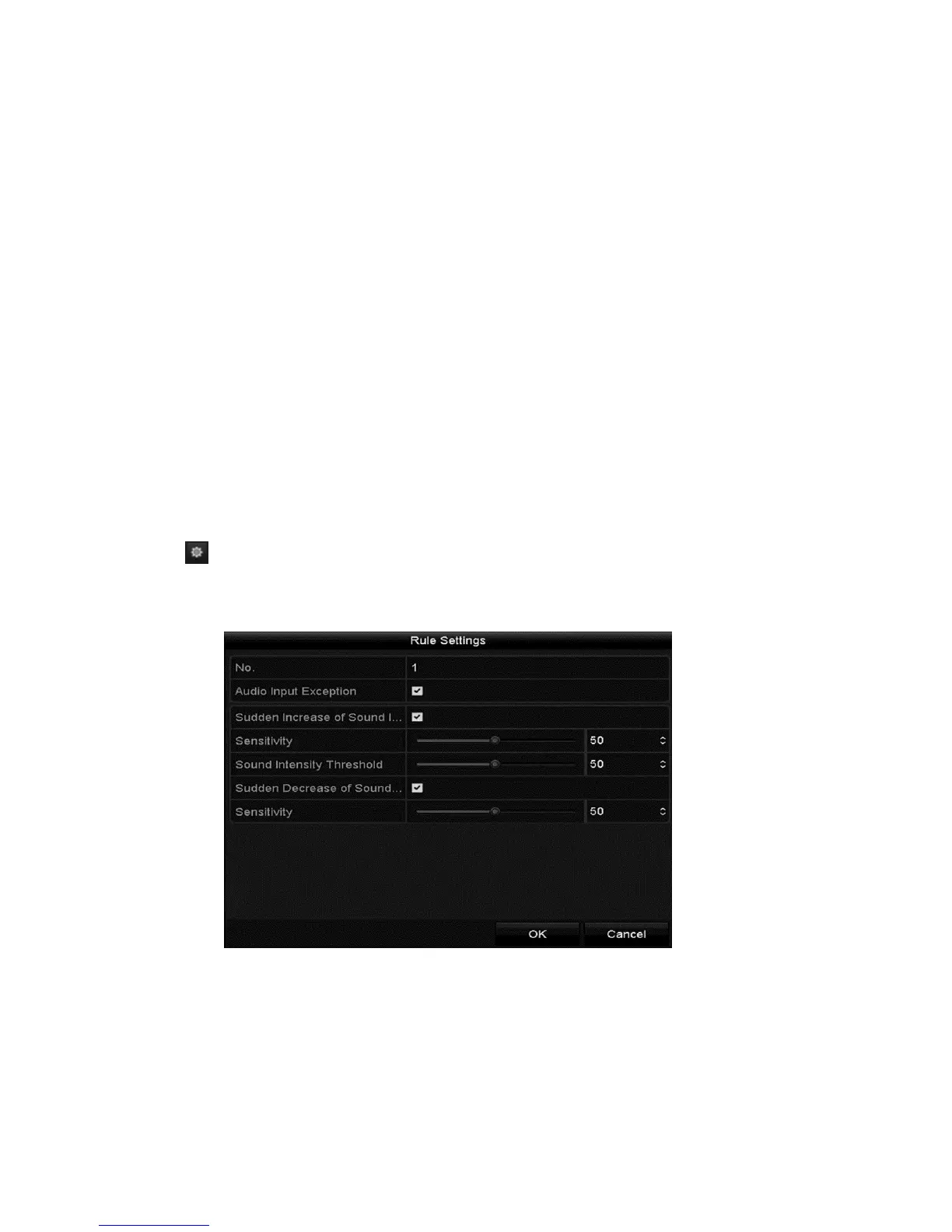
5. Click Rule Settings and configure the rules.
a. Select the Audio Input Exception checkbox.



 To Next Page