VCA Alarm
ClareVision Plus Network Video Recorder User Manual 111
6. Click Save.
Line crossing detection
The line crossing function detects when a person or vehicle cross a set virtual
line. The line crossing direction can be set as bi-directional. Set the duration for
the alarm response actions.
To configure line crossing detection:
1. Browse to the VCA settings interface.
Menu > Camera > VCA
2. Select the desired camera.
Note: Click the Save VCA Picture to save captures pictures from VCA
detection.
3. Set the VCA detection to Line Crossing Detection, and then select the Enable
checkbox.
4. Click to configure the trigger channel, arming schedule, and linkage
actions for the blacklist, whitelist the others.
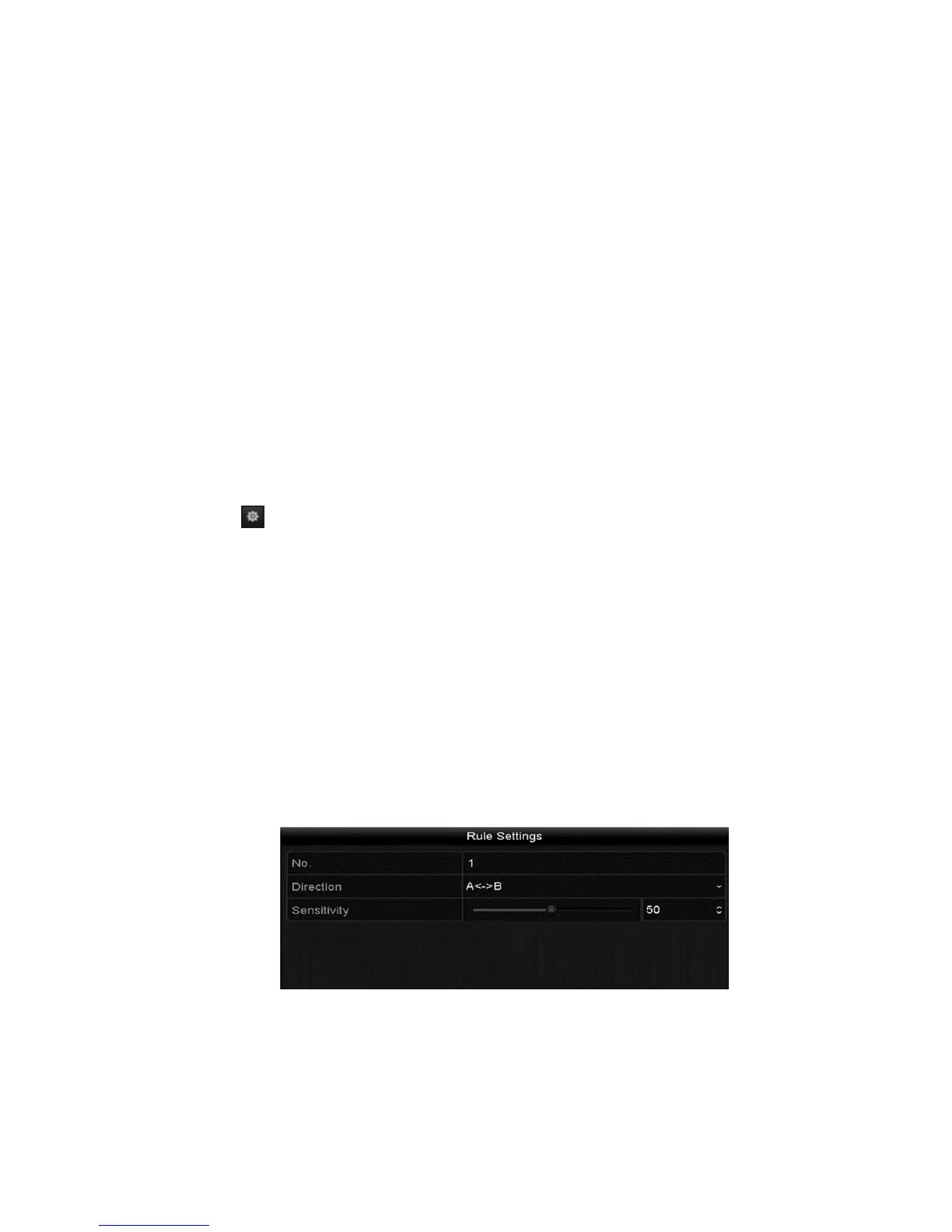
5. Click Rule Settings to configure the line crossing detection rules.
a. Select the direction: A<->B, A->B, or A<-B.
A<->B: Only the arrow on the B side displays. When an object crosses
the line going either direction, it is detected and the set alarms are
triggered.
A->B: Only an object crossing from side A to side B is detected.
A<-B: Only an object crossing from side B to side A is detected.
b. Click and drag the slider to adjust the sensitivity.
c. Click OK to save the rule settings.



 To Next Page