HDD Management
158 ClareVision Plus Network Video Recorder User Manual
3. Set the HDD property to R/W, Read-only, or Redundancy.
4. Click OK to save the settings and exit the interface.
In the HDD Information menu, the HDD property displays in the HDD Information
menu.
Note: At least two hard disks are installed on your NVR in order to set the HDD
to Redundancy, and one HDD with the R/W property.
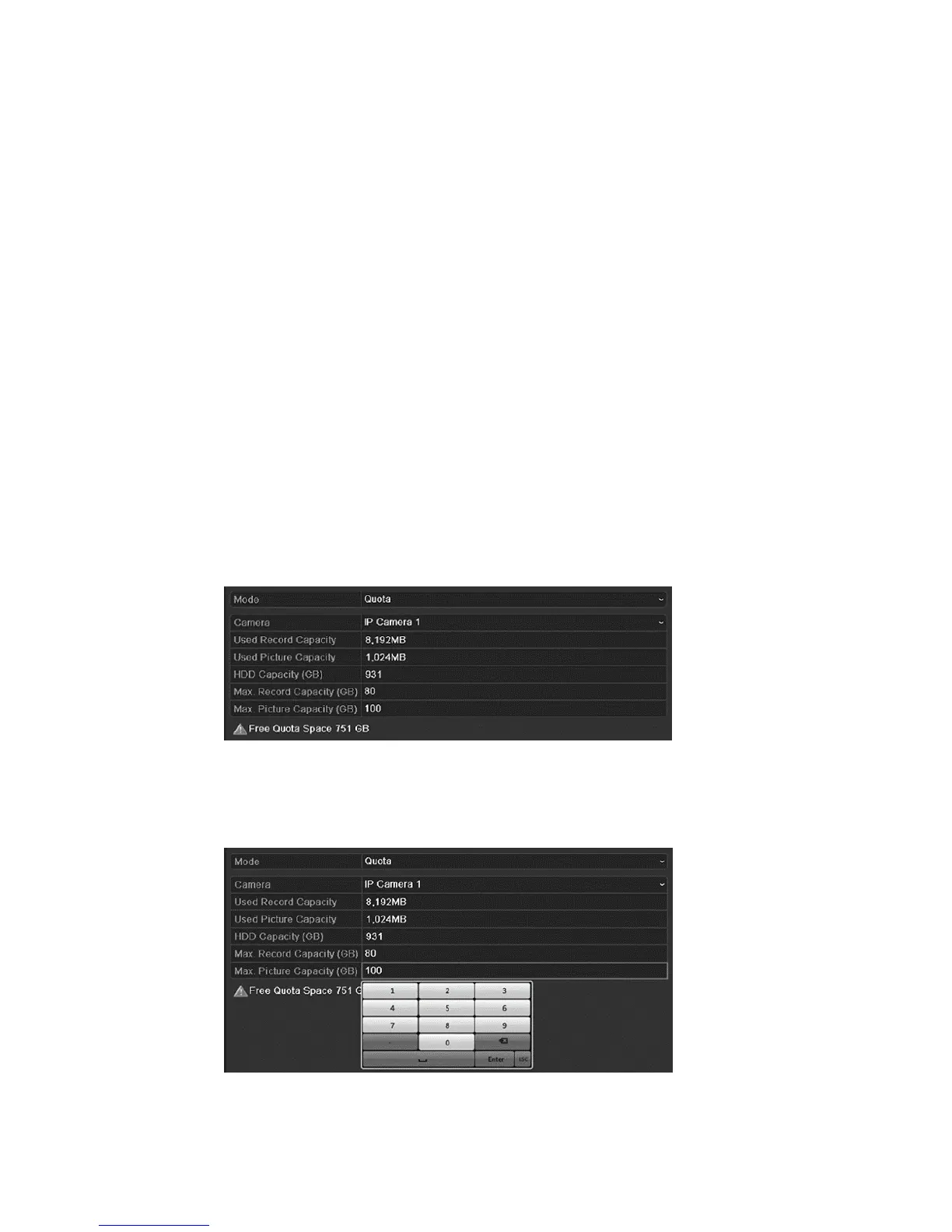
Configuring Quota mode
Each camera is configured with an allocated quota for the storage of recorded
files or captured pictures.
To configure Quota mode:
1. Browse to the Storage Mode interface.
Menu > HDD > Advanced
2. Set the mode to Quota.
Note: Reboot the NVR to enable the changes to take effect.
3. Select a camera to configure quota.
4. Enter the storage capacity in the Max. Record Capacity (GB) and Max.
Picture Capacity (GB) text fields.



 To Next Page