Camera Settings
ClareVision Plus Network Video Recorder User Manual 165
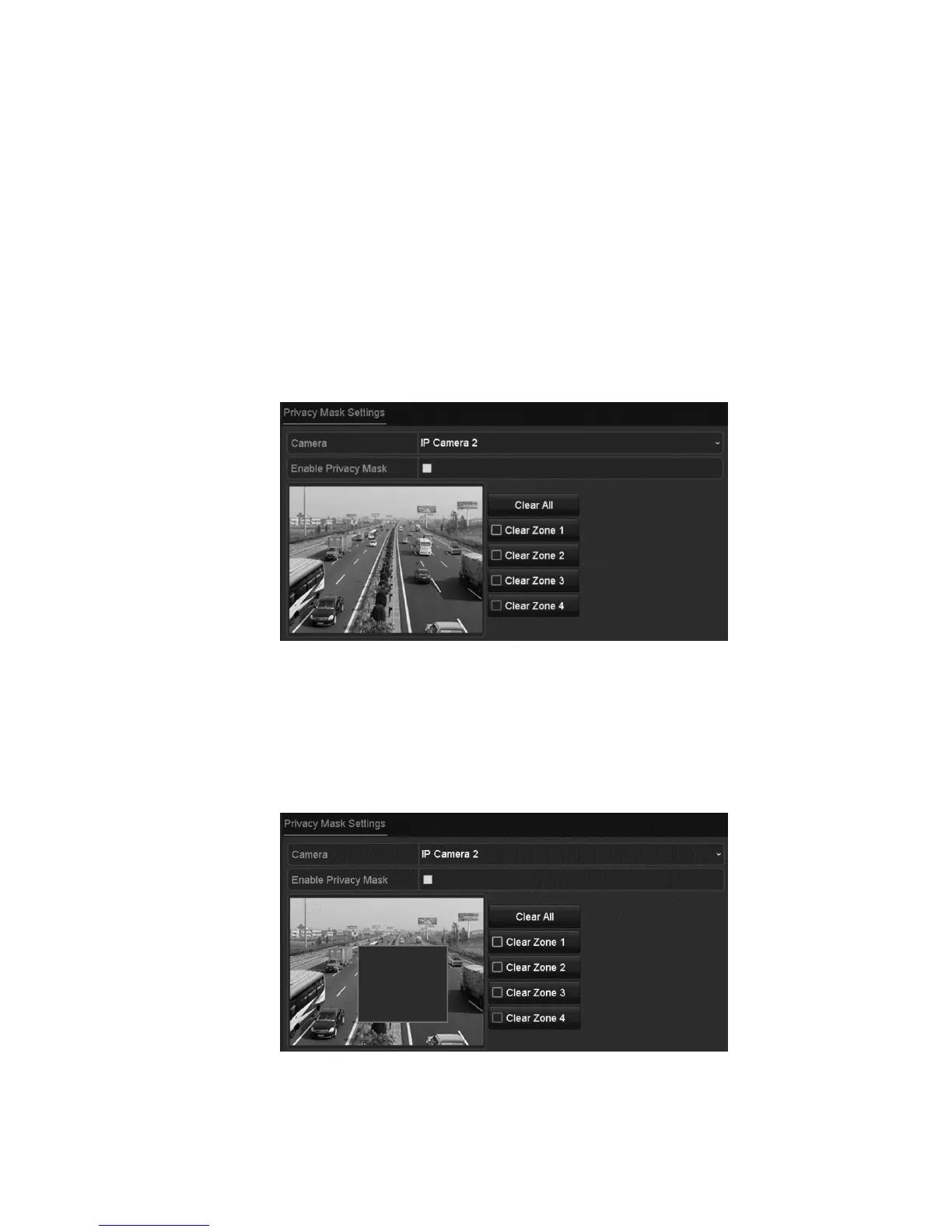
Configuring privacy mask
You can configure four-sided privacy mask zones that are not viewed by the
operator. The privacy mask prevents the masked surveillance areas from being
viewed or recorded.
Note: There are only four configurable privacy mask.
To configure a privacy mask:
1. Browse to the Privacy Mask Settings interface.
Menu > Camera > Privacy Mask
2. Select the camera to set privacy mask.
3. Select the Enable Privacy Mask checkbox to enable this feature.
4. Use the mouse to draw a zone on the window. The zones are marked with
different frame colors.
Note: You can clear a privacy mask zone by clicking its corresponding button.
– or –
Click Clear All to clear all zones.
5. Click Apply to save the settings.



 To Next Page