RAID
144 ClareVision Plus Network Video Recorder User Manual
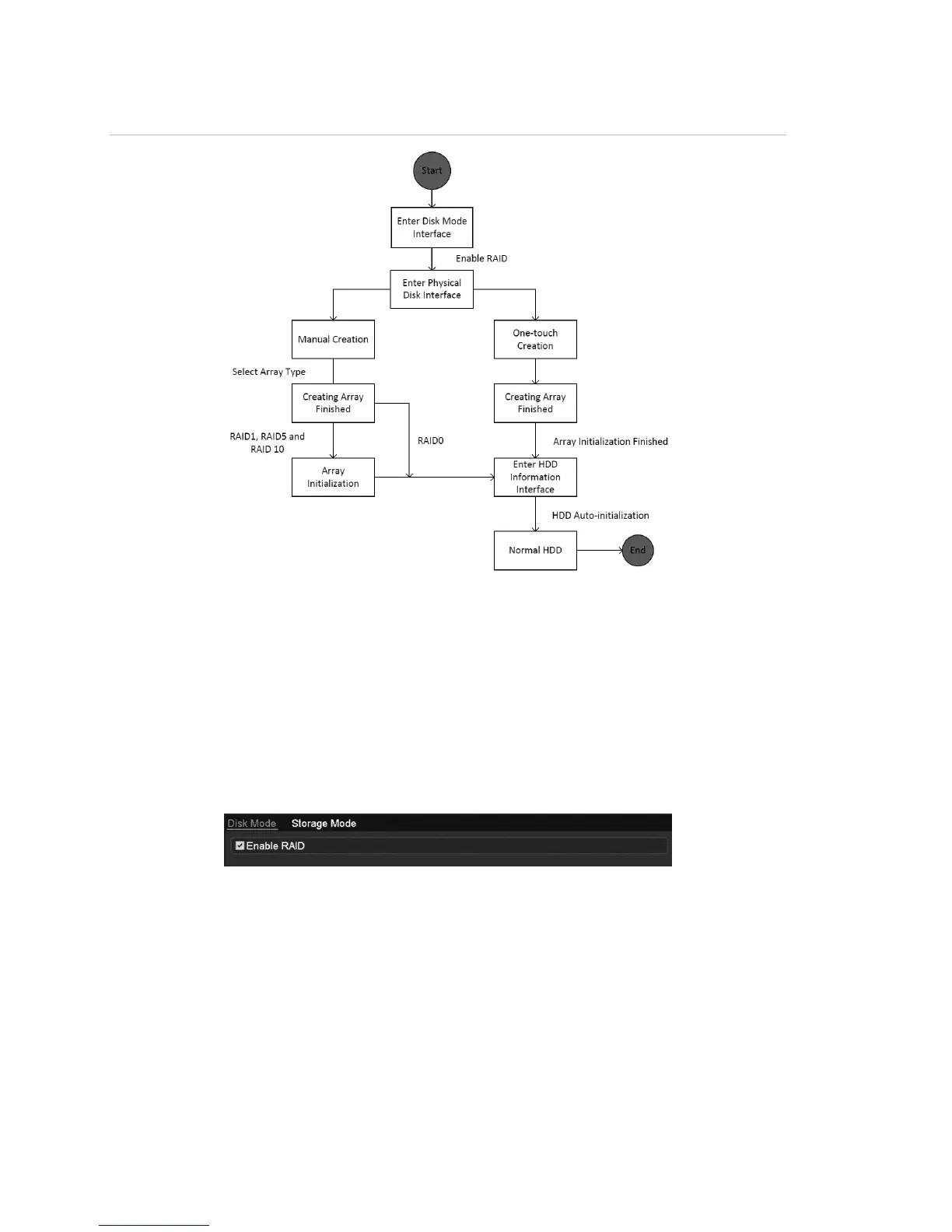
Figure 27: RAID workflow
Enable RAID
Enable RAID to allow disk array creation, enable RAID with the startup Wizard,
or enable RAID in the HDD Management interface.
To enable RAID in the HDD Management interface:
1. Browse to the disk mode configuration interface.
Menu > HDD > Advanced
2. Select the Enable RAID checkbox.
3. Click Apply to save the settings.



 To Next Page