Introduction
ClareVision Plus Network Video Recorder User Manual 11
IR remote control operations
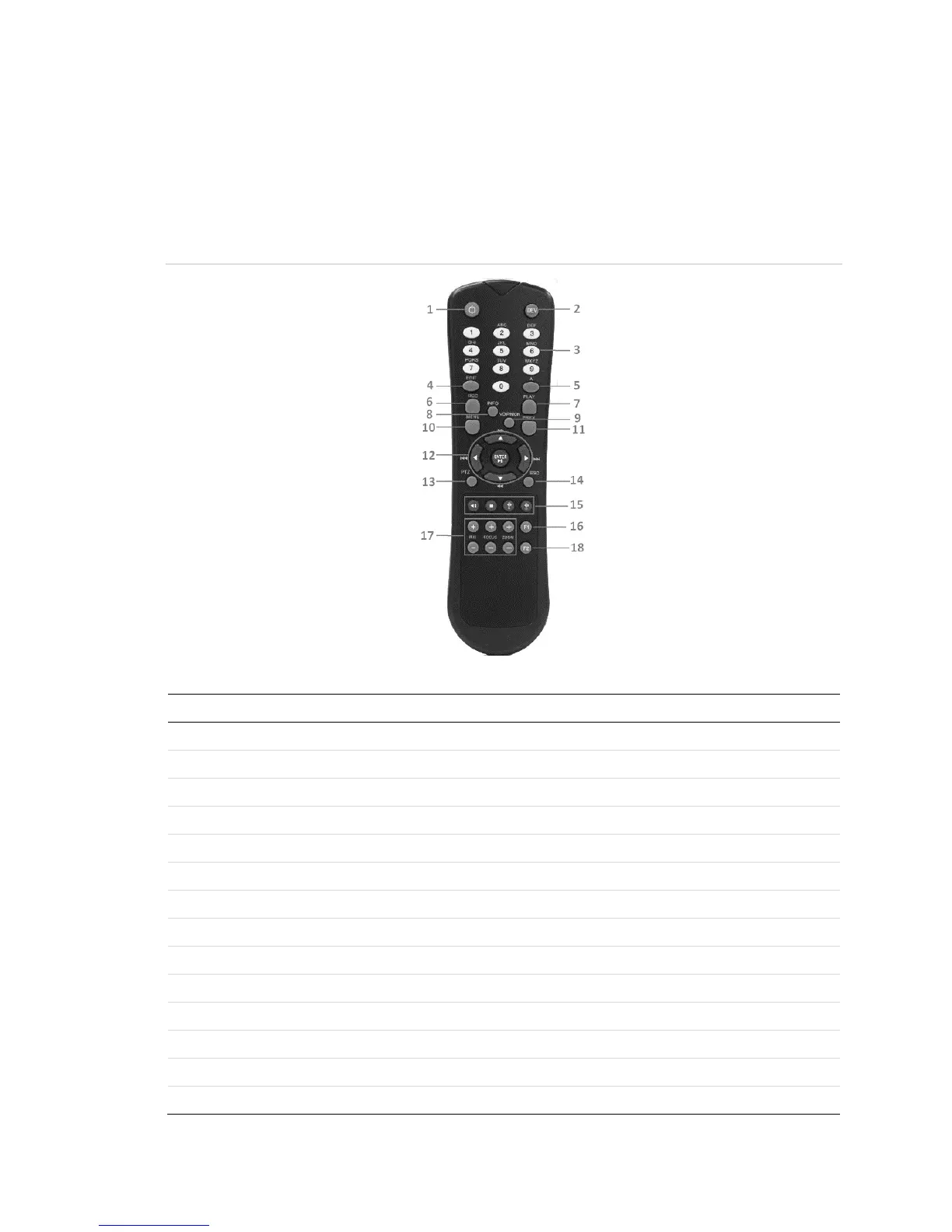
The included IR remote controls the NVR, shown below. The keys on the remote
control closely resemble the ones on the front panel.
Note: Install batteries (2 × AAA) before operation.
Figure 9: Remote control
Table 9: Remote control buttons
Enables/Disables Remote Control.
Same as Alphanumeric buttons on front panel.
Same as EDIT/IRIS Plus button on front panel.
Same as A/FOCUS Plus button on front panel.
Same as REC/SHOT button on front panel.
Same as the PLAY/AUTO button on front panel.
Same as the MAIN/SPOT/ZOOM- button on front panel.
Same as the MENU/WIPER button on front panel.
Same as the PREV/FOCUS- button on front panel.
Same as the DIRECTION/ENTER buttons on front panel.
Same as the PTZ/IRIS- button on front panel.
Same as the ESC button on front panel.



 To Next Page