NVR Management and Maintenance
168 ClareVision Plus Network Video Recorder User Manual
Searching for and exporting log files
The operation, alarm, exception and information of the NVR is stored in log files,
which are viewed and exported at any time.
To search and export log files:
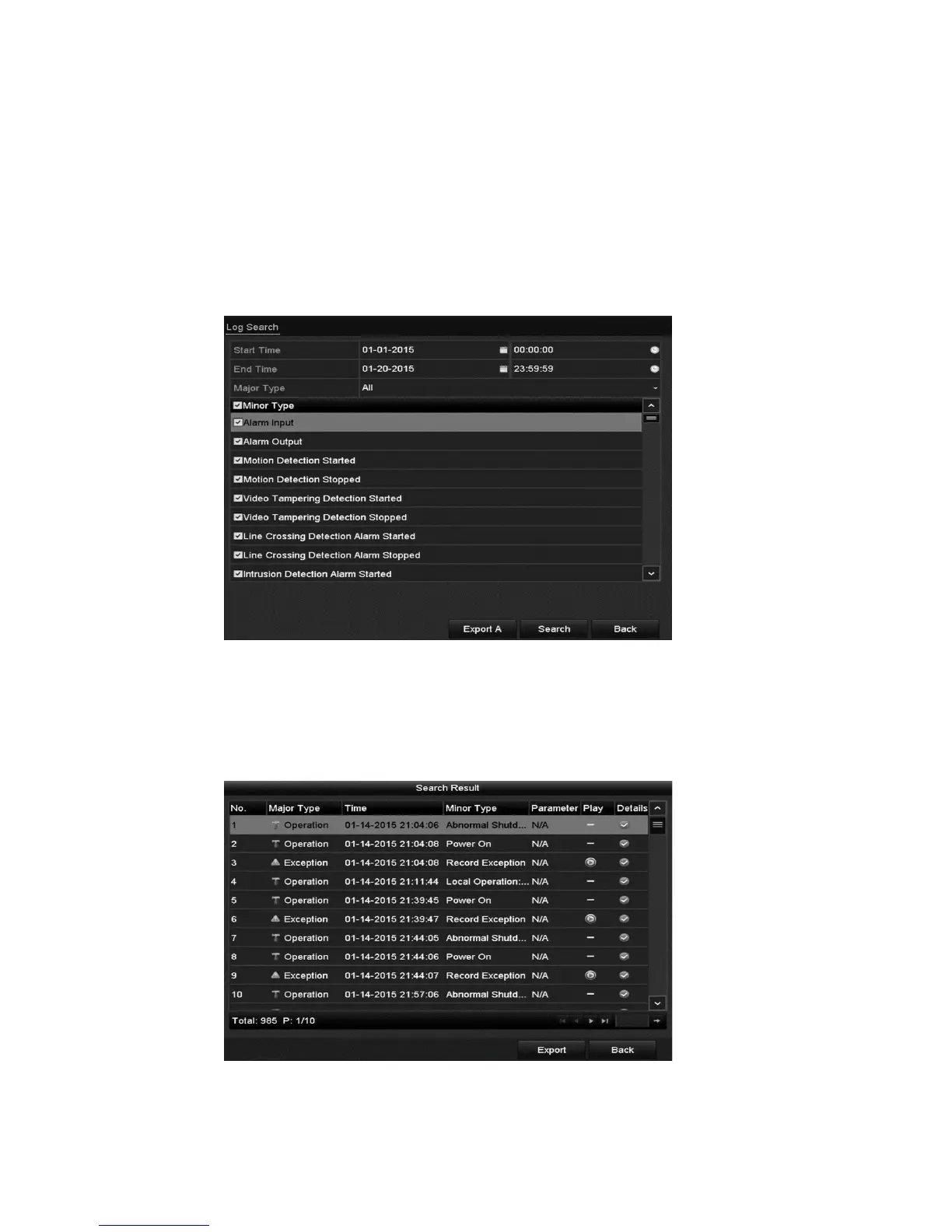
1. Browse to the Log Search interface.
Menu > Maintenance > Log Information
2. Set the log search conditions to refine your search, including the Start Time,
End Time, Major Type, and Minor Type.
3. Click Search to start searching the log files.
The matched log files display in a list, as shown below.
Note: Up to 2,000 log files are displayed.



 To Next Page