EasyManua.ls Logo

Clare Controls ClareVision Plus - Playing Back Recorded Files

Default Icon
208 pages
Print Icon
To Next Page IconTo Next Page
To Previous Page IconTo Previous Page
Loading...
Playback
ClareVision Plus Network Video Recorder User Manual 73
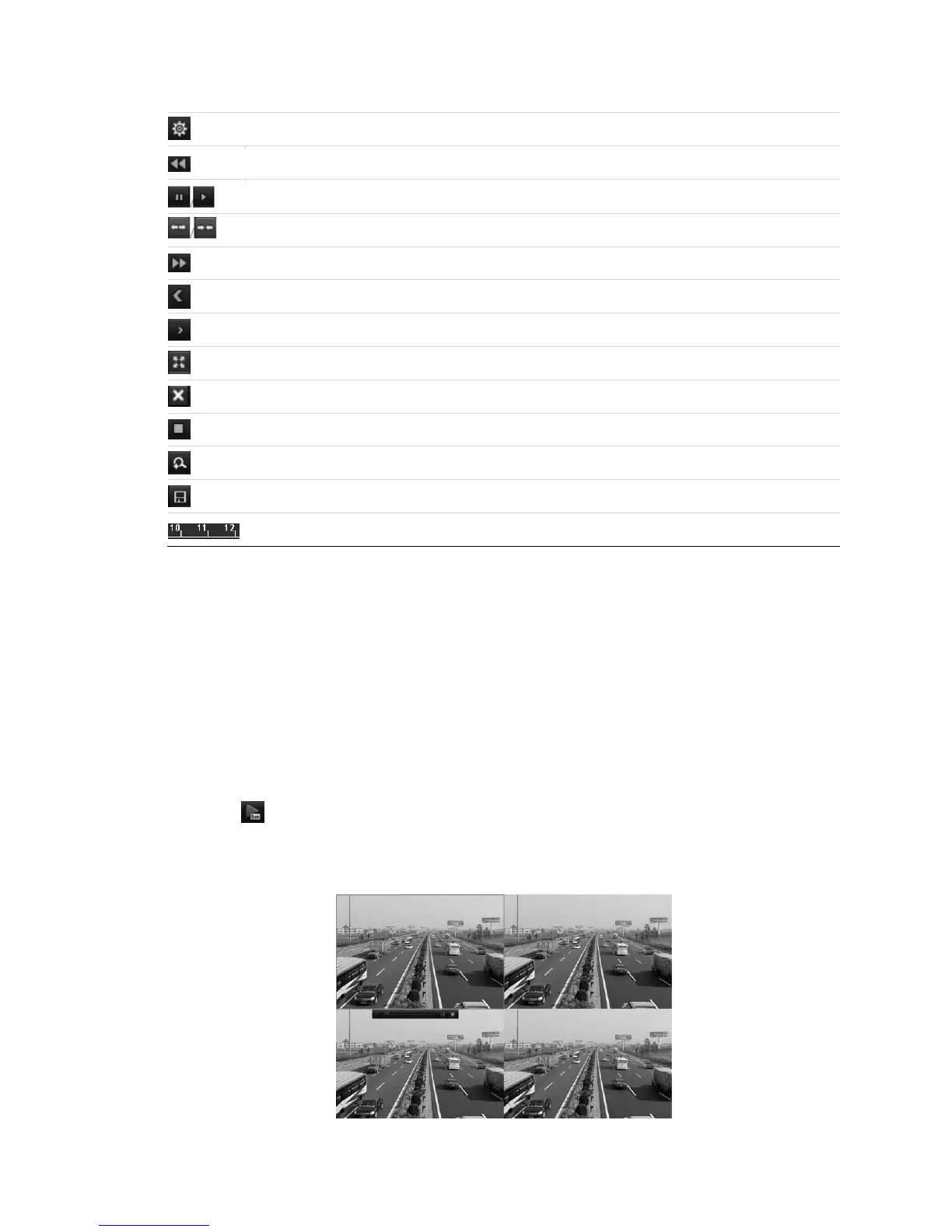
File management
Slow down
Pause/ Reverse play/ Single-frame reverse play
Scaling up/down the time line
Speed up
Previous day
Next day
Full Screen
Exit
Stop
Digital Zoom
Save the clip
Process bar
Note: On the Playback progress bar, use the mouse to click any point of the
progress bar or drag the progress bar to locate special frames.
Play recorded files
Playing back by channel
Play back the recorded video files of a specific channel in the Live View mode.
You have two playback options for play back.
To use instant playback:
1. Click in the quick setting toolbar, to choose a channel in Live View mode.
Note: In instant playback mode, only record files recorded during the last five
minutes on this channel are played back.

Table of Contents

Other manuals for Clare Controls ClareVision Plus

Related product manuals