Network Settings
ClareVision Plus Network Video Recorder User Manual 137
Manual mapping
If your router does not support UPnP, use manual port mapping.
Note: Verify that router supports internal and external port configuration and
forwarding.
To configure manual mapping:
1. Browse to the Network Settings interface.
Menu > Configuration > Network
2. Click the NAT tab.
3. Do not select the Enable UPnP checkbox.
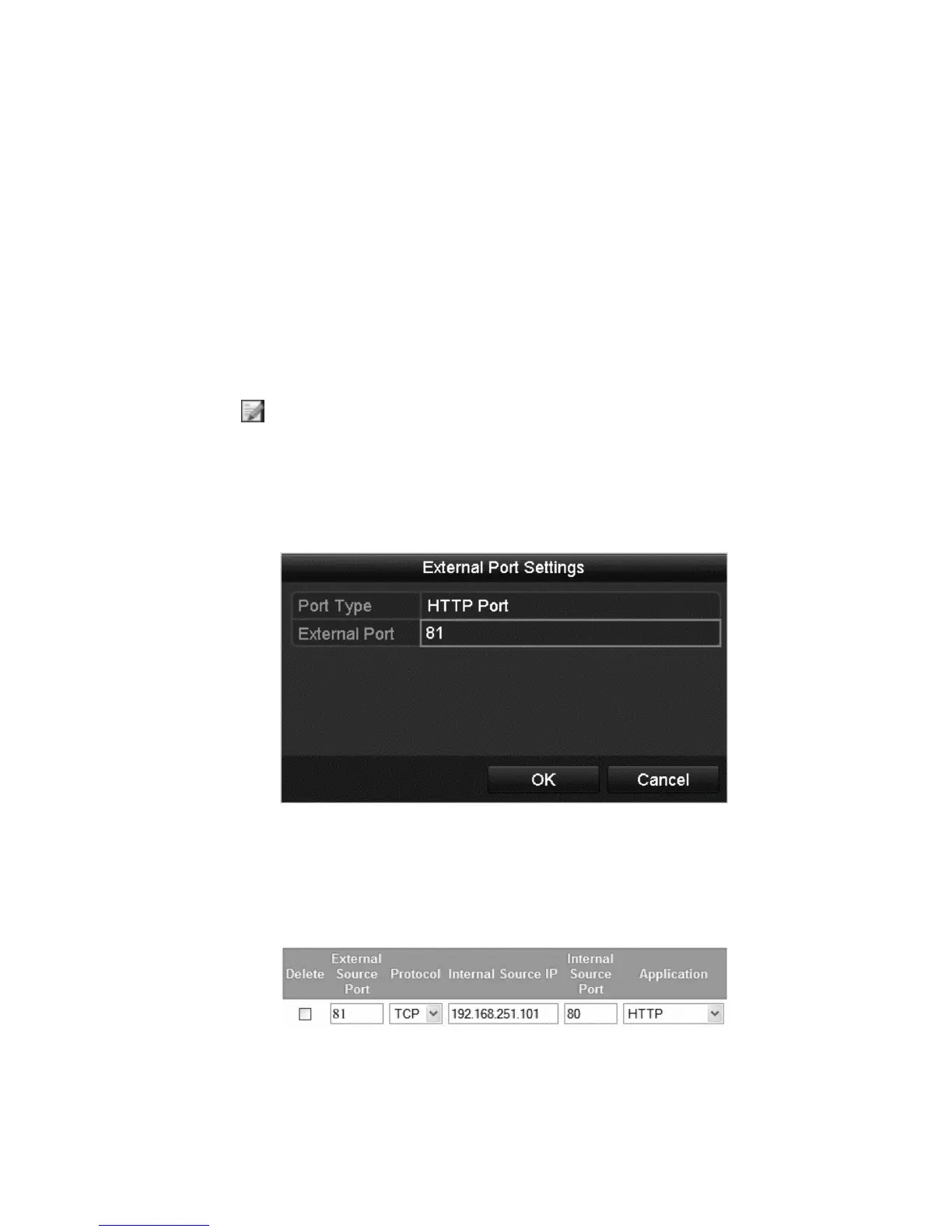
4. Click to access the External Port Settings dialog.
5. Configure the external port’s number, http port, and RTSP port.
Note: The RTSP port number must be 554 or between 1024 and 65535.
Values for other ports must be between 1 and 65535, each port number must
be unique.
6. Click OK, and then click Apply.
7. Enter the router’s virtual settings page and configure the settings.
Note: Each item corresponds with device port, including the server port, http
port, and RTSP port.
The above virtual setting interface is an example only and varies by router.



 To Next Page