RAID
ClareVision Plus Network Video Recorder User Manual 145
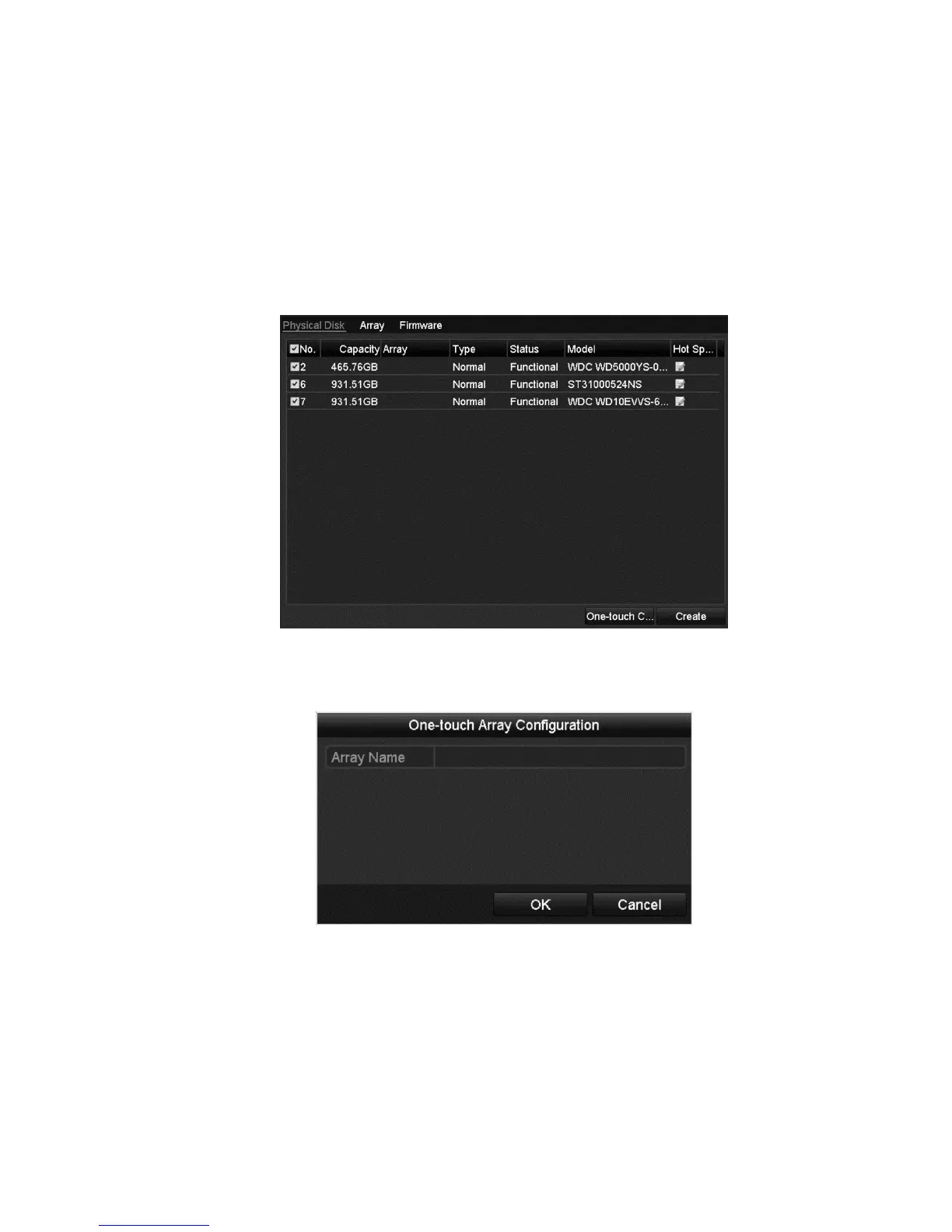
One-touch configuration
Through one-touch configuration, you can quickly create the disk array and
virtual disk. By default, the array type is RAID 5.
To configure one-touch configuration:
1. Browse to the RAID configuration interface.
Menu > HDD > RAID
2. Select the corresponding HDD No. checkbox.
3. Click One-touch Create to enter the One-touch Array Configuration interface.
4. Edit the array name in the Array Name field, and then click OK to start
configuring array.
Note: If you install 4 or more HDDs for one-touch configuration, a hot spare
disk is set by default. We recommend that you set the hot spare disk to
automatically rebuild the array when the it is abnormal.
5. When the array configuration is complete, click OK to finish the settings.



 To Next Page