Playback
ClareVision Plus Network Video Recorder User Manual 77
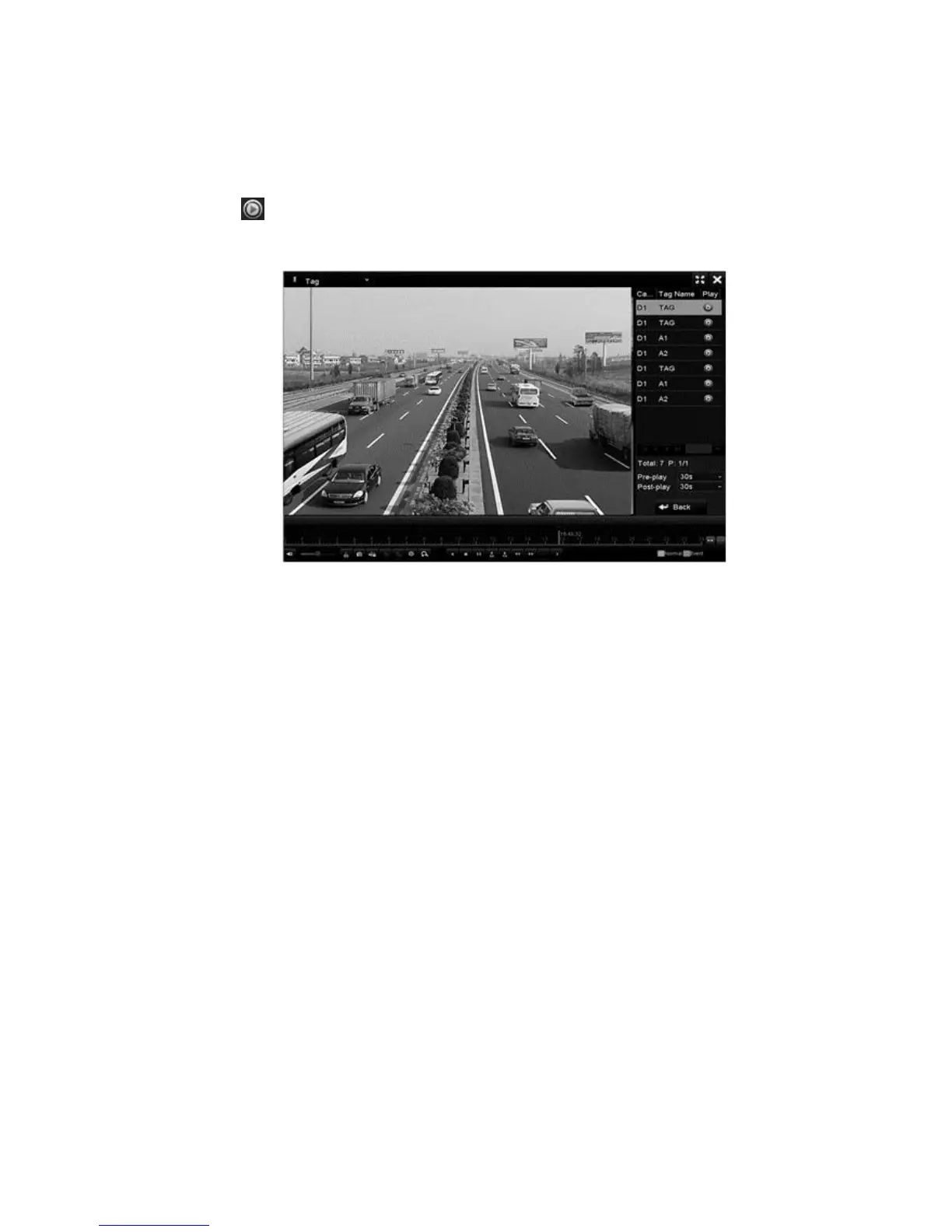
3. Set the channels, edit the start and end time, and then click Search to enter
the Search Result interface.
Note: You can enter a tag in the Keyword field to search for that tag.
4. Click to play the tagged file.
You can click the Back button to return to the search interface.
Playing back with Smart Playback
Smart Playback provides an easy way to get more effective information from your
playback files. When selecting Smart Playback mode, the system analyzes the
video containing the motion/VCA information, makes it in green, and plays it at
normal speed while the video without motion is played at the 16-time speed.
Configure the Smart Playback rules and areas.
Note: Before using Smart Playback the corresponding even type must be
enabled and configured in the IP camera. For example, to use Smart Playback
with Intrusion Detection, Intrusion Detection must be enabled in the camera.
Once the event type is enabled, Smart Playback searches for and marks the
event type.
Example
1. Log in to the IP camera using a web browser, and then enable intrusion
detection.
Configuration > Advanced Configuration > Events > Intrusion Detection
2. Configure the required parameters including area, arming schedule, and
linkage methods.



 To Next Page