Getting Started
ClareVision Plus Network Video Recorder User Manual 25
Adding and connecting the IP cameras
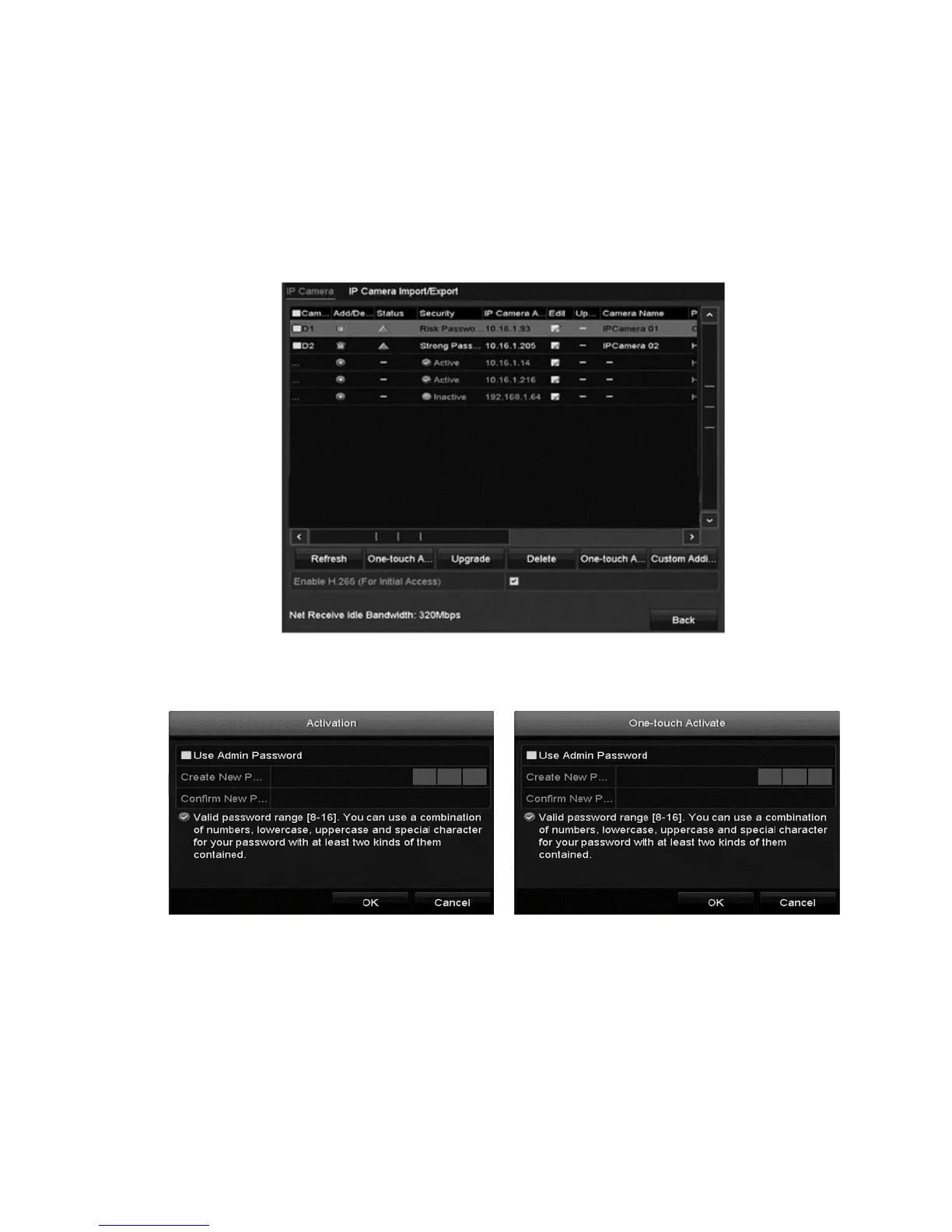
Activating the IP cameras
Before adding an IP camera, verify that the camera status is active.
To activate an IP camera:
1. Right-click to view the menu, and then select Add IP Camera.
2. Click the desired camera’s inactive icon, or click One-touch Activate to
activate multiple cameras.



 To Next Page