Playback
76 ClareVision Plus Network Video Recorder User Manual
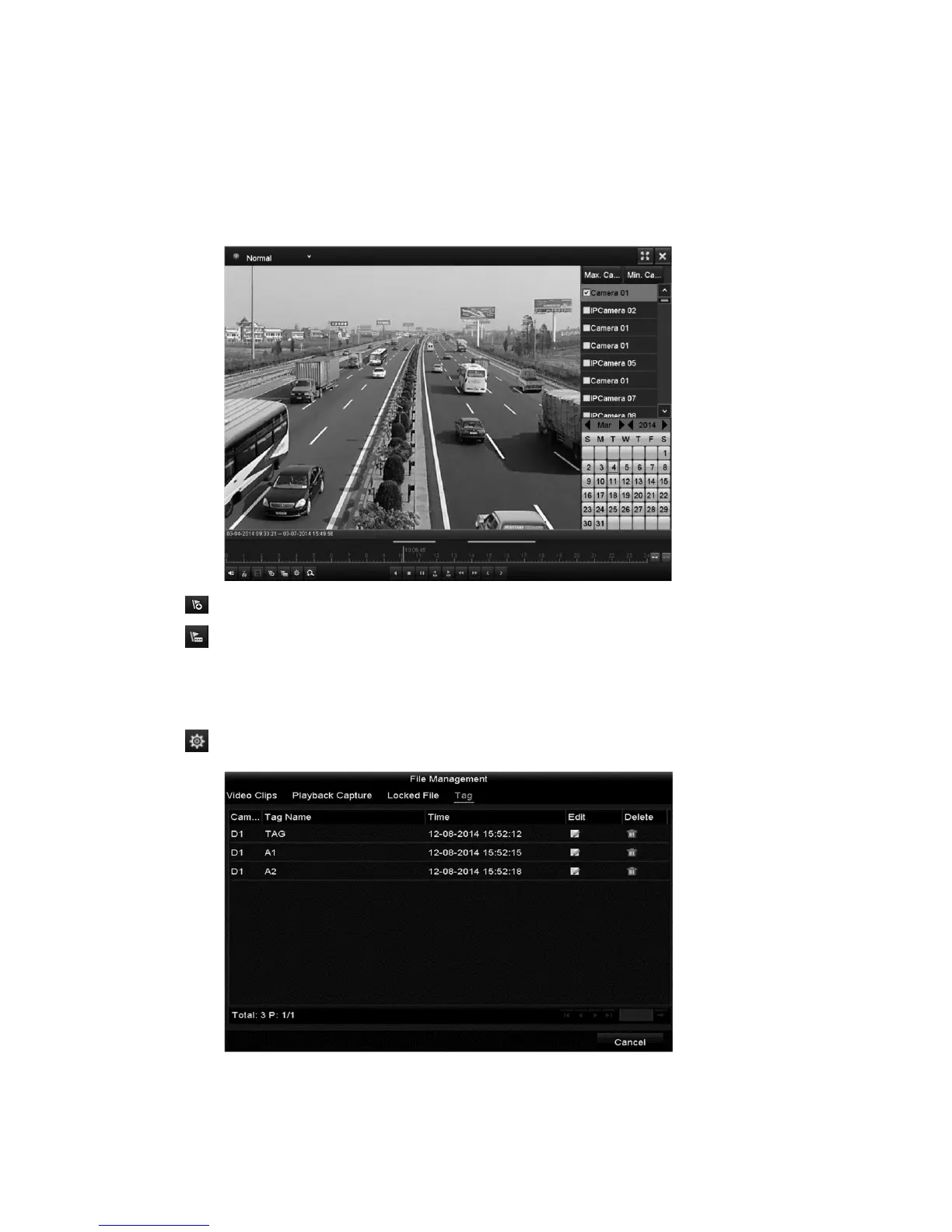
To play back by tag:
1. Browse to the Playback interface.
Menu > Playback
2. Search and play back the record files.
3. Click to add default tag.
4. Click to add customized tag and input tag name.
Note: There is a maximum of 64 tags in a single video file.
To manage tags:
1. Click to check, edit, and delete tags.
2. Select the tag from the drop-down list in the Playback interface.



 To Next Page