Network Settings
132 ClareVision Plus Network Video Recorder User Manual
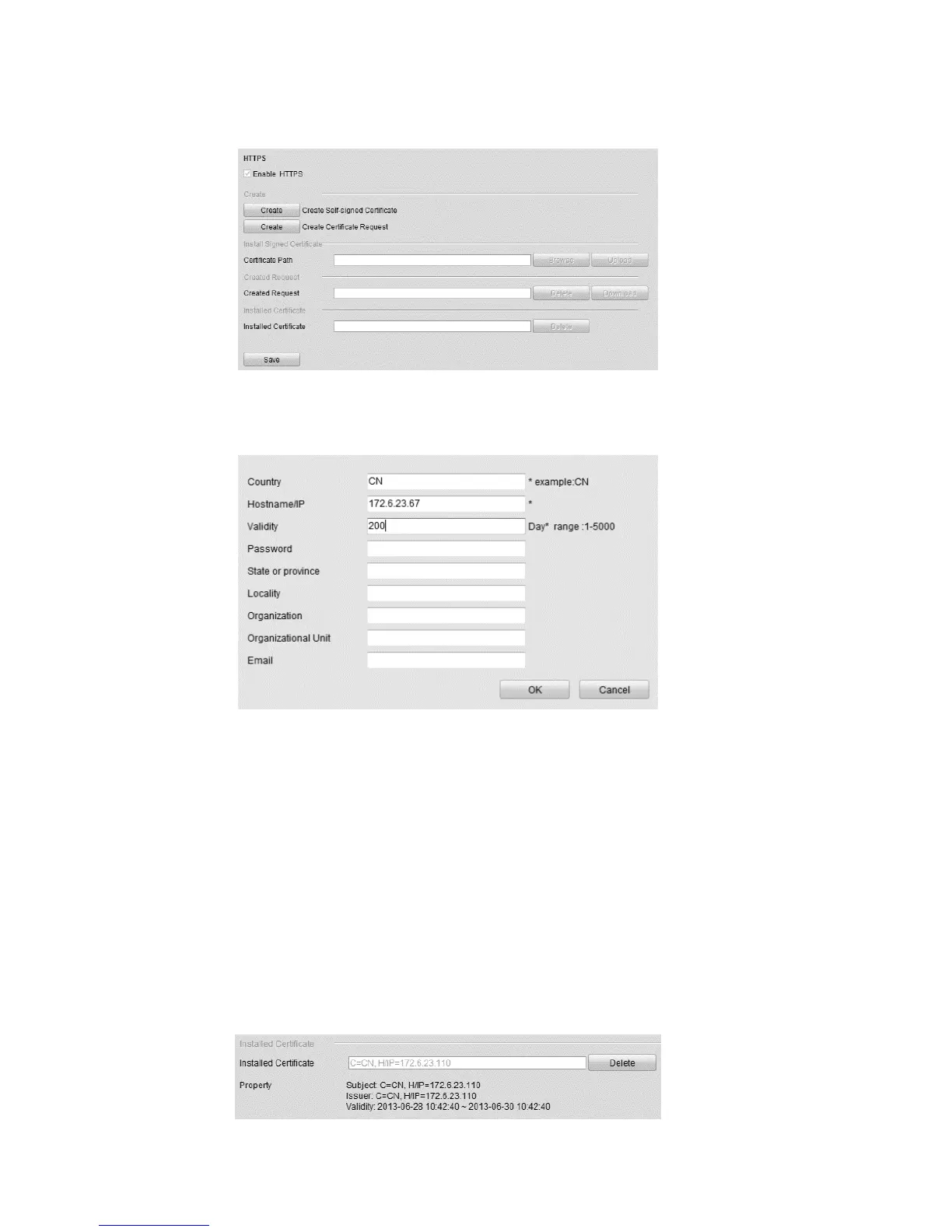
4. Create the self-assigned certificate or authorized certificate.
Self-assigned certificate
a. Click Create.
b. Enter the country, host name/IP, validity, and other relevant
information.
c. Click OK.
Authorized certificate
a. Click Create.
b. Download the certificate request, and then submit it to the trusted
certificate authority for signature approval.
c. After receiving the signed valid certificate, import the certificate to the
device.
5. Certificate information is displayed after successfully creating and installing
the certificate.



 To Next Page