HDD Management
154 ClareVision Plus Network Video Recorder User Manual
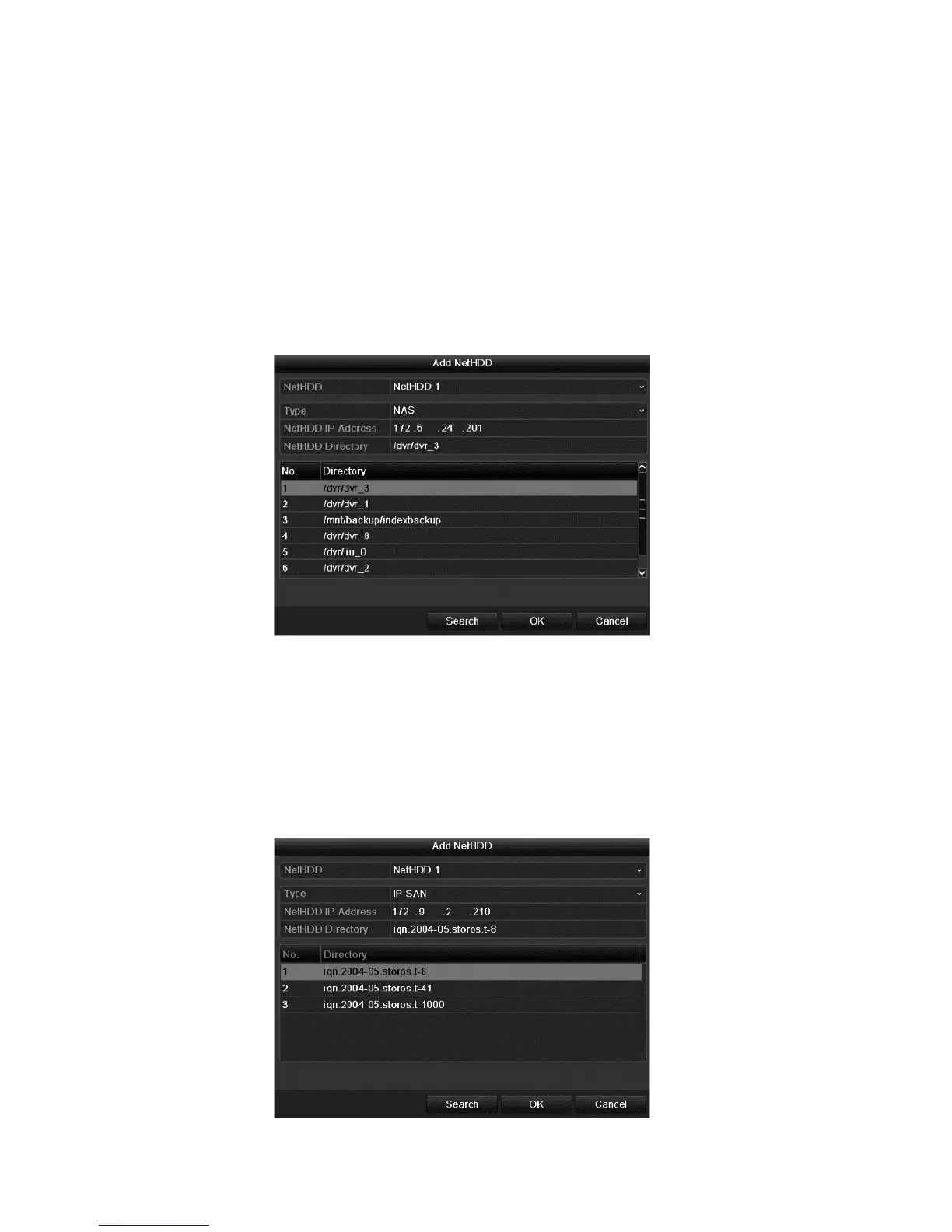
5. Configure the NAS or IP SAN settings.
NAS disk
a. Enter the NetHDD IP address in the text field.
b. Click Search to search for the available NAS disks.
c. Select the NAS disk from the list shown below.
— or —
Manually enter the directory in the NetHDD Directory field.
d. Click OK to add the configured NAS disk.
IP SAN
a. Enter the NetHDD IP address in the text field.
b. Click Search to search the available IP SAN disks.
c. Select the IP SAN disk from the list shown below.
d. Click OK to add the selected IP SAN disk.
Note: One IP SAN disk is added.



 To Next Page