Other Settings
ClareVision Plus Network Video Recorder User Manual 179
3. Enter the information for the new user, including User Name, Password, Level
and User’s MAC Address.
Level: Set the user level to Operator or Guest. Different user levels have
different operating permission.
• Operator: The Operator user level has permission for Two-way Audio in
Remote Configuration and all operating permission in Camera
Configuration by default.
• Guest: The Guest user does not have permission to use Two-way Audio
in Remote Configuration and only has the local/remote playback in the
Camera Configuration by default.
User’s MAC Address: The MAC address of the remote PC that logs onto the
NVR. If it is configured and enabled, it only allows the remote user with this
MAC address to access the NVR.
4. Click OK to save the settings and go back to the User Management interface.
The added new user displays on the list.
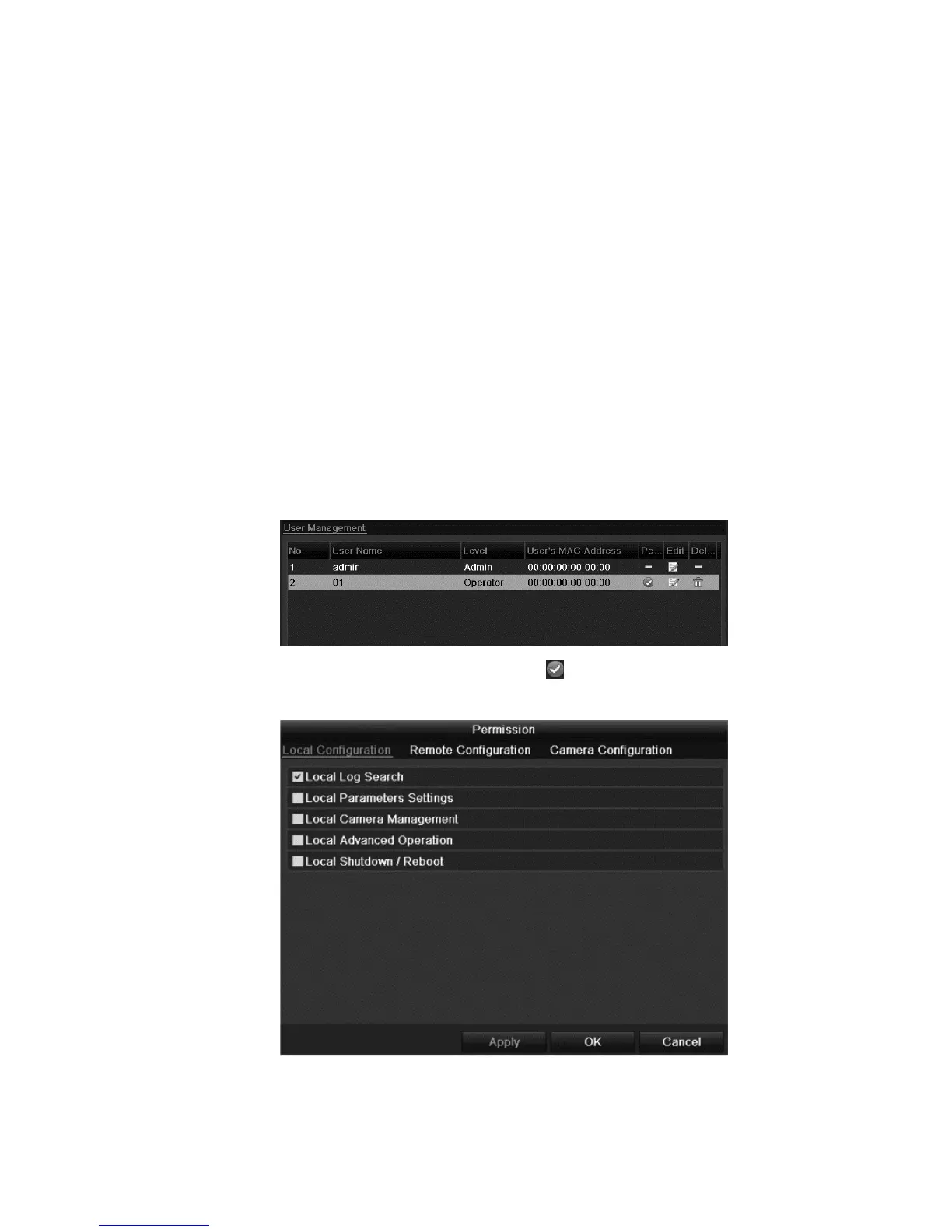
5. Select the user from the list and then click to enter the Permission settings
interface.



 To Next Page