Getting Started
20 ClareVision Plus Network Video Recorder User Manual
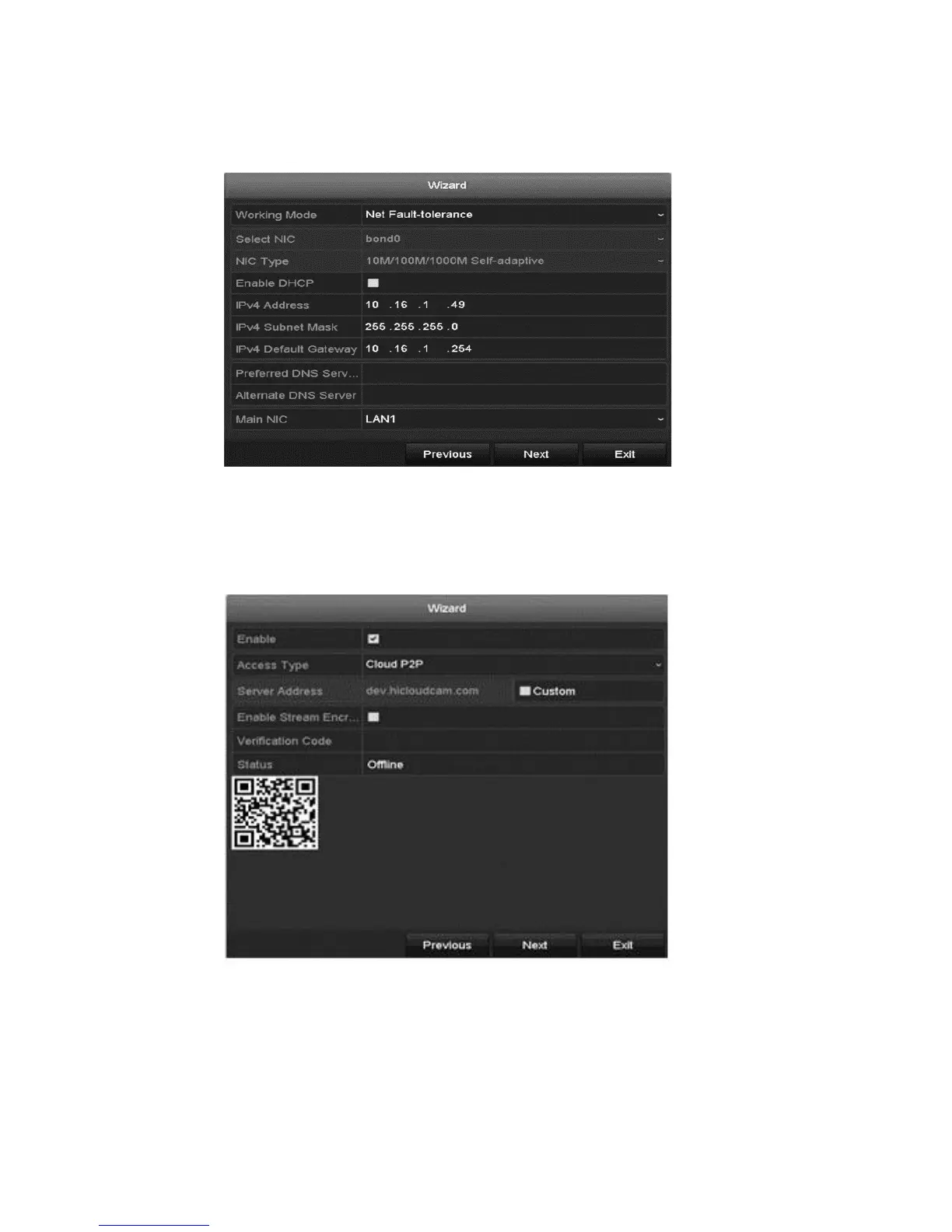
3. After configuring the time settings, click Next. You are returned to the
Network Setup Wizard window.
Note: Dual-NIC is only available in the 64-Channel NVR device. For all other
NVRs, configure the internal NIC IPv4 address for the cameras connecting to
the PoE network interface of the NVR.
4. Click Next, and then configure the Cloud P2P settings.



 To Next Page