Record and Capture Settings
68 ClareVision Plus Network Video Recorder User Manual
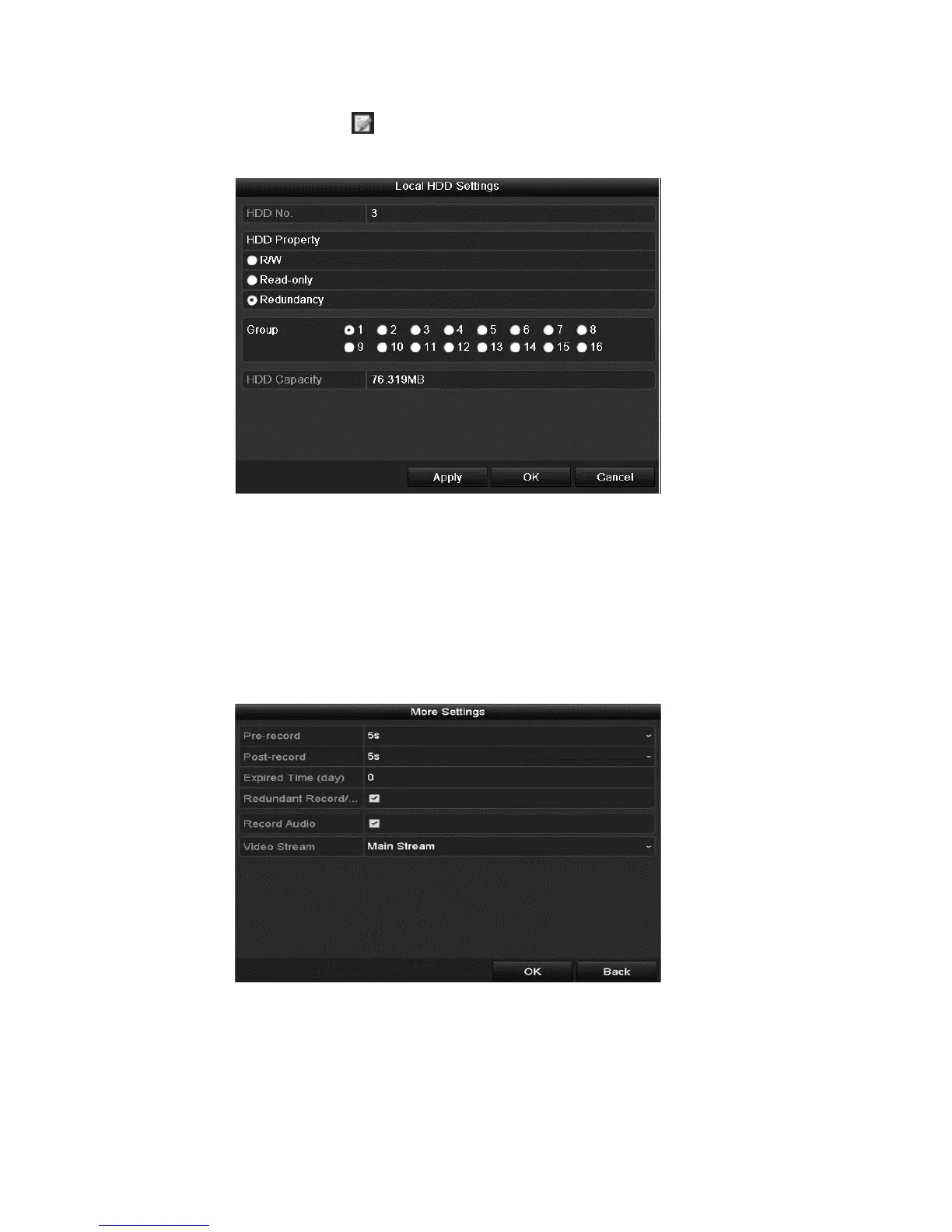
2. Select the HDD and click to enter the Local HDD Settings interface.
3. Set the HDD property to Redundancy.
4. Click Apply to save the settings.
5. Click OK to return to the previous menu.
Note: Prior to setting the HDD property to Redundant, set the Storage mode
to Group. There should be another HDD in Read/Write status.
6. Browse to the Record setting interface.
Menu > Record > Parameters
7. Click the Record tab, and then click More Settings.
8. Select the desired camera from the drop-down list, and then select the
Redundant Record/Capture checkbox.
9. Click OK to save settings and return to the previous menu.
Repeat the above steps to configure other channels.



 To Next Page