ESAB Cutting Systems
CROSSBOW Page 36
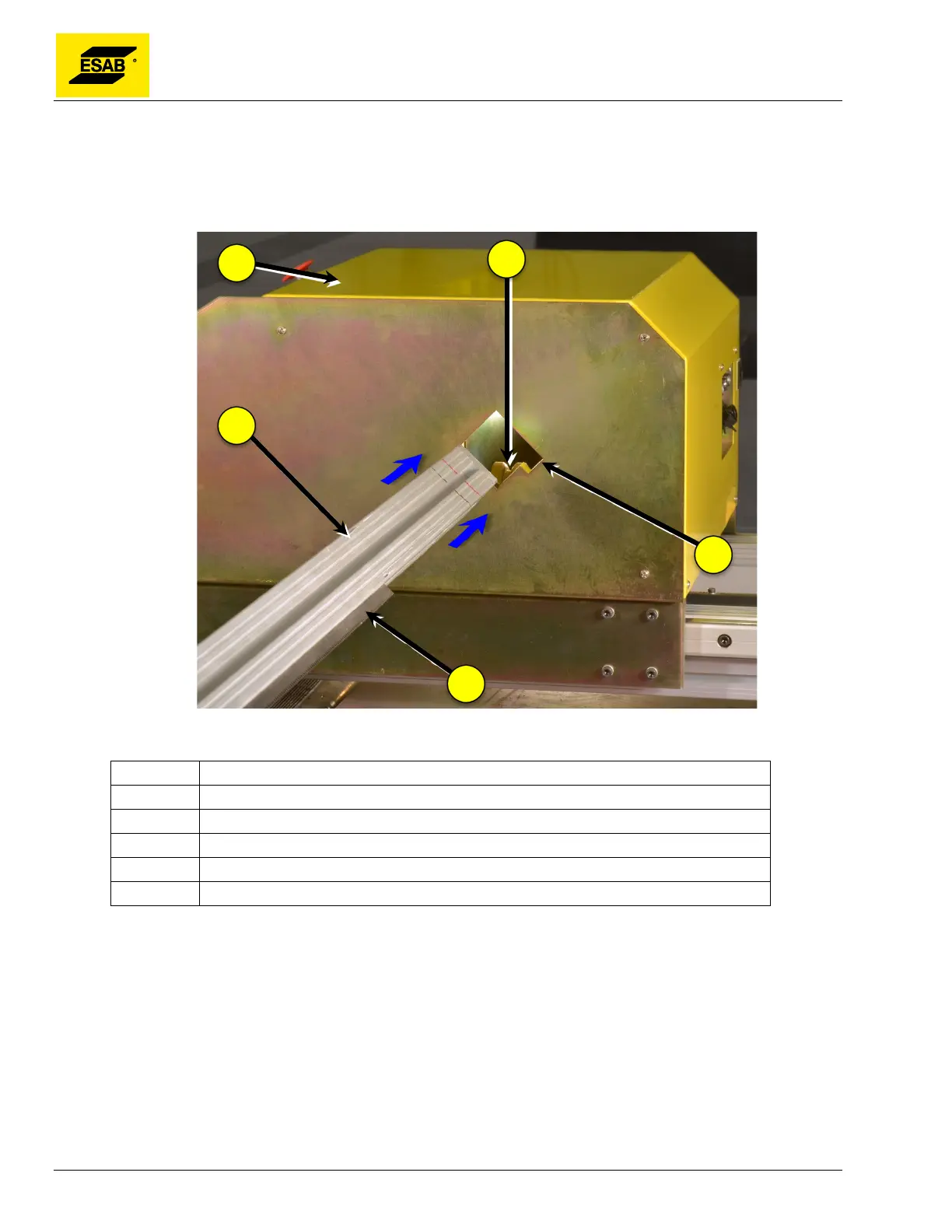
Step 2 Insert Cross Beam into Central Unit
Carefully insert the Cross Beam into the Central Unit, pushing lightly as it fits between the V-Wheels.
Continue to slowly push the Cross Beam through the Central Unit as it fits through the second set of V-
Wheels, and then engages with the drive pinion.
Figure 12: Inserting Cross Beam
Number Description
1 Central Unit
2 Cross Beam
3 Drive Rack
4 Notch in Central Unit
5 V-Wheels
Step 3 Center Cross Beam
Gently push the Cross Beam through the Central Unit until it is approximately centered.



 To Next Page