ESAB Cutting Systems
CROSSBOW Page 45
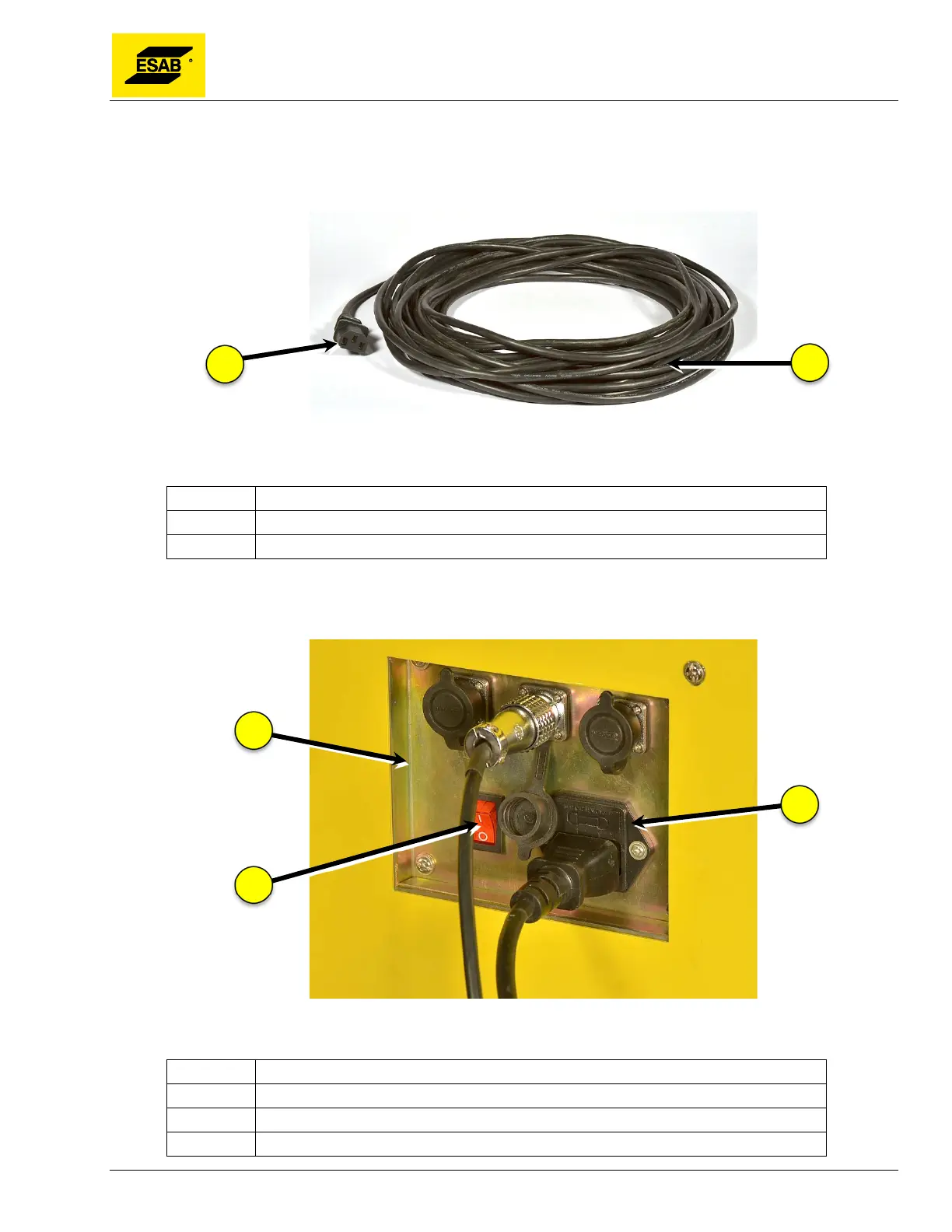
Step 2 Connect Input Power Cable
The Input Power Cable is a standard 50 ft. cable with standard Edison connector (USA) on one end,
and standard IEC power connection at the other end.
Figure 22: Power Cable
Number Description
1 To central unit IEC power socket
2 To AC power source (plug type varies with region)
Plug the IEC connector to the Power Cable Socket in Connector Panel on rear of Central Unit. Plug the
other end to a standard 110VAC outlet.
Figure 23: Connecting Power Cable to Central Unit
Number Description
1 Connector Panel (rear of Central Unit)
2 Power Cable Socket (110 VAC, 50/60 Hz)
3 Power Switch



 To Next Page