11 Setups
332
Setups
11
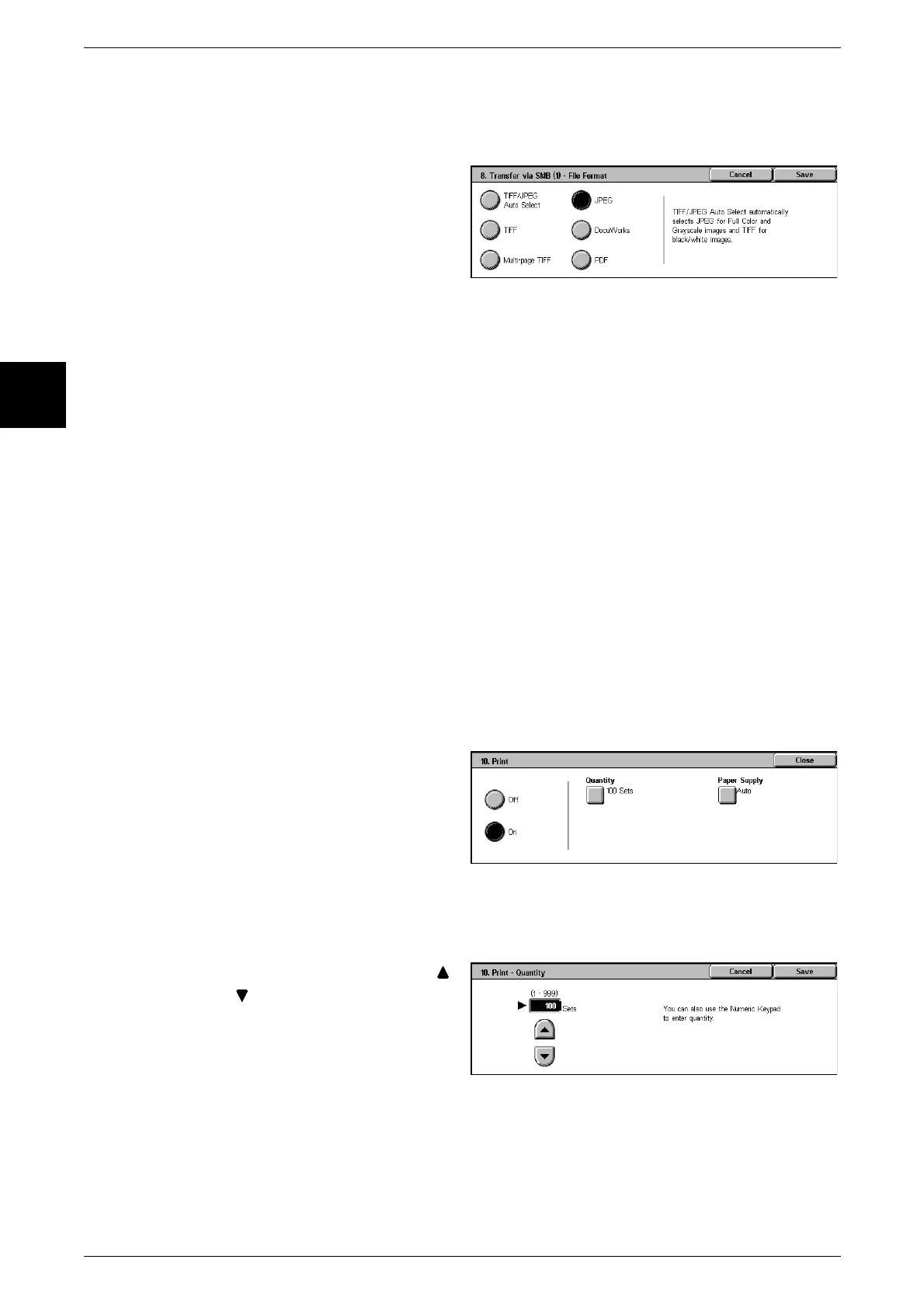
File Format
Specify the output file format.
Note • The formats that can be selected depend on the model of scanner installed.
Clear Field
This deletes all information for the selected addresses.
Keyboard
Select one of [Recipient Name], [Server], [Shared Name], [Save in], [Login Name], and
[Password] and press the button, to display an input screen.
The numbers of characters you can input are as follows.
z
Recipient Name: 18 bytes maximum
z
Server : 64 bytes maximum
z
Shared Name : 128 bytes maximum
z
Save in : 128 bytes maximum
z
Login Name : 32 bytes maximum
z
Password : 32 bytes maximum
For more details, refer to "Address Book" (P.334).
Print
Make print settings.
1 Select [On] or [Off].
2 When [On] is selected, you then
configure print settings.
Quantity
Set the number of copies, from 1 to 999, in increments of 1.
1 Set the number of copies using [ ]
and [ ] or with the numeric
keypad.
Paper Supply
The [Paper Supply] screen appears.












 To Next Page