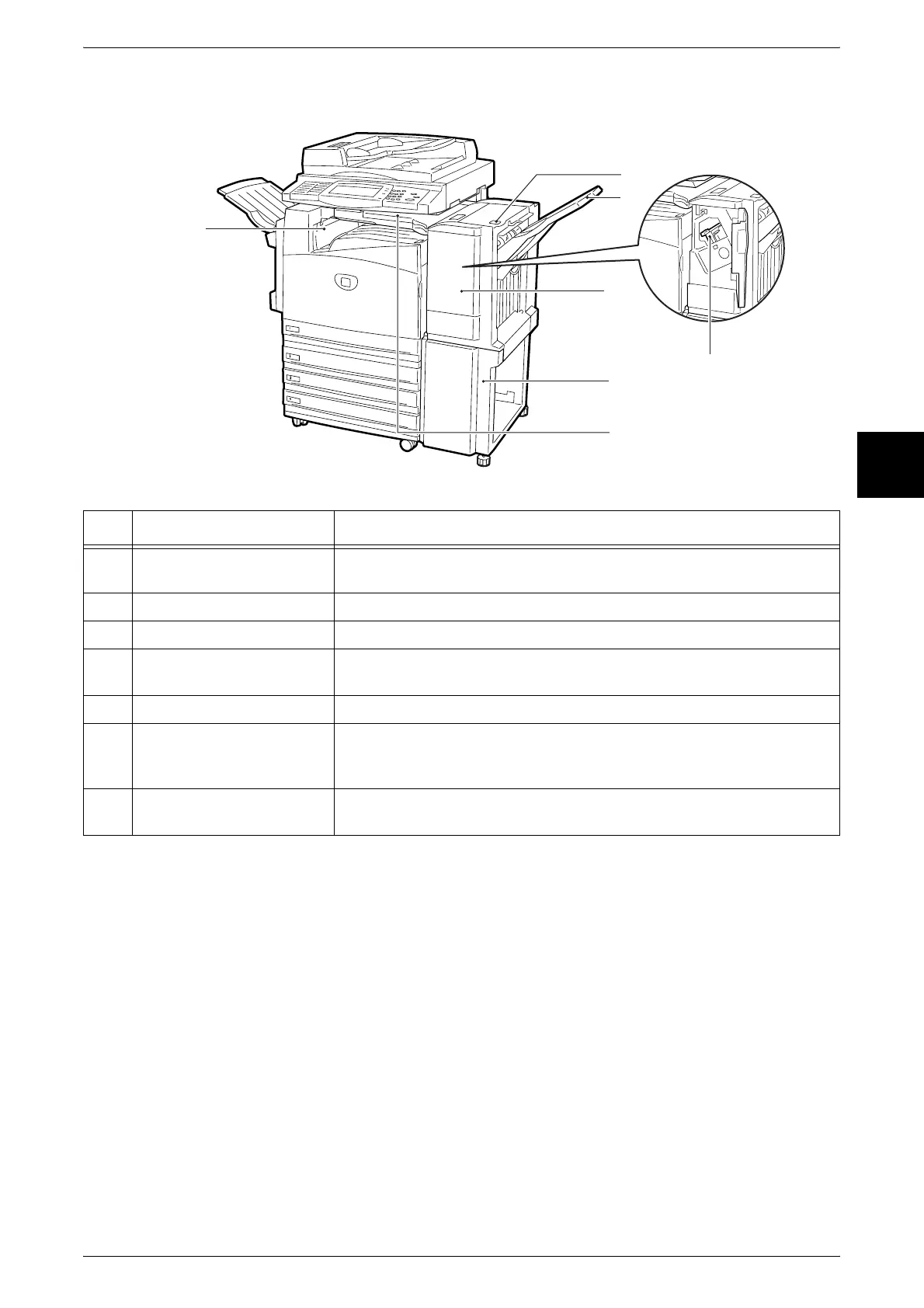
Machine Components
35
Product Overview
2
Finisher B
Note • Finisher B is optional. In text descriptions, the finisher B is abbreviated as finisher.
No. Component Function
1 <Finisher top cover> button When a paper jam occurs, press this button. This opens the finisher top
cover so that you can clear the paper jam.
2 Finisher tray Stapled paper is delivered to this tray.
3 Front cover Open this cover to replace staples and clear staple jams.
4 Staple cartridge This cartridge contains staples. Remove this cartridge to replace staples
and clear staple jams.
5 Stand This stand connects the finisher section to the main body.
6 Finisher interface top cover Open this cover to access the insides of the machine to clear paper
jams. Before opening this cover, be sure to move the finisher to the
right.
7 Center tray exit cover Open this cover to access the insides of the machine to clear paper
jams.
6
7
2
5
4
3
1












 To Next Page