13 Machine Status
380
Machine Status
13
Comments List
You can check the comments saved for use on cover notes.
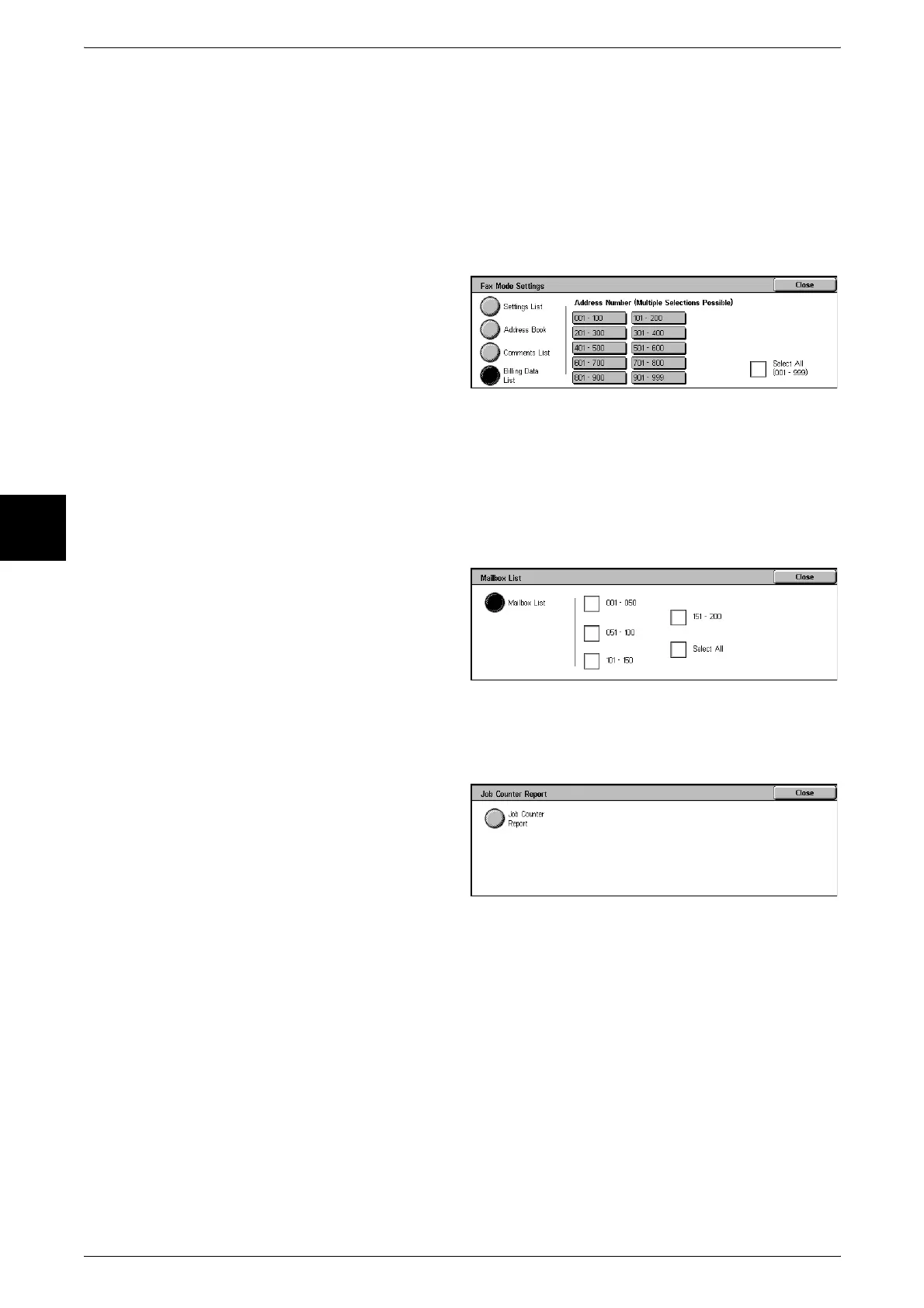
Billing Data List
You can check the status of the billing data.
Note • [Billing Data List] appears when [Fax] in the auditron feature is set to [On].
If you select [Address Book], the following screen for setting the range of address
numbers is displayed. Select the number to be stored, and press the <Start> button.
z
Select All
You can print a list of all billing data.
Mailbox List
This prints the mailbox settings and the procedure for saving to the mailbox, in a table.
Note • [Mailbox List] appears when entered from the [User Mode] of System Administration mode.
1 Select [Mailbox List].
2 Select the range of mailbox
numbers to be printed.
3 Press the <Start> button.
Job Counter Report
This prints the counter report for each feature.
1 Select [Job Counter Report].
2 Select [Job Counter Report].
3 Press the <Start> button.
Auditron Administration
You can print a Auditron Report by user. Note that the Auditron Report by user that
appears on the screen depends on whether the auditron administration feature is
enabled or not.
Note • [Auditron Administration] appears when entered from the [User Mode] of System
Administration mode.
When all auditron features are set to [Off]
When the auditron features are set to [Off], the following screen appears, and you can
print a printer meter report.
For information about the auditron administration feature settings, refer to "Auditron Mode" (P.352).



 To Next Page