3 Copy
88
Copy
3
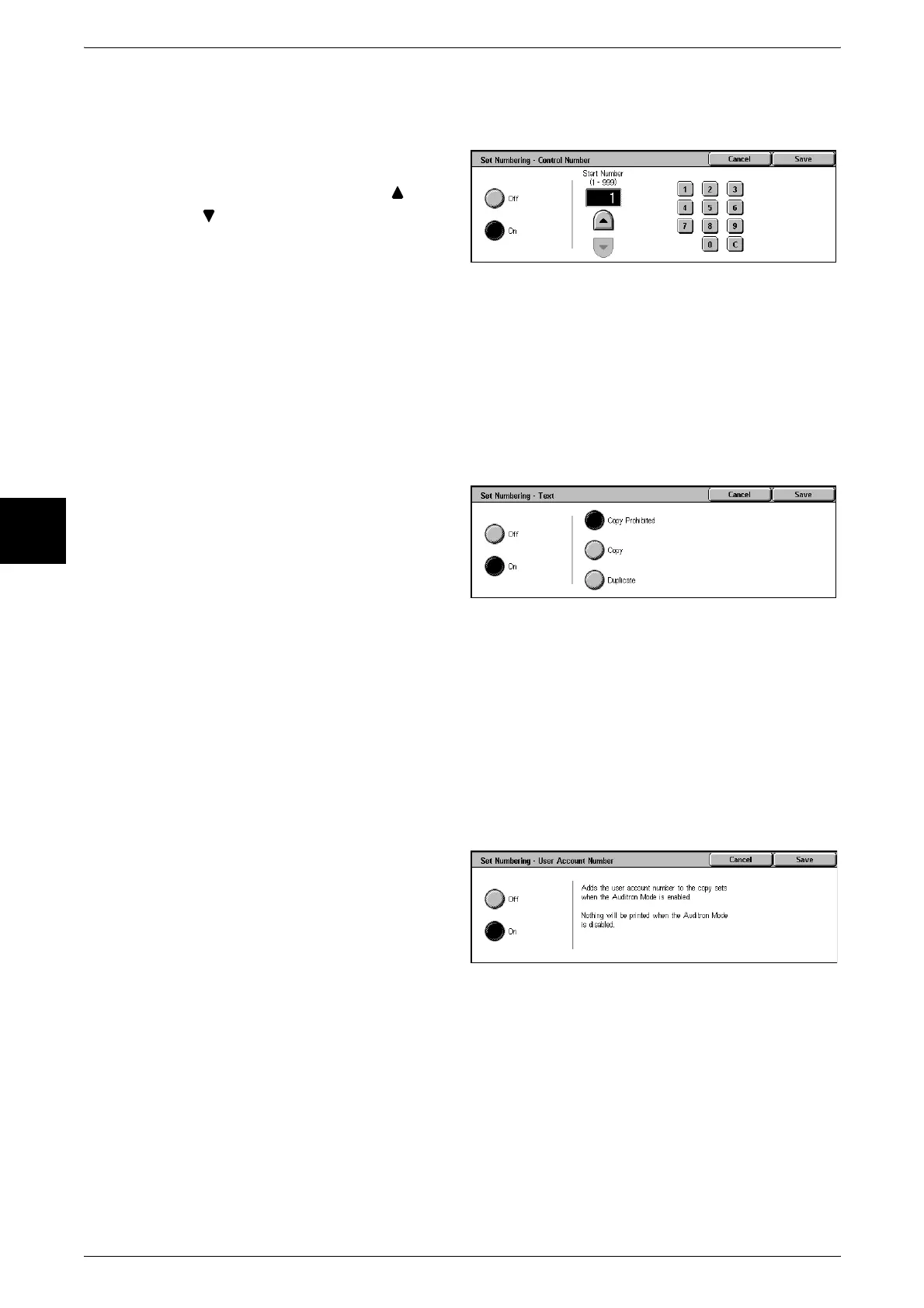
[Set Numbering - Control Number] Screen
You can set a control number within the range from 1 to 999.
1 Select [Off] or [On].
2 If you selected [On], use [ ] and
[ ] or the numeric keypad to enter
the start number.
Off
No control number is printed.
On
A control number is printed. Enter the start number of the control number.
[Set Numbering - Text] Screen
Select the text to print on the copy.
1 Select [Off] or [On].
2 If you selected [On], select any
text.
Off
No text is printed.
On
Text is printed. You can select from three character types for the set numbering.
[Set Numbering - User Account Number] Screen
When using User Administration or Auditron Administration, a user account number is
printed.
1 Select [Off] or [On].
Off
The user account number is not printed.
On
The user account number is printed. However, nothing is printed if user authorization
has not taken place.












 To Next Page