Output Mode for Machine without Finisher (continued)
3-43
(3) Touch OK.
The Basic Screen will be restored, with OUTPUT MENU highlighted.
3. Select additional copy conditions, as desired.
4. Enter the desired print quantity from the control panel keypad.
HINTS
• See p. 11-3 to be sure that the exit tray capacity is not exceeded.
• See p. 3-6 for details on setting print quantity.
5. Position original(s) FACE UP in the document feeder or FACE
DOWN on the platen glass.
HINT
See p. 3-2 to p. 3-5 for details on positioning originals.
6. Press [START].
Press [STOP] to suspend the scanning or printing job.
CAUTION
When the paper exit tray capacity is exceeded due to the print
quantity selected, remove the copied sets as they exit;
otherwise, mishandled paper will occur.
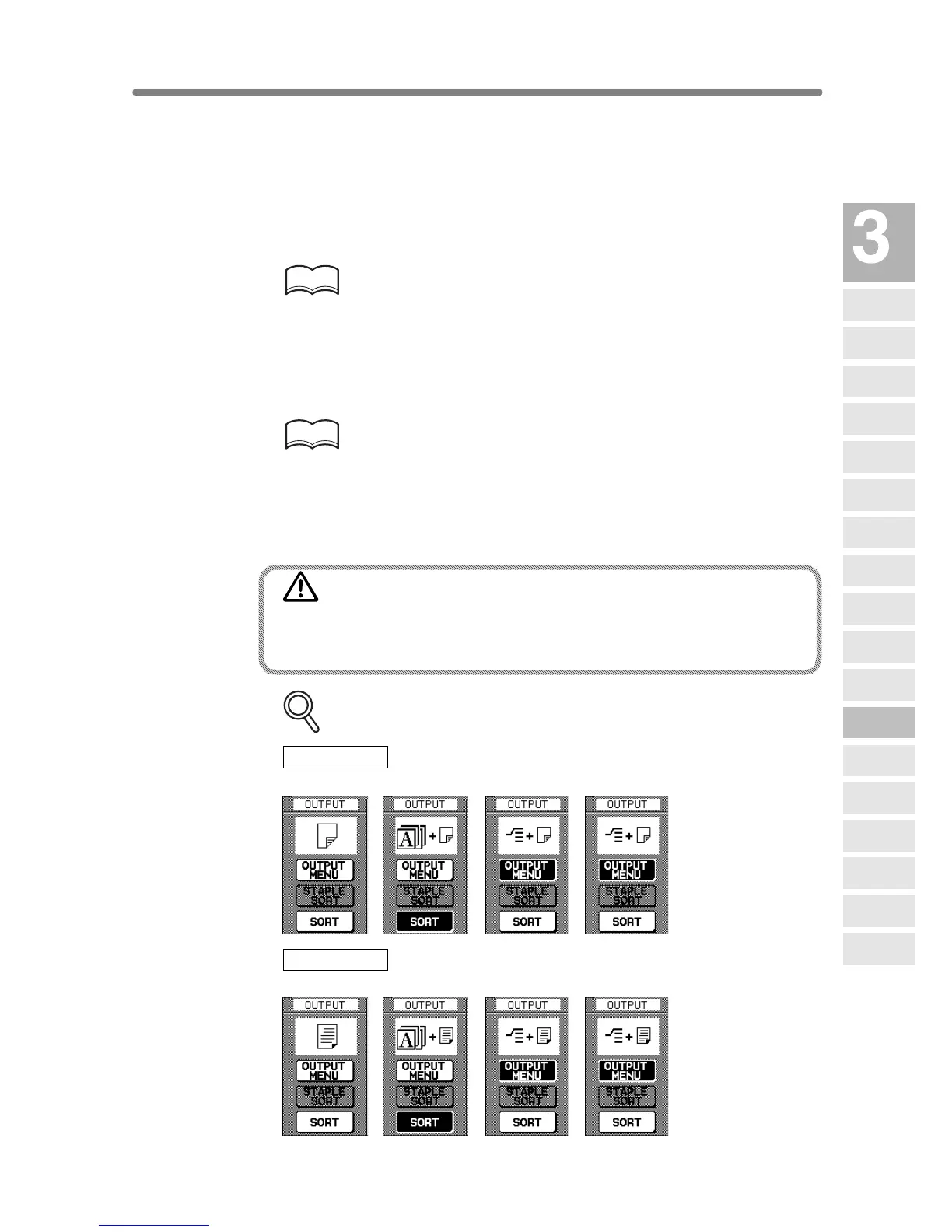
FOR DETAILS: Output Icons on the Basic Screen
Face Down
Non-sort Rotation sort Group Rotation group
Face Up
Non-sort Rotaion sort Group Rotation group
Copying
Operations
Positioning
Originals
Setting Print
Quantity
Set Job During
Warmup
Stop
Scan/Print
Paper Size
Lens Mode
Density
1-1, 2-2
2-1
Multi-Sheet
Bypass Tray
Using
Memory
Output without
Finisher
Finisher
Output Mode
Binding
Mode
Shift Tray
Output Mode
Recalling
Previous Job
Check Mode
& Proof Copy
Interrupt
Mode


 To Next Page
 Loading...







