5-6
Clearing Mishandled Paper
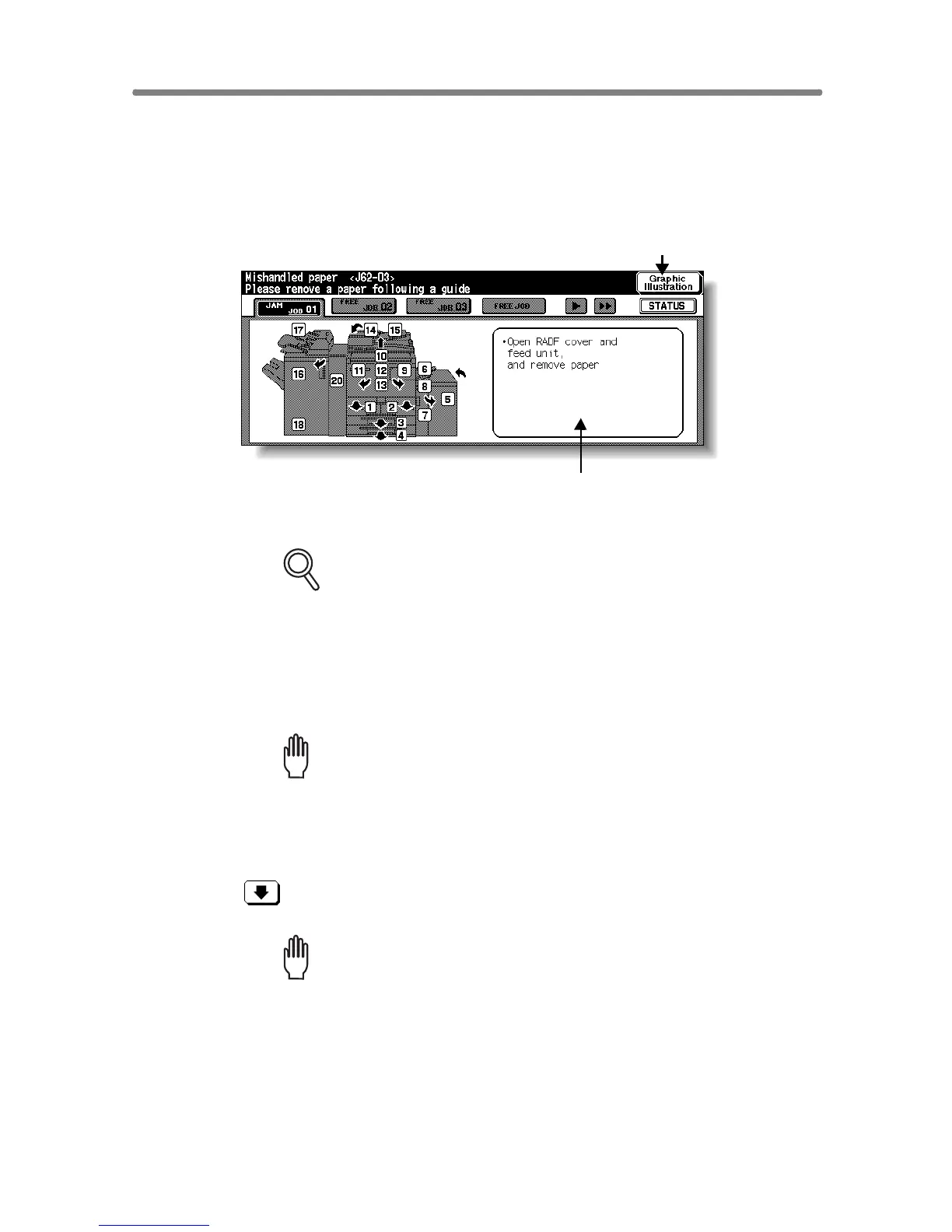
When a paper misfeed occurs, the copier stops making copies and
mishandled paper codes display on the screen to indicate misfeed area(s).
Copying operation cannot be continued until all the misfeed locations are
cleared.
FOR DETAILS
The above screen displays all the jam numbers for the sake of
explanation. Actually a few numbers appear when a paper misfeed
occurs.
1. Touch Graphic Illustration on the screen.
The screen illustrating the method for the disposal action will be displayed.
Please Be Reminded!
Before performing the clearing procedure, see p. 1-2 for the caution
label locations inside the machine.
2. Follow the procedure on the screen to remove misfed paper.
Touch on the screen, if provided, to go to the next page of a series of
illustrations.
Please Be Reminded!
When removing mishandled paper, be sure to leave no torn paper inside
the machine.
Paper jam position display
See the numbers flashing or
lighting that indicate the
jammed positions.
Message area
An action will be displayed.
Graphic Illustration key
Touch to display the subsequent
screens for the disposal action.










 To Next Page