[3] User Setting Mode (continued)
13-14
[3] User Lens Mode Ratio Setting
The preset and userset ratios are used to reduce and enlarge the original
image to accommodate copy paper size, and are available on the Basic
Screen.
NOTE:
Normally, users are allowed to change the three USERSETs in the
bottom line on the User Lens Mode Ratio Setting Screen. The preset
keys in the top and middle lines can also be programmed in 2-5 DIPSW
mode, however, it is recommended not to change them.
❒ Setting options: Userset or Preset ratio
❒ Default setting: USERSET1: 4.00
USERSET2: 2.00
USERSET3: 0.50
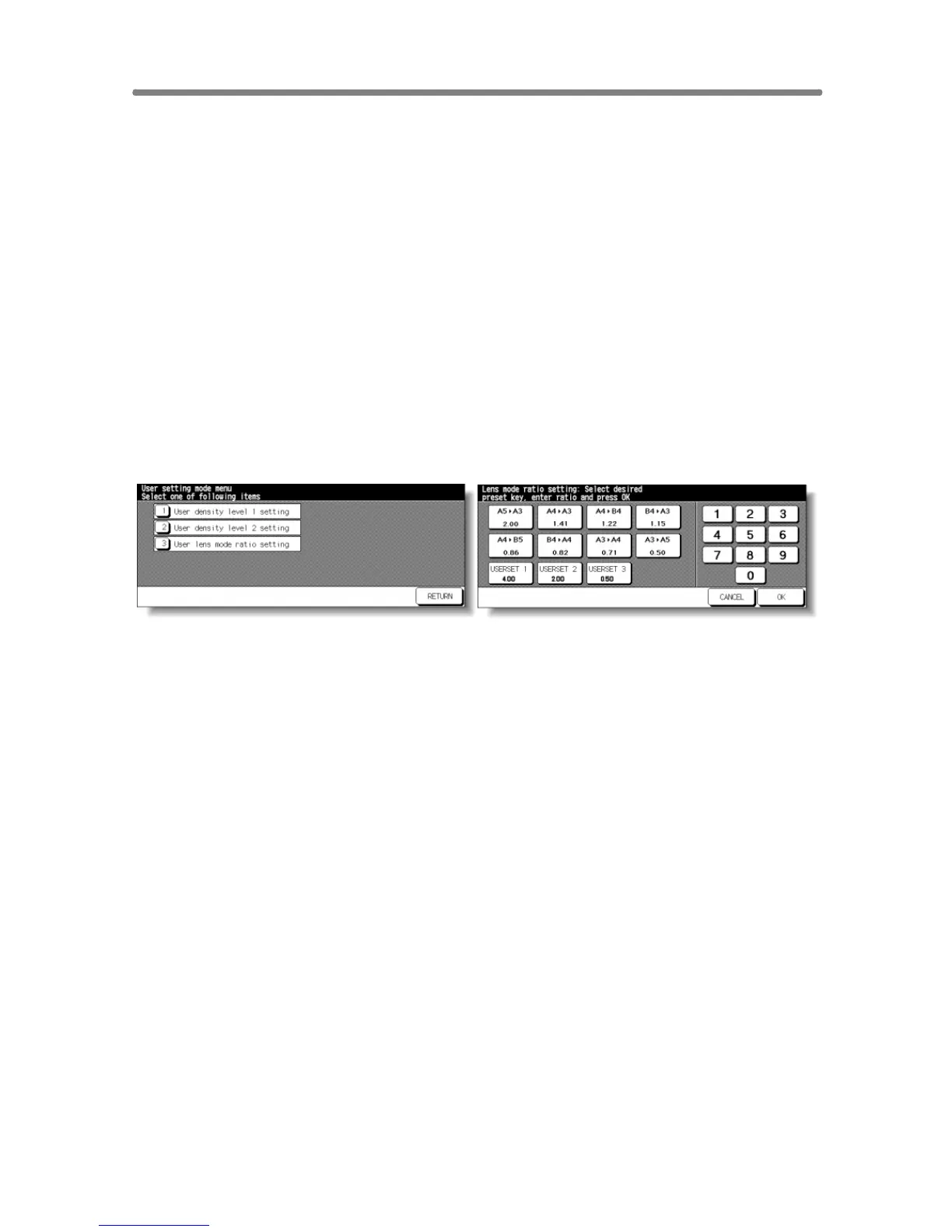
User Setting Mode Menu Screen User Lens Mode Ratio Setting Screen
Procedure
1 Touch [3] User setting mode on the Key Operator Mode Screen to display the
User Setting Mode Menu Screen.
2 Touch [3] User lens mode ratio setting to display the User Lens Mode Ratio
Setting Screen.
3 Touch the USERSET you want to change, then enter a ratio from 0.25~4.00,
using the keypad.
If a ratio under 0.25 is entered, 0.25 will be displayed.
If a ratio over 4.00 is entered, 4.00 will be displayed.
4 Touch OK to complete the setting and return to the User Setting Mode Menu
Screen.
5 Touch RETURN to restore the Key Operator Mode Screen.
6 If no further changes are required, touch RETURN to restore the Basic Screen
to perform copying operations.










 To Next Page