Vertical/Horizontal Zoom Mode (continued)
7-7
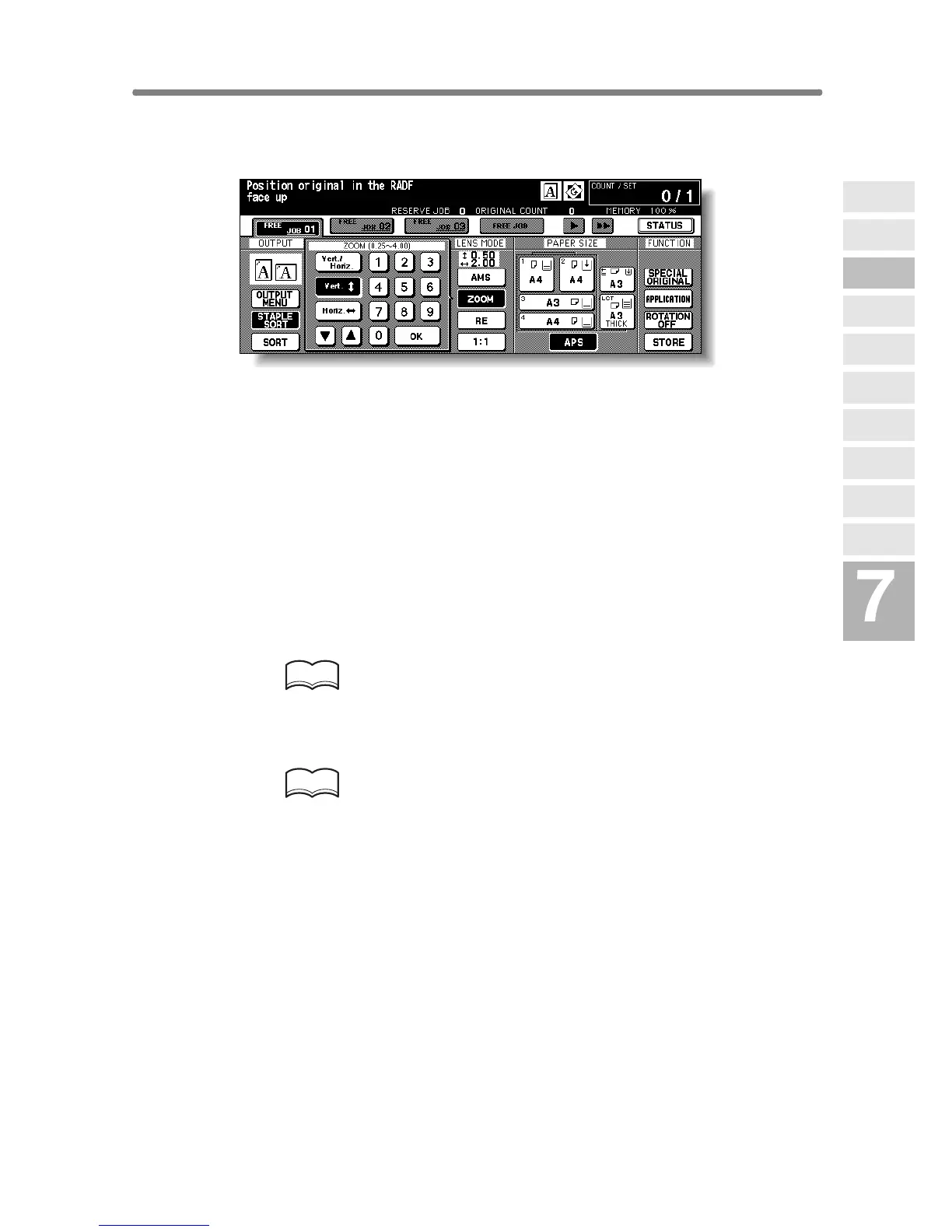
2. Touch Vert. on the popup menu to highlight it, then set the vertical
zoom ratio.
Use the keypad on the popup menu to enter a 3-digit vertical zoom ratio, or
use arrow keys (c/d) to scroll to the desired ratio.
Similarly, touch Horiz. to highlight it, then set the horizontal zoom ratio.
3. Touch OK.
The popup menu disappears automatically and the specified zoom ratio will
be displayed on the Basic Screen.
4. Select additional copy conditions, as desired.
5. Enter the desired print quantity from the control panel keypad.
HINT
See p. 3-6 for details on setting print quantity.
6. Position original(s).
HINT
See p. 3-2 to p. 3-5 for details on positioning originals.
7. Press [START].
Advanced
Information
Using Finisher
Manually
Cover Sheet
Feeding
Three-Fold
Z-Fold
Tandem Mode
Punch
Fold /
Stitch&Fold
Vertical/Hori-
zontal Zoom
Rotation
Weekly
Timer










 To Next Page