Selecting Magnification Ratio (Lens Mode) (continued)
3-16
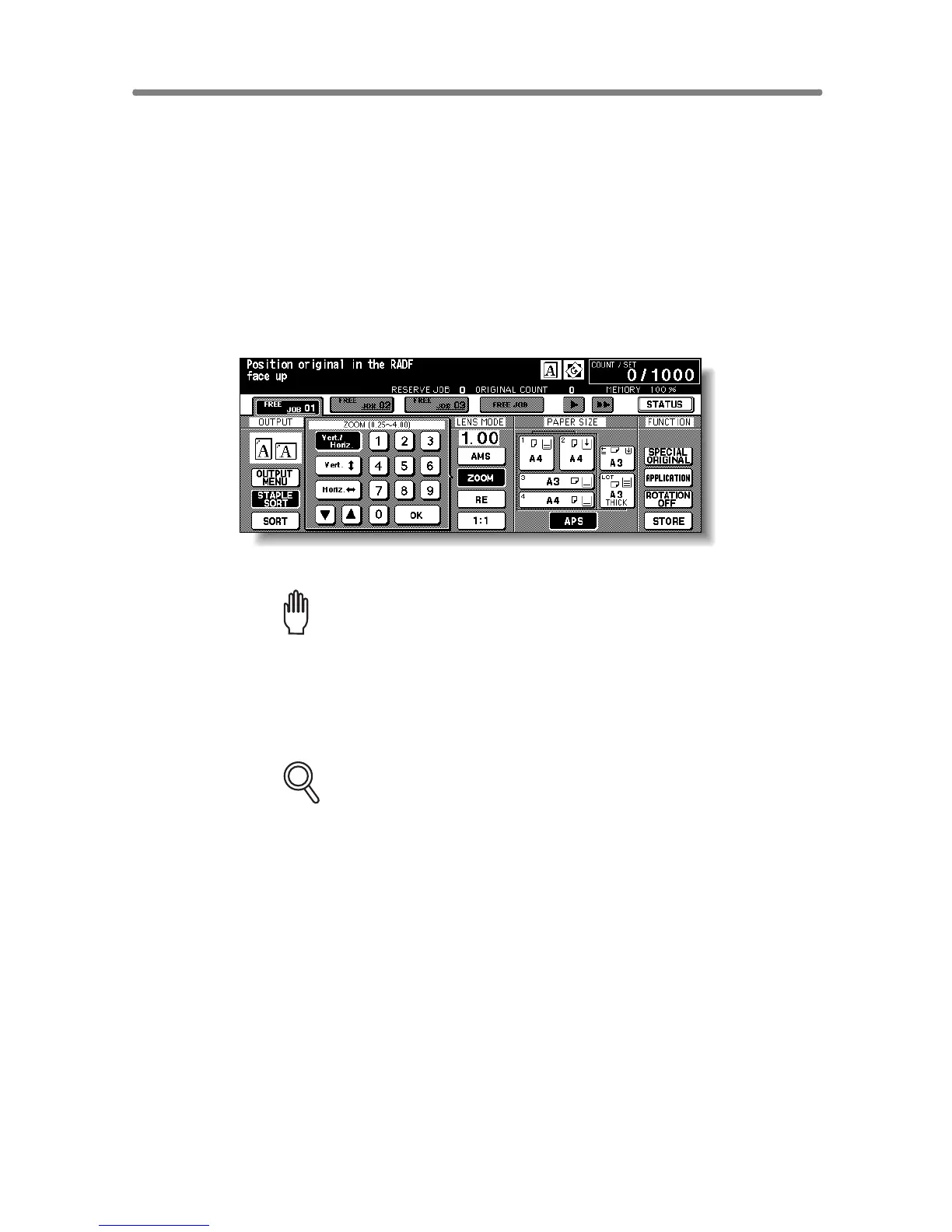
To Copy in Zoom Mode
Use the Zoom mode to reduce or enlarge the copied original image in 1%
increments.
>>> Specification for Zoom Mode <<<
Zoom range: 0.25 ~ 4.00
Incompatible Conditions: AMS, Repeat mode in Repeat, Reduce & Shift in
Image Shift
1. Touch ZOOM on the Basic Screen.
The popup menu for setting a zoom ratio will be displayed.
Please Be Reminded!
When starting a new copying job, be sure to close the RADF securely,
then press [AUTO RESET].
2. Touch Vert./Horiz. on the popup menu, if not highlighted, then set
the desired zoom ratio.
FOR DETAILS
Use the keypad on the popup menu to enter the desired magnification
ratio in 3 digits, or use arrows (▲ / ▼) to scroll to the desired ratio.
If an incorrect ratio is entered, continue by entering the correct 3-digit
ratio.
3. Touch OK.
The popup menu disappears automatically and the specified zoom ratio will
be displayed on the Basic Screen.
4. Select additional copy conditions, as desired.










 To Next Page