Loading Paper (continued)
2-30
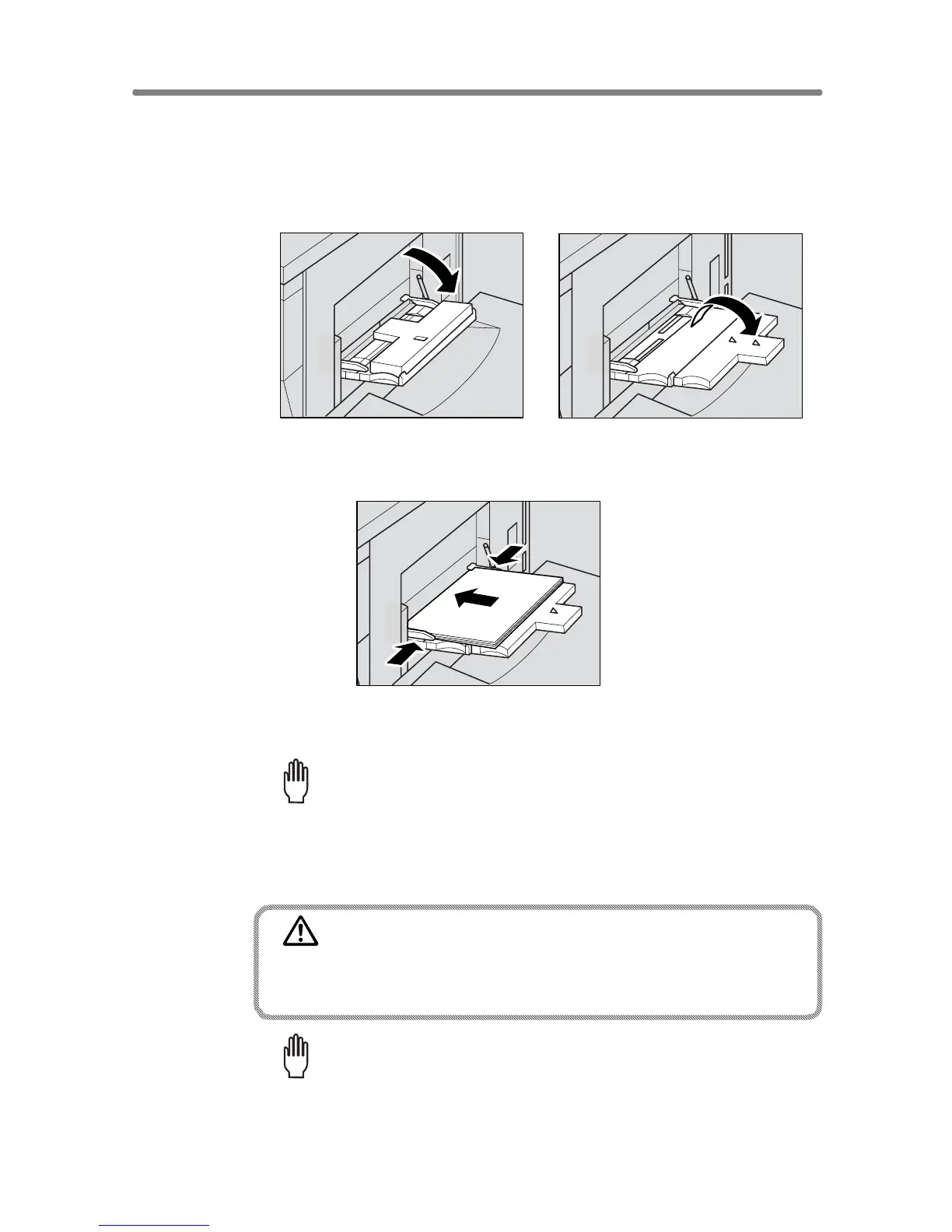
Loading Paper in Multi-Sheet Bypass Tray
1. Open the Multi-sheet bypass tray located on the right side of the
copier.
2. Load copy paper, and adjust the paper guides to the paper size.
The loaded paper size will be indicated on the bypass tray key of the Basic
Screen.
Please Be Reminded!
Load OHP film or thin/thick paper one sheet at a time; or, stack paper,
up to 100 sheets 80 g/m
2
.
3. When copying is completed, close the Multi-sheet bypass tray.
CAUTION
Do not use stapled paper or paper that conducts electricity (sil-
ver, carbon, etc.), otherwise an accident may occur as a result
of fire.
Please Be Reminded!
To avoid machine trouble, do not use heat-sensitive paper, coloured
OHP film, or paper specifically designed for ink-jet printers, such as
photo paper.










 To Next Page