[4] E.K.C. (Electronic Key Counter) Function Setting (continued)
13-17
[1] E.K.C. Data Edit
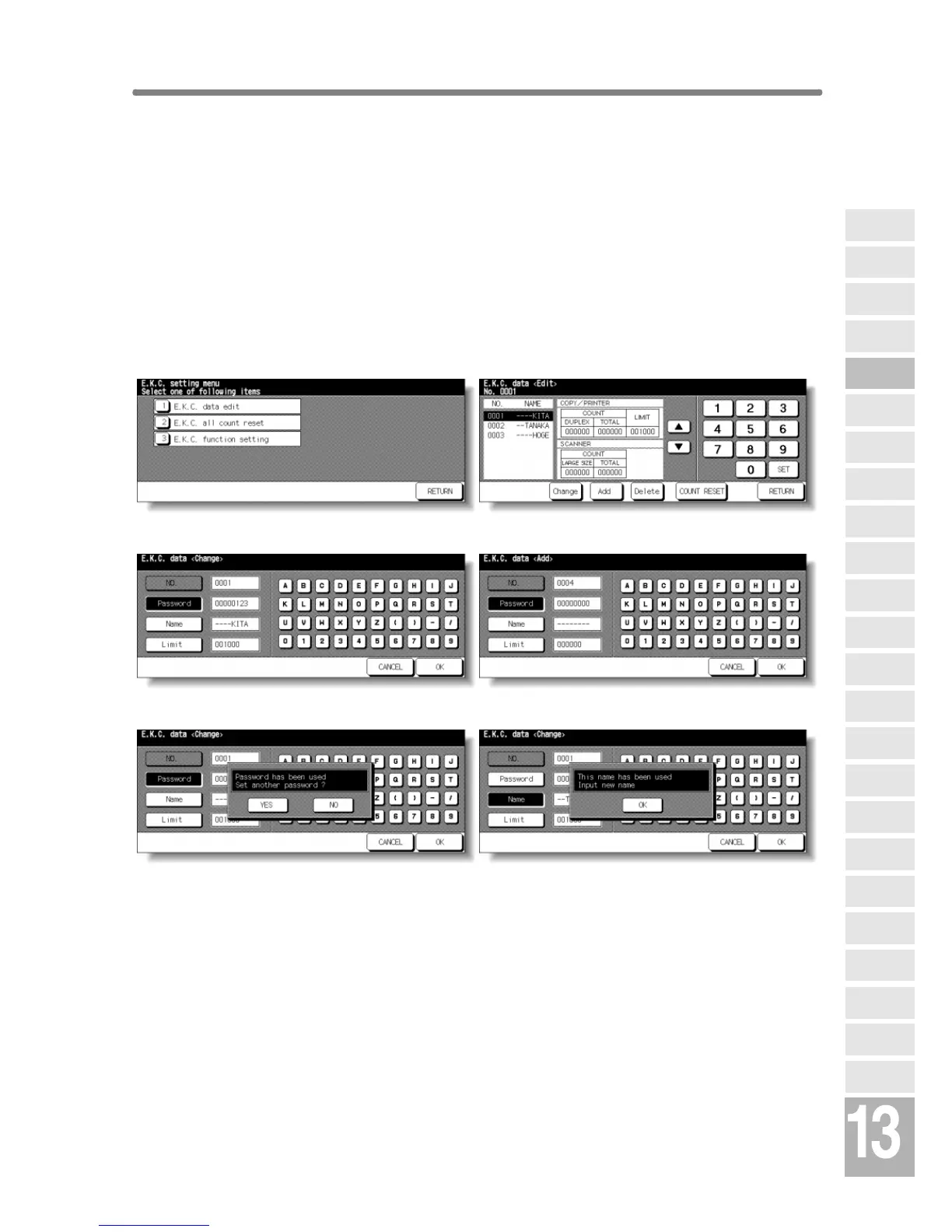
Use this setting to display the list of copy count and copy limit for each
account, to change, add, or delete the EKC data, and to reset the copy
count of the individual account.
❒ EKC No.: Designated by Key Operator
❒ EKC Password: Unique 8-digit numeric code programmed by Key Operator for user
❒ User Name: Max. 8 characters
❒ Copy Limit: 0 to 999,999 copies
EKC Setting Menu Screen EKC Data Edit Screen
EKC Data Change Screen EKC Data Add Screen
Password Duplication Screen Name Duplication Screen
Procedure
1 Touch [4] E.K.C. function setting on the Key Operator Mode Screen. Enter an
8-digit EKC master key code, then touch OK to display the EKC Setting Menu
Screen.
NOTE:
If an invalid EKC master key code is entered, continue by entering the
valid 8-digit code.
2 Touch [1] E.K.C. data edit. The EKC Data Edit Screen will be displayed.
Key Operator
Mode
Non-Image
Area Erase
Scan
Transmission
HDD
Management
Centring
Adjustment
Timing
Adjustment
Background
Adjustment
Finisher
Adjustment
Side 2 Lens
Adjustment
Call Remote
Centre
Machine
Management
List Print
Memory
Switch
Power Save
Setting
Tray Auto
Select Setting
Control Panel
Adjustment
Weekly
Timer
Key Operator
Data Setting
Panel Contrast/
Key Sound
Paper Type/
Special Size
Lock/Delete
Job Memory
E.K.C.
User Setting
Mode
Copier Initial
Setting
System Initial
Setting
Key Operator
Mode










 To Next Page