7-6
Vertical/Horizontal Zoom Mode
Use the Vertical/Horizontal zoom mode to reduce or enlarge vertical and
horizontal dimensions, independently.
>>>Vertical/Horizontal Zoom Mode Specifications<<<
❒ Vertical/Horizontal zoom range: 0.25 ~ 4.00
❒ Incompatible Conditions: APS, AMS, Reduce & Shift in Image Shift, Overlay
with Repeat
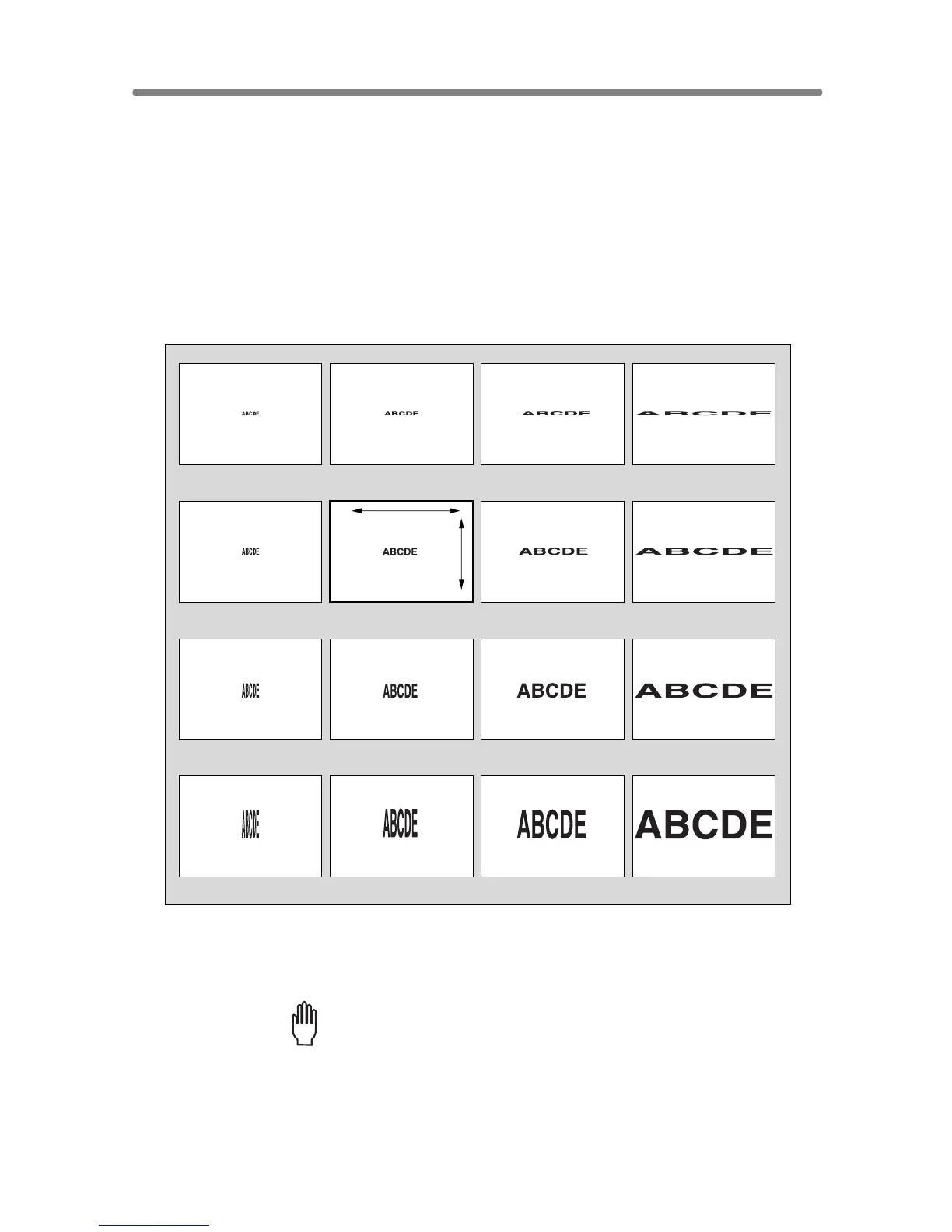
The figure shown below is the sample image using the Vertical/Horizontal
zoom.
1. Touch ZOOM on the Basic Screen.
The popup menu for setting a zoom ratio will be displayed.
Please Be Reminded!
When starting a new copying job, be sure to close the RADF securely,
then press [AUTO RESET].
Length: 1.00, Width: 1.00
Length: 0.50, Width: 1.00
Length: 4.00, Width: 1.00
Length: 2.00, Width: 1.00
Length: 1.00, Width: 0.50
Length: 0.50, Width: 0.50
Length: 4.00, Width: 0.50
Length: 2.00, Width: 0.50
Length: 1.00, Width: 2.00
Length: 0.50, Width: 2.00
Length: 4.00, Width: 2.00
Length: 2.00, Width: 2.00
Length: 1.00, Width: 4.00
Length: 0.50, Width: 4.00
Length: 4.00, Width: 4.00
Length: 2.00, Width: 4.00
Length
Width










 To Next Page