Requirements for Safe Use (continued)
1-8
CAUTION:
Connecting Multiple Loads to One Socket Outlet Prohibited
Never connect multiple loads to one socket outlet using a multi-outlet
extension lead or branched socket. Otherwise an accident may occur as a
result of overheating or fire.
CAUTION: Extension Lead
An extension lead must never be used with this machine.
Environment
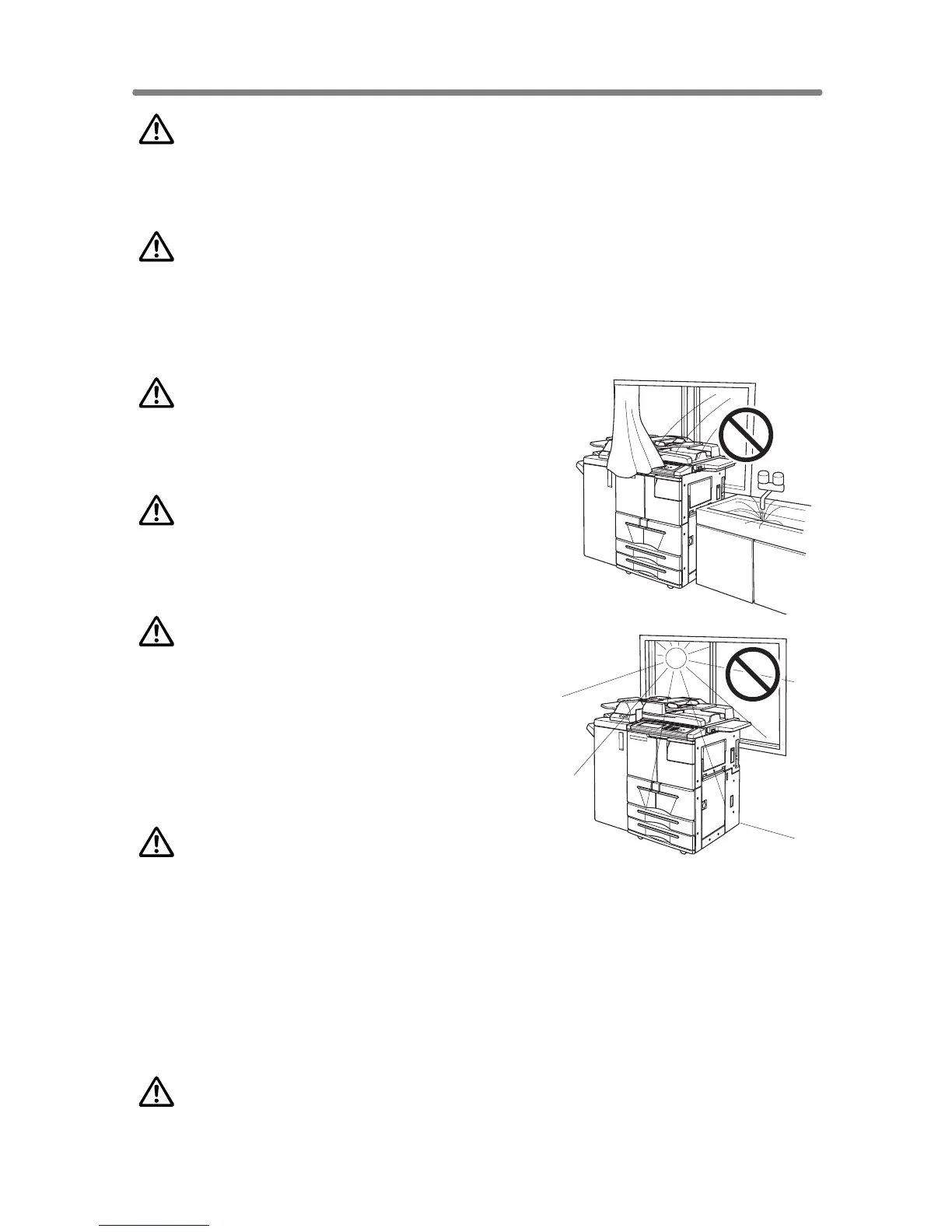
CAUTION: Prevention of Fire
Do not install near flammable materials, curtains
and volatile combustibles, that can catch or
cause fire.
CAUTION: Prevention of Short Circuit
Do not install the copier where it could be
splashed with rain water, or water from a tap,
to avoid a short circuit.
CAUTION: Temperature and Humidity
• Keep away from direct sunlight, heat sources
such as stoves, cool air from an air conditioner
and hot air from a heater.
• Avoid any environment that is outside the
range shown below:
10 to 30°C in temperature
10 to 80% in humidity
CAUTION: Ventilation
• Maintain the installation place well-ventilated.
• Keep away from dust or corrosive gases. These materials may cause poor
image quality.
• During the use of machine, the machine generates ozone but in an
insufficient amount to cause any hazard to the human body.
However, if the machine is used in a poorly ventilated room, many copies are
made, or plural copiers are used at the same time, an odour may be detected.
Ensure adequate ventilation for a comfortable working environment.
CAUTION: Vibration
Do not install on a floor which is subject to vibration or is not level.










 To Next Page