9-19
Inserting Images into Printed Sets (Image Insert)
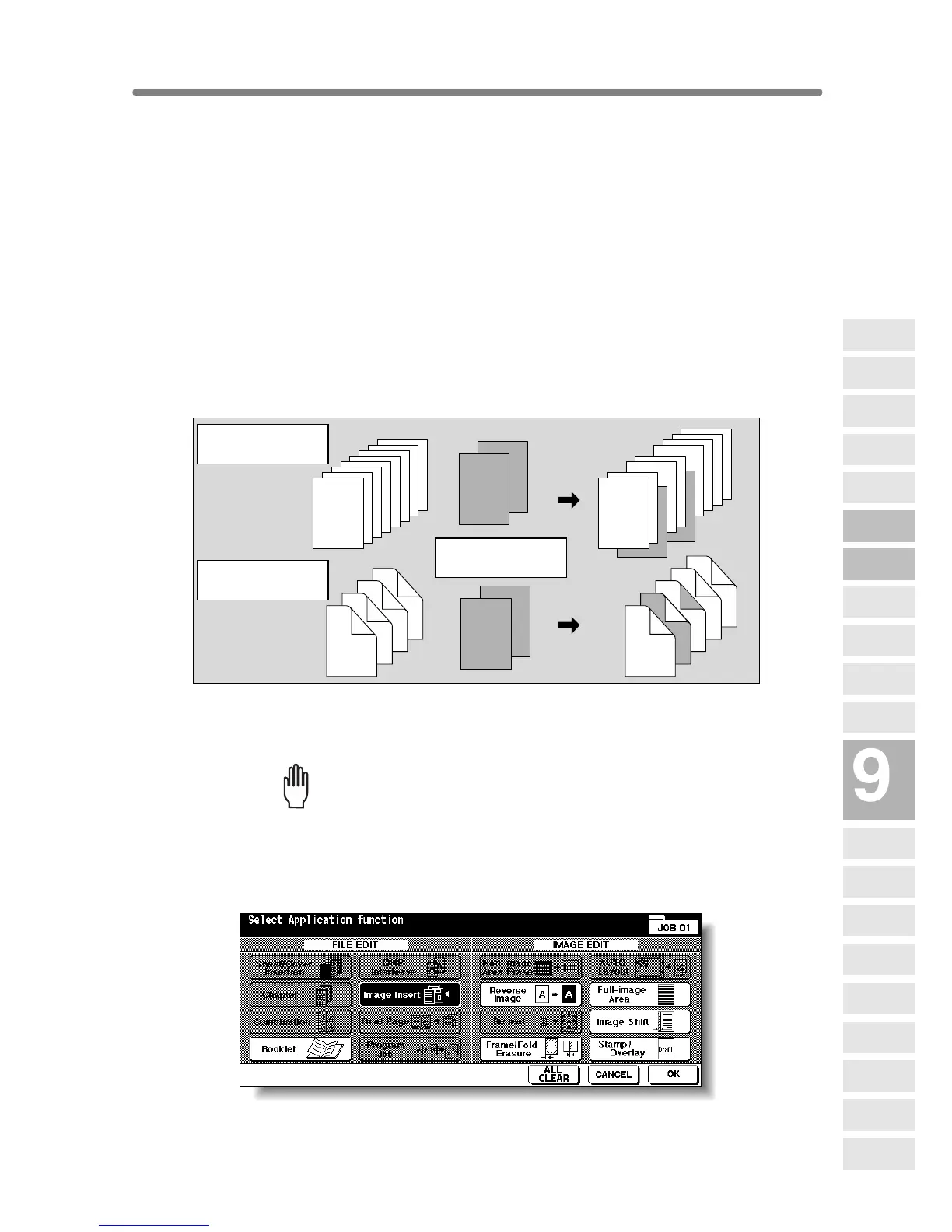
Use the Image insert mode to combine images scanned from the platen glass,
such as photos, paste-ups, newspaper articles, graphs, etc., with images scanned
from the document feeder. Then, output the combined images as a finished set.
The selected copy paper size is determined by the size of originals loaded in
the document feeder.
>>>Specifications for Image Insert<<<
❒ Use RADF and platen glass.
❒ Max. image insert: 30 locations, from p. 1 to p. 999
❒ Incompatible Conditions: Group, Rotation Sort, Rotation Group, Mixed Orig-
inal, Tab Paper, Sheet/Cover Insertion, Chapter, Combination, OHP
Interleave, Dual Page, Program Job, Non-image Area Erase, Repeat,
AUTO Layout, Overlay, Storing image in Overlay Memory
1. Touch APPLICATION on the Basic Screen.
Please Be Reminded!
When starting a new copying job, be sure to close the RADF securely,
then press [AUTO RESET].
2. Touch Image Insert on the Application Selection Screen.
The Image Insertion No. Setting Screen will be displayed.
1-sided originals
placed on RADF
2-sided originals
placed on RADF
5
6
7
8
2
4
1
3
7
8
4
5
2
3
1
6
8
1
7
6
5
4
3
2
8
7
6
1
5
4
3
2
Insertion originals
on platen glass
Applications
Reverse
Image
Non-Image
Area Erase
Program Job
Dual Page
Image Insert
OHP
Interleave
Booklet
Combination
Chapter
Sheet/Cover
Insertion
Application
Selection Screen
Repeat
Frame/Fold
Erasure
AUTO
Layout
Full-Image
Area
Image Shift
Reduce &
Shift
Stamp
Overlay
Overlay
Memory










 To Next Page