Machine Configuration (continued)
2-5
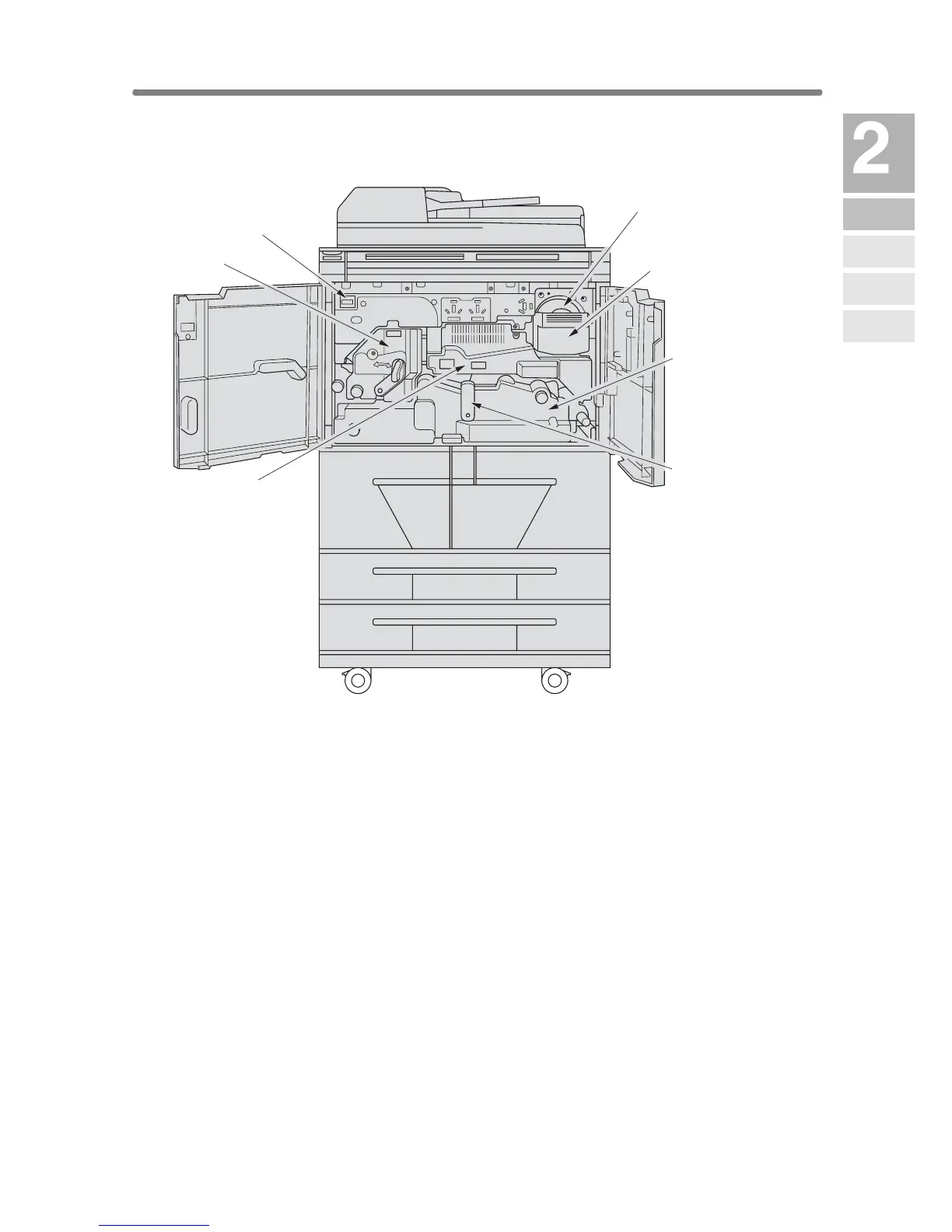
Internal Machine Items
1 Toner cartridge holds toner and is to be replaced when supplying toner.
2 Toner cartridge holder lever can be pulled forward to withdraw the
toner cartridge holder for replacing the toner cartridge.
3 Conveyance/Fixing unit passes the paper through the drum unit, and
fuses the toner onto the copy paper, and is to be withdrawn for removal
of mishandled paper.
4 Lever A can be moved to withdraw the conveyance fixing unit for
removal of mishandled paper.
5 Drum unit forms the copy image.
6 Fixing unit fuses the toner onto the copy paper.
7 Total counter indicates the total number of copies and prints made.
1 Toner cartridge
2 Toner cartridge
hold lever
3 Conveyance/
Fixing unit
4 Lever A
5 Drum unit
6 Fixing unit
7 Total counter
Machine
Information
Machine
Configuration
Turn On/Off
the Power
Loading
Paper
Changing
Paper Size










 To Next Page