10-47
Setting Scan Transmission Function (Environment
Setup)
Follow the procedure below to register, change, or delete the address for the
transmission of the scanned image data using the web browser.
DETAILS
Using Scan Transmission Setting in the Key Operator mode, you cannot
newly register an E-mail/HDD/FTP address or group the entries.
>>>Specifications for Scan Transmission Setting<<<
❒ The Scan Transmission Setting is available only when the optional Printer
Controller is installed in the machine.
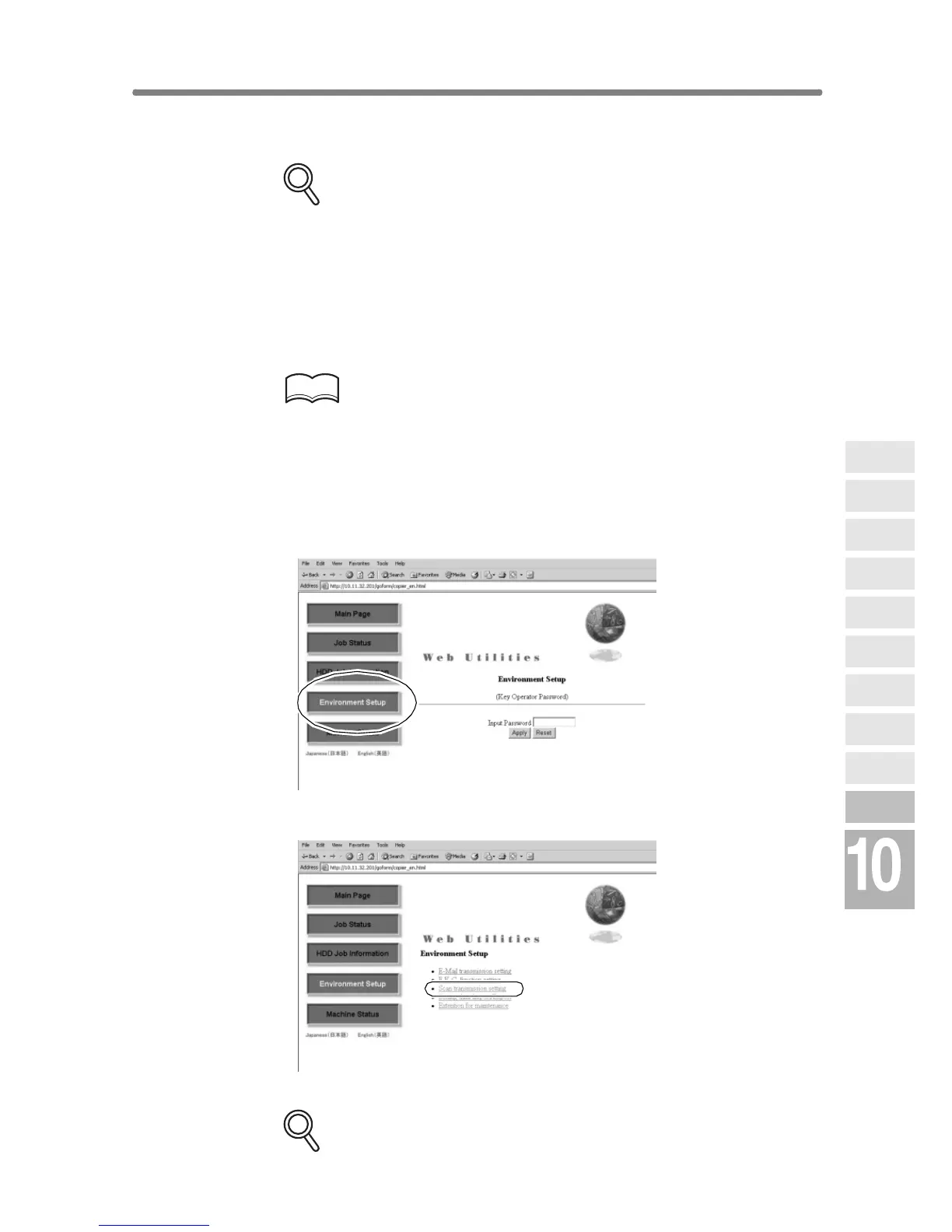
1. Open the Web Utilities window.
HINT
See p. 10-26 for detailed procedure to access the Web Utilities.
2. Click on [Environment Setup].
3. Display the E-Mail Transmission Setting window.
Enter the 4-digit Key Operator password, then click on [Apply].
Click on [Scan transmission setting].
The Scan Transmission Setting window will be displayed.
DETAILS
Network
Function
Job Status
Machine
Information
HDD Job
Information
Environment
Setup
To Use Web
Utilities
Image Edit
Image Recall
Image
Store&Output
Image
Store/Delete
Server
Functions










 To Next Page