13-47
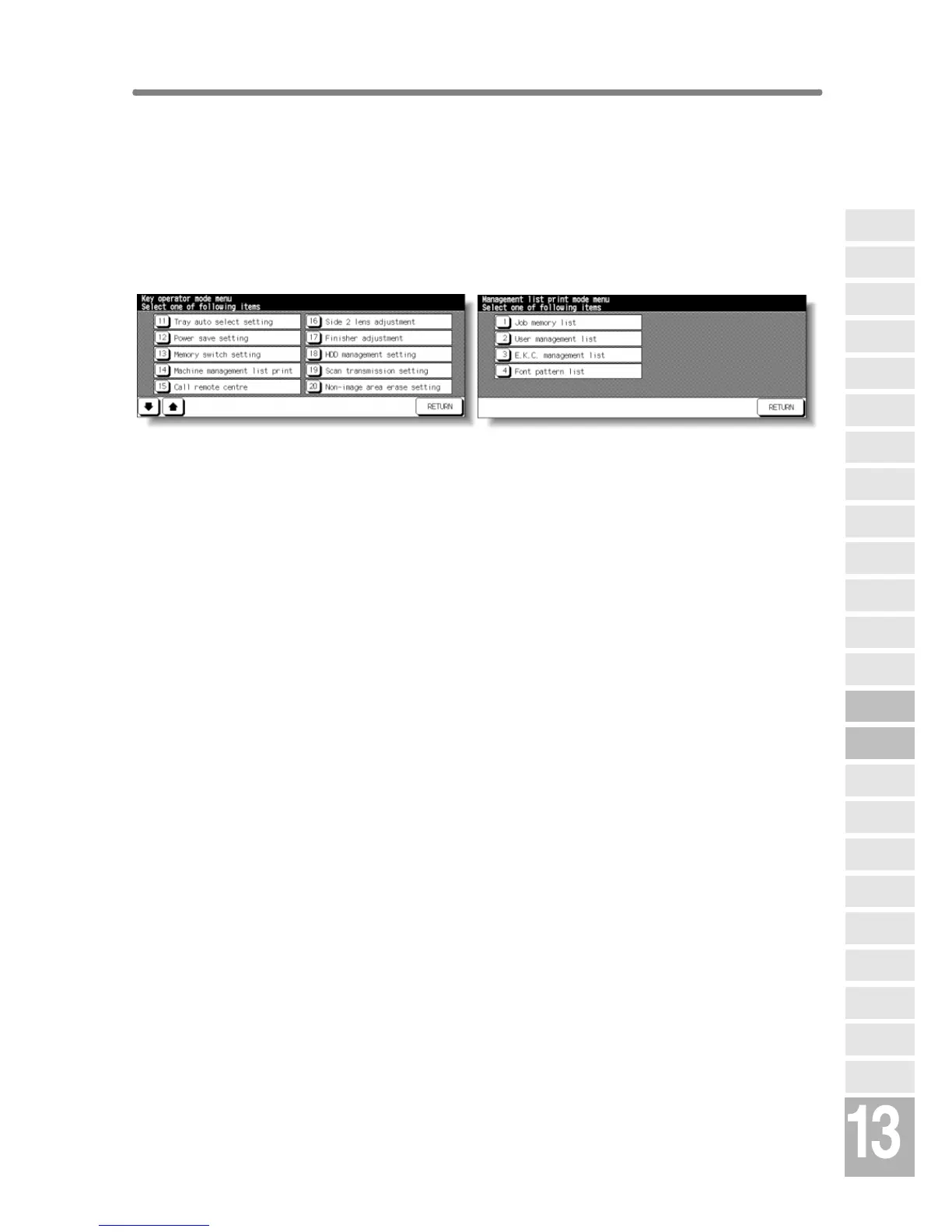
[14] Machine Management List Print
Use this function to print out the list selected from the following items.
• Job memory list: Programmed contents of Job memory
• User management list: Home position settings selected by user
• E.K.C. management list: Machine informations managed by EKC
• Font pattern list: Font patterns used in the machine
Key Operator Mode Screen Management List Print Menu Screen
Procedure
1 Touch [14] Machine management list print on the Key Operator Mode Screen
to display the Management List Print Menu Screen.
2 Touch the desired item on the screen. The Basic Screen will resume
automatically.
3 Press [START] to start printing the selected list.
To suspend printing, press [STOP]. Press [P] and [C] in order to return to the
Management List Print Menu Screen.
4 Touch RETURN to restore the Key Operator Mode Screen.
5 If no further changes are required, touch RETURN to restore the Basic Screen
to perform copying operations.
Key Operator
Mode
Non-Image
Area Erase
Scan
Transmission
HDD
Management
Centring
Adjustment
Timing
Adjustment
Background
Adjustment
Finisher
Adjustment
Side 2 Lens
Adjustment
Call Remote
Centre
Machine
Management
List Print
Memory
Switch
Power Save
Setting
Tray Auto
Select Setting
Control Panel
Adjustment
Weekly
Timer
Key Operator
Data Setting
Panel Contrast/
Key Sound
Paper Type/
Special Size
Lock/Delete
Job Memory
E.K.C.
User Setting
Mode
Copier Initial
Setting
System Initial
Setting
Key Operator
Mode










 To Next Page