[4] E.K.C. (Electronic Key Counter) Function Setting (continued)
13-20
[2] E.K.C. All Count Reset
Reset the count for all EKC accounts.
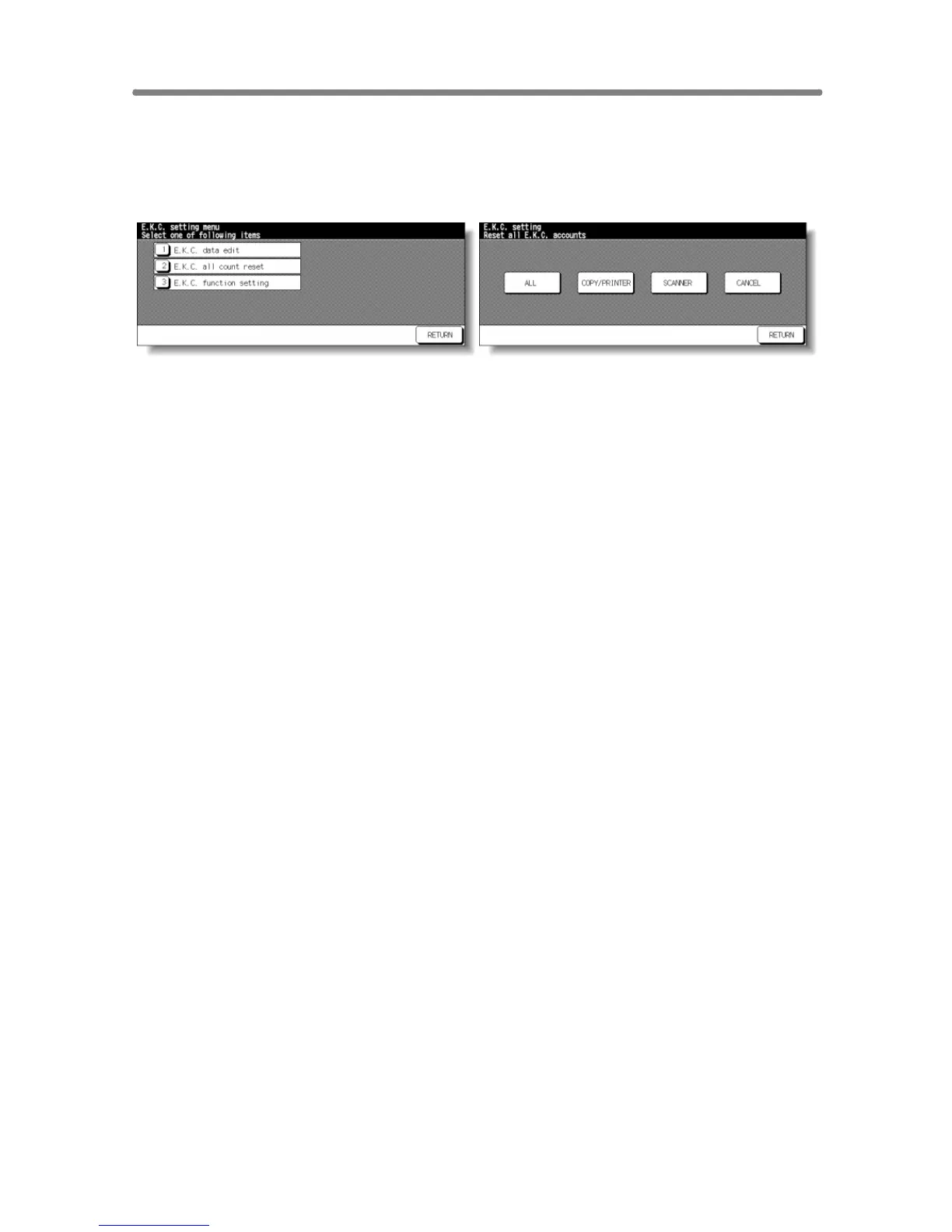
EKC Setting Menu Screen EKC All Count Reset Screen
Procedure
1 Touch [4] E.K.C. function setting on the Key Operator Mode Screen. Enter an
8-digit EKC master key code, then touch OK to display the EKC Setting Menu
Screen.
NOTE:
If an invalid EKC master key code is entered, continue by entering the
valid 8-digit code.
2 Touch [2] E.K.C. all count reset. The EKC All Count Reset Screen will be
displayed.
3 Touch COPY/PRINTER to clear the copy/printer count, SCANNER to clear the
scan count, or ALL to reset all counters to zero and to return to the EKC Setting
Menu Screen.
Touch CANCEL to restore the EKC Setting Menu Screen without resetting
counters.
Touching RETURN will also cancel this function and return to the EKC Setting
Menu Screen.
4 If other EKC setting changes are required, touch desired key, from [1]~[3].
5 Touch RETURN to restore the Key Operator Mode Screen.
6 If no further changes are required, touch RETURN to restore the Basic Screen
to perform copying operations.










 To Next Page