[9] Weekly Timer (continued)
13-30
[2] Timer Setting
Use this function to set the On/Off times in hours and minutes for each day
of the week or set the block time for the entire week, i.e., the same On/Off
time for each day.
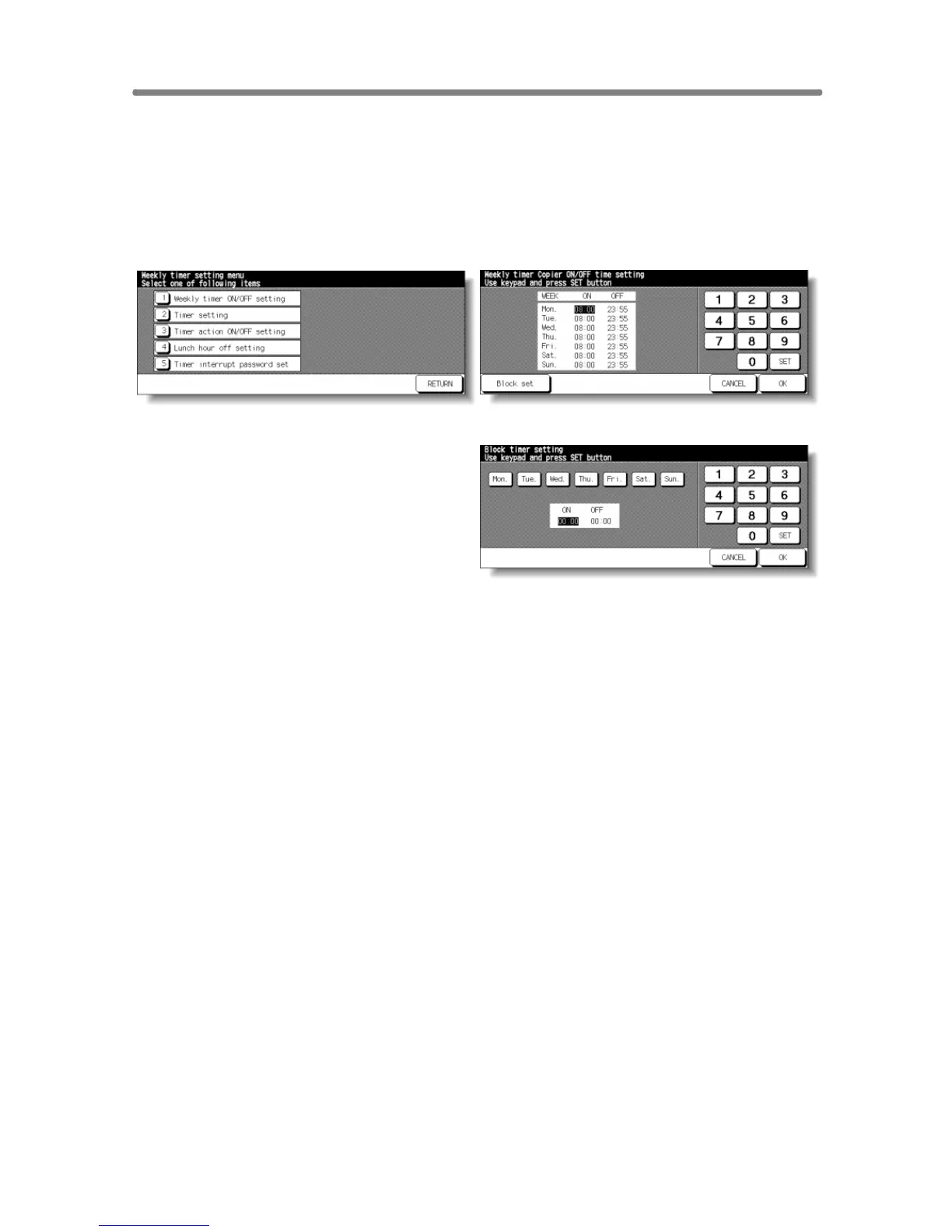
Weekly Timer Setting Menu Screen Weekly Timer On/Off Time Setting Screen
Weekly Timer On/Off Time Block Setting Screen
Procedure
1 Touch [9] Weekly timer on the Key Operator Mode Screen. Enter your 4-digit
Weekly Timer master key code, then touch OK to display the Weekly Timer
Setting Menu Screen.
NOTE:
If an invalid Weekly Timer master key code is entered, continue by
entering the valid 4-digit code.
2 Touch [2] Timer setting to display the Weekly Timer On/Off Time Setting
Screen.
3 When the screen is displayed, the ON-time of Monday is always highlighted.
Enter a 2-digit ON-hour (ex. 8 a.m. is 08) and a 2-digit ON-minute (ex. 7 min. is
07) using the touch screen keypad, and then touch SET.
Touching SET repeatedly will shift the input section from Monday ON, Monday
OFF, Tuesday ON, Tuesday OFF e.g.
NOTES:
• If ON-time and OFF-time are the same, power will not go on.
• If the setting is 00:00~00:00, you will not be able to set the copiers off/
on condition for specific days.
When setting Sunday OFF-time, Monday ON-time is highlighted again. Proceed
to step 5.
4 To set the ON/OFF time collectively for more than one day of the week, touch
Block set to display the Weekly Timer On/Off Time Block Setting Screen.










 To Next Page