9-29
Erasing Outside of the Original (Non-Image Area
Erase)
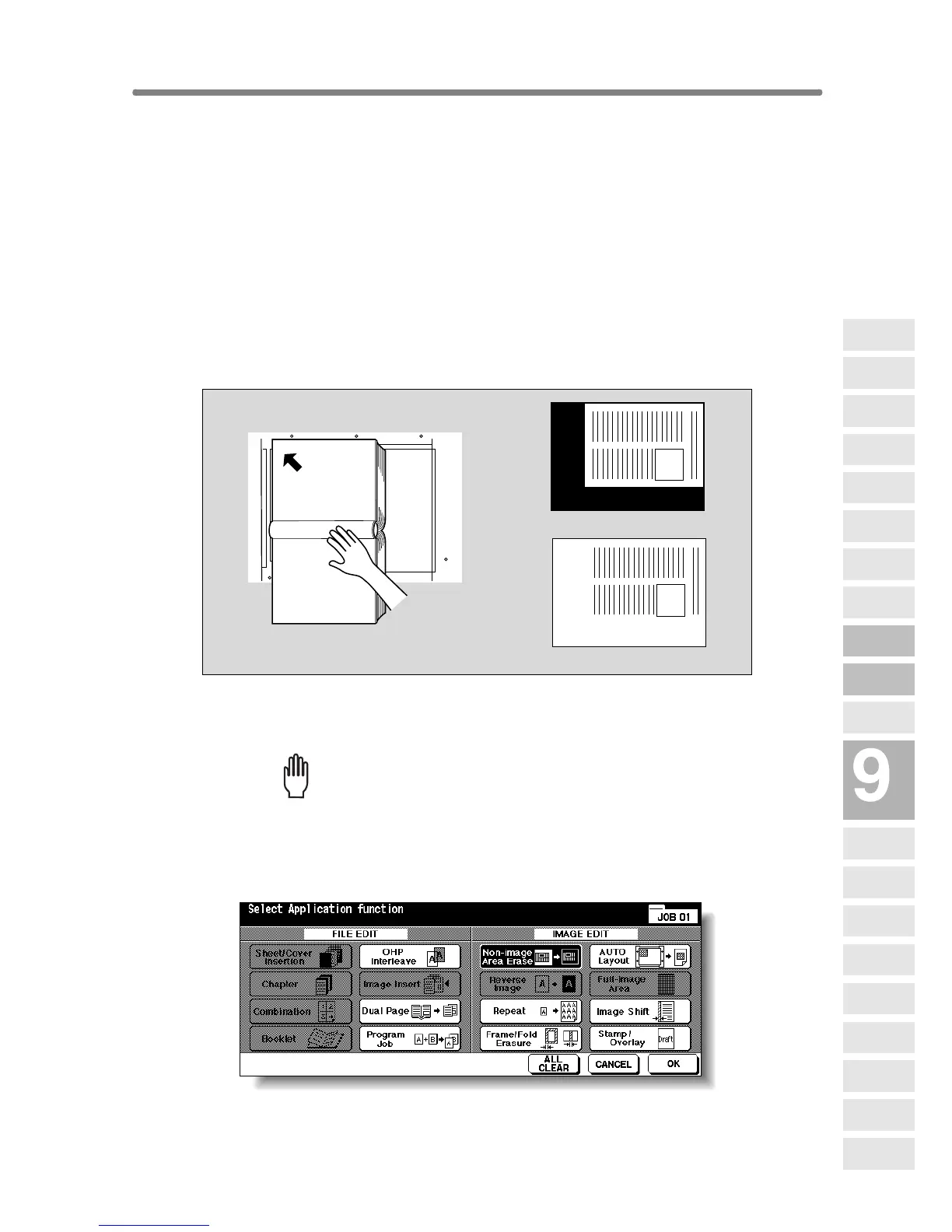
The Non-image area erase mode is used to copy non standard or special
originals, such as books, magazines, paste-ups, graphs, thick or thin
materials, etc. from the platen glass. The exposed glass area outside the
borders of the original will not be copied.
>>>Specifications for Non-Image Area Erase<<<
❒ Use the platen glass only. Keep RADF open throughout the procedure.
❒ Incompatible Conditions: Using RADF, 2-2, 2-1, APS, AMS, Rotation, Rota-
tion Sort, Rotation Group, Mixed Original, Z-Folded Original, Sheet/Cover
Insertion, Chapter, Combination, Booklet, Image Insert, Dual Page in RADF
Store mode, Reverse Image, Full-Image Area, Reduce & Shift in Image
Shift, Storing image in Overlay Memory
1. Touch APPLICATION on the Basic Screen.
Please Be Reminded!
When starting a new copying job, be sure to close the RADF securely,
then press [AUTO RESET].
2.
To uch Non-image Area Erase on the Application Selection Screen.
The incompatible function keys will be dimmed to show inactivity.
Set original
General copying
Non-Image Area Erase
Applications
Reverse
Image
Non-Image
Area Erase
Program Job
Dual Page
Image Insert
OHP
Interleave
Booklet
Combination
Chapter
Sheet/Cover
Insertion
Application
Selection Screen
Repeat
Frame/Fold
Erasure
AUTO
Layout
Full-Image
Area
Image Shift
Reduce &
Shift
Stamp
Overlay
Overlay
Memory










 To Next Page