3-27
Making Single-Sided Copy from Double-Sided Origi-
nals (2-1)
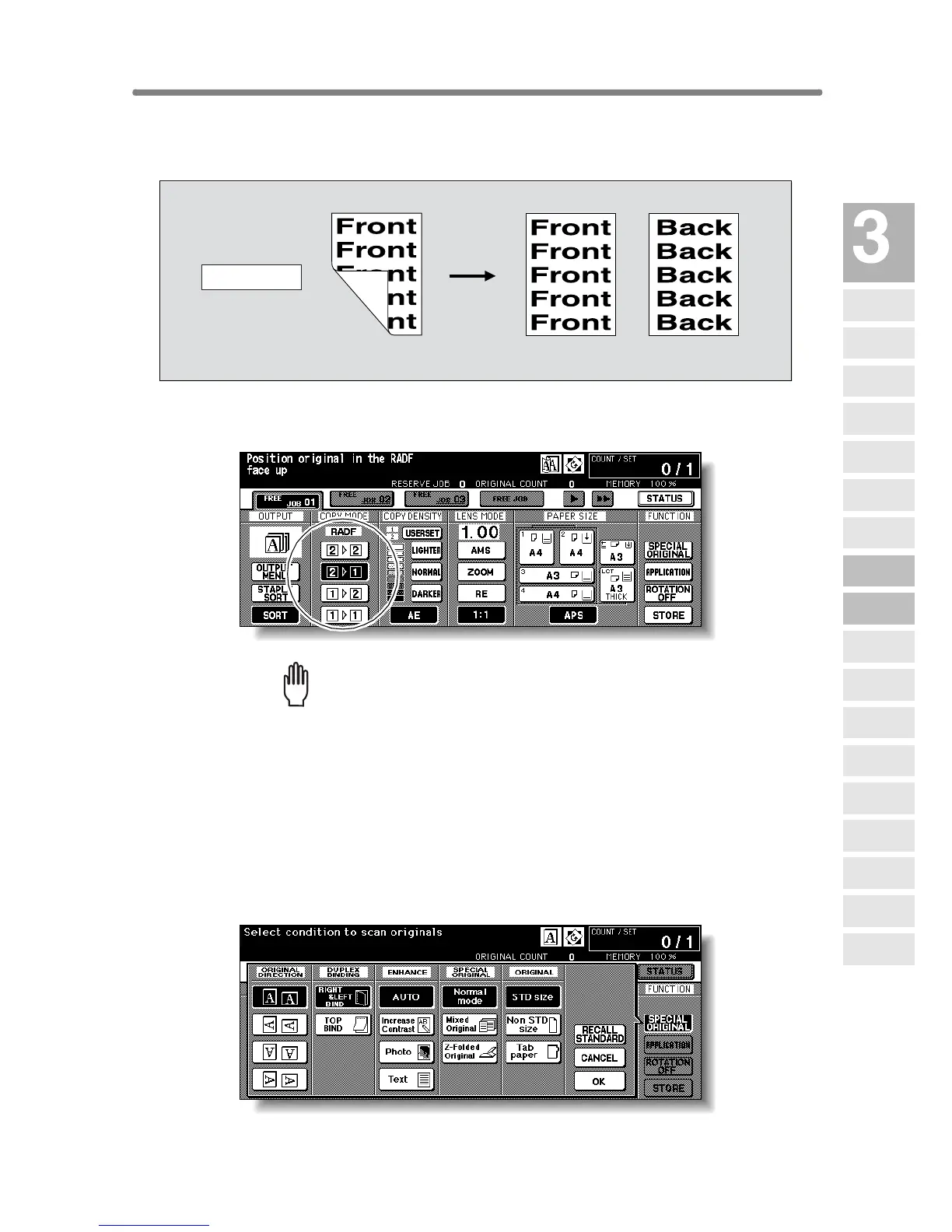
Use RADF and select 2-1 copy mode to make single-sided copies from
double-sided originals.
1. Touch 2-1 on the Basic Screen to highlight it.
Please Be Reminded!
When starting a new copying job, be sure to close the RADF securely,
then press [AUTO RESET].
2. Check and specify the original set direction and binding mode.
The Original direction icon is located at the upper left corner of the Basic
Screen.
To change the original set direction, touch SPECIAL ORIGINAL on the Basic
Screen to display the Special Original popup menu, then touch the desired
original direction key to highlight it.
Double-sided original
Simplex copy
2-1 Copying










 To Next Page