9-44
Printing Images Fully to the Edges (Full-Image
Area)
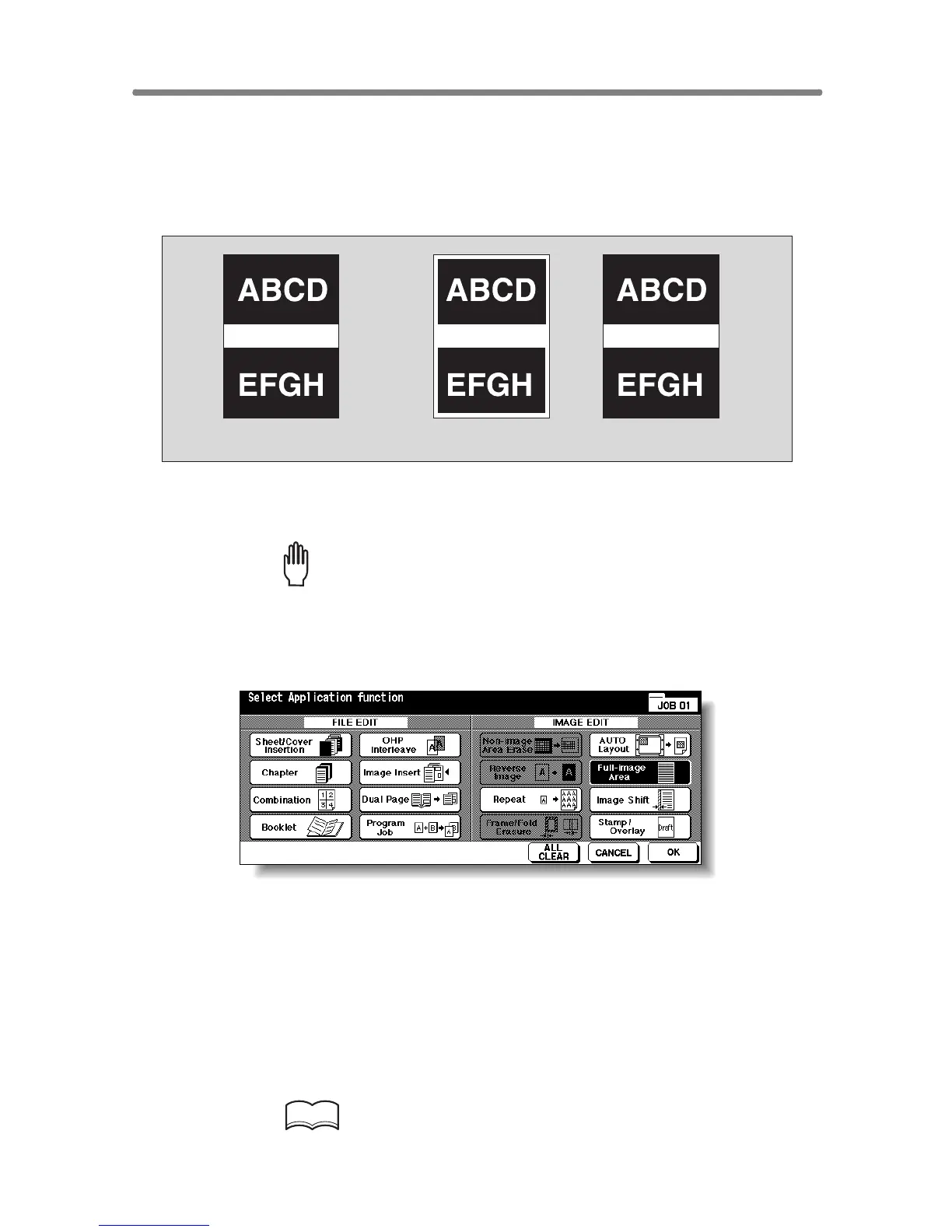
Use this function to make copies printed completely to the edges.
>>>Specifications for Full-Image Area<<<
❒ Incompatible Conditions: Rotation Sort, Rotation Group, Non-Image Area
Erase, Reverse Image, Frame/Fold Erasure
1. Touch APPLICATION on the Basic Screen.
Please Be Reminded!
When starting a new copying job, be sure to close the RADF securely,
then press [AUTO RESET].
2.
To uch Full-image Area on the Application Selection Screen.
The incompatible function keys will be dimmed to show inactivity.
3. Touch OK on the Application Selection Screen.
The Basic Screen will be restored.
4. Select additional copy conditions, as desired.
5. Enter the desired print quantity from the control panel keypad.
HINT
See p. 3-6 for details on setting print quantity.
Original Normal copy Full-Image Area copy










 To Next Page