9-31
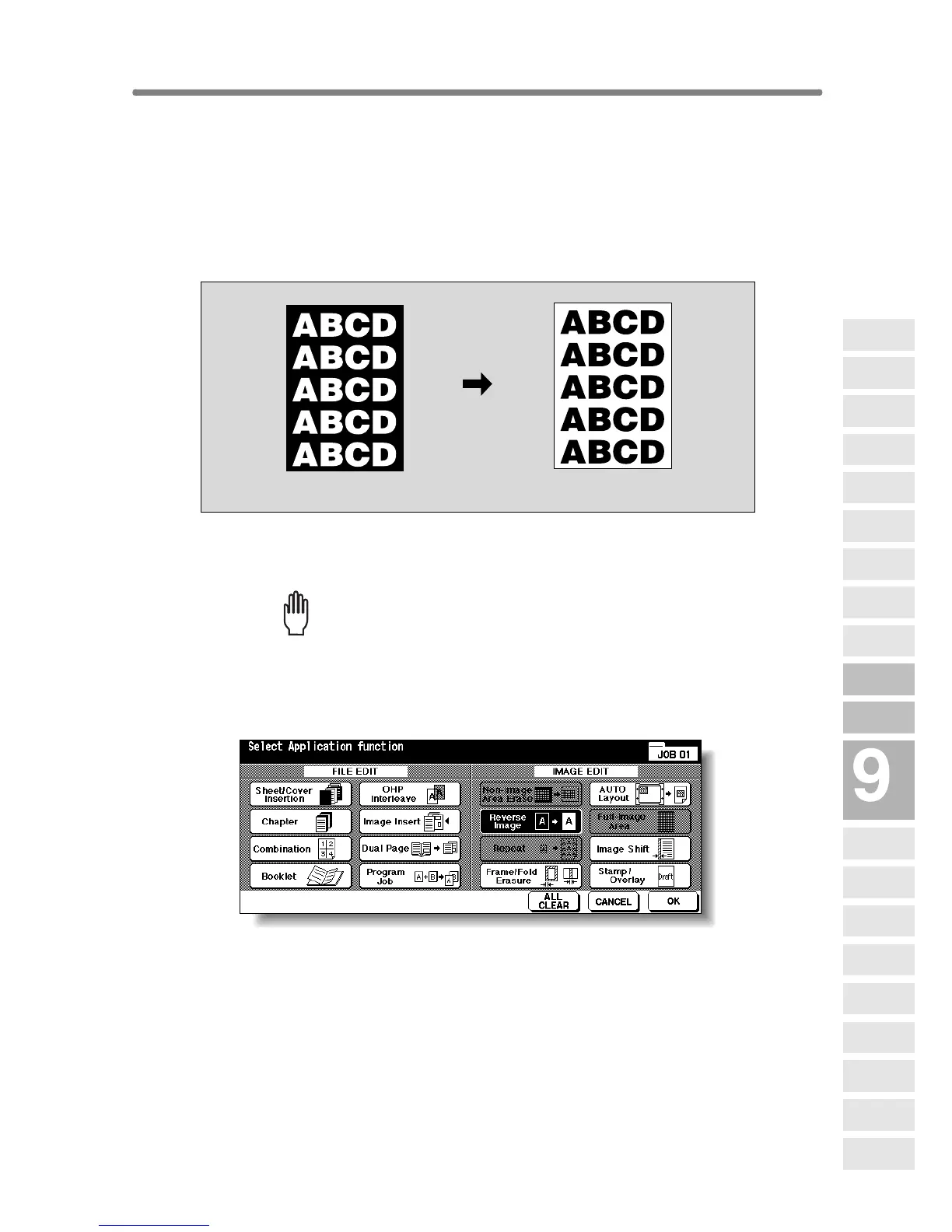
Reversing Colour in Black and White Image
(Reverse Image)
Use Reverse image to reverse the image from black-on-white to white-on-
black, and vice versa. This is very good for copying white-on-black originals
and reversing them ready to fax.
>>>Specifications for Reverse Image<<<
❒ Incompatible Conditions: Fold, Stitch&Fold, Three-Fold, Non-Image Area
Erase, Repeat, Full-Image Area, Stamp, Overlay
1. Touch APPLICATION on the Basic Screen.
Please Be Reminded!
When starting a new copying job, be sure to close the RADF securely,
then press [AUTO RESET].
2. Touch Reverse Image on the Application Selection Screen.
The incompatible function keys will be dimmed to show inactivity.
3. Touch OK on the Application Selection Screen.
The Basic Screen will be restored.
Original
Reverse Image copying
Applications
Reverse
Image
Non-Image
Area Erase
Program Job
Dual Page
Image Insert
OHP
Interleave
Booklet
Combination
Chapter
Sheet/Cover
Insertion
Application
Selection Screen
Repeat
Frame/Fold
Erasure
AUTO
Layout
Full-Image
Area
Image Shift
Reduce &
Shift
Stamp
Overlay
Overlay
Memory










 To Next Page